
kjmnmnfcpbmimkdomkfifidfhpihgbne
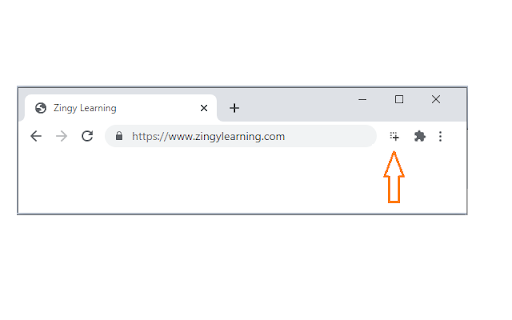
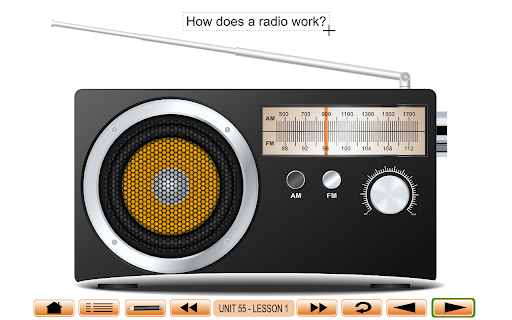
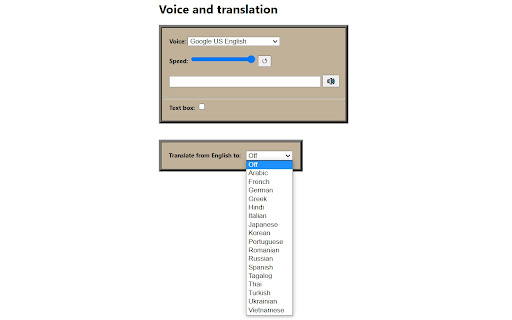
Zingy Reader uses the power of OCR (optical character recognition) to extract English text from images. The selected text may be read out loud and translated. While the extension is designed for Zingy Learning (www.zingylearning.com) content, it will also work for many other sites. Please view the instructional videos: www.zingylearning.com/zingyextension.html • The text select tool of this extension will only work when a single browser window is open. Please make sure not to open multiple windows. • If you would like additional languages added to the translation feature, please leave a comment in the review section.

Easy Reader
⚡️Transform the way you read onlineRead better, read faster, and read more of what you love with our special technology designed to teach you to be a better reader. ⚡️Save articles on the web to read at your desired speed with a custom style that helps train your eyes to read more efficiently. ⚡️Remember everything you read with tools to help you keep track of your time spent reading.

WordMapDictionary | A visual dictionary
It is a visual dictionary/thesaurus. It uses a mindmap like interface to show relationships between words and definitions. WordMapDictionary is a visual dictionary-cum-thesaurus. It uses a mindmap like interface to show relationships between words, definitions and other definitions. - It uses a unique mind-map style visual interface - While normal dictionaries show definitions of words in isolation. This app presents you with a holistic mindmap around the word. It shows meanings, and how those meanings relate to each other. It allows you to go deep, or broad, or sideways, to see things in different angles. See video for usage: https://www.youtube.com/watch?v=55RTcGoKqtE - Select a word on any page, right click, from the dropdown, click on "Open WM Dictionary". ("Open WM Dictionary" button is only shown if you actually selected the text). - This will open dictionary view on the side. - If dictionary view is already open, you can also select any word (and it will update dictionary view with newly selected word). - To export current word definition map as png: - From app bar, click on export icon. - To share current word definition url: - From app bar, click on share icon. - To search for a word: ## Extension Options From options page, you can configure: - size of dictionary view (in percent width of the page) - side, whether dictionary view is shown on the left or the right side.

Easy Reader
Focus on the content; as little or as much as you'd like. This extension acts as a digital reading ruler. It allows you to stay focused by blocking distractions while reading online.

Read Out: AI Reader
Read Out converts text you select or copy to speech. Read Out is a free browser extension that provides multilingual, AI-powered text-to-speech (TTS) functionality. To use it, simply select the text you want to hear, right-click, and choose "Read Out." The extension will then convert the text into natural, human-like speech. Additionally, you can play any copied text out loud on any webpage using the extension's popup, which is accessible from the icon pinned to your browser's navigation bar. Read Out offers six distinct voice models and adjustable AI voice quality, all at no cost. While the extension is compatible with the vast majority of websites, please be aware that some content restrictions may prevent its functions on certain pages.
