
kijgnjhogkjodpakfmhgleobifempckf
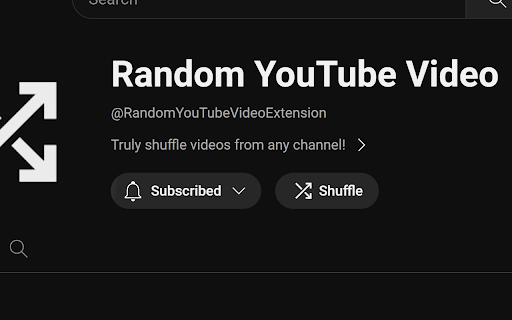
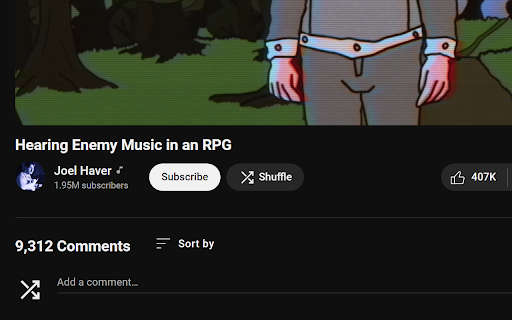

Customize, shuffle and play random videos from any YouTube channel. Do you have a favourite YouTube channel, but don't know what to watch? This extension is for you! The "Random YouTube Video" extension adds a "Shuffle" button to YouTube channel, video and shorts pages, which will play a truly random video from the current channel. Use the extension's popup to customize your experience even further! Level up your YouTube experience with these features: ✔ A new shuffle button that uses the native look and feel of YouTube - including dark mode - so it fits right in with the YouTube interface you're used to! ✔ Utilize a wide range of options to individualize your experience, such as ignoring shorts, only shuffling from the most recent videos or shuffling multiple videos into a playlist! ✔ A smart, 100% anonymous backend technology ensures that popular channels shuffle as fast as possible, no matter how many video uploads they have! ✔ ...and much more! Do you want to support the extension's development or say thank you? Consider donating or sponsoring the project on GitHub: https://ko-fi.com/nikkelm https://github.com/sponsors/NikkelM Do you have questions or feedback? Feel free to open an issue on the project's GitHub page: https://github.com/NikkelM/Random-YouTube-Video Latest changes: v3.1.14 - Added "before" filter options: You can now shuffle from videos uploaded before a given date or video ID, in addition to the existing "after" filters. - Fixed the shuffle button missing styling after a recent YouTube UI update. v3.1.13 - Added accessibility options: Under "Advanced Settings", choose to not show shuffle buttons on video or channel pages. - Added some smoothed animations to the popup when expanding and collapsing the advanced settings. v3.1.12 - Removed "tabs" permission from the extension, enhancing privacy. v3.1.11 - Changed the default settings to not open shuffled videos in a new tab. - Moved the informative text about remaining YouTube API quota to the advanced settings menu. - Updated the welcome page for a better experience. v3.1.10 - News page will no longer open after updating from v3.1.5 or an earlier version. v3.1.9 - Temporarily disabled the news feature. v3.1.8 - The button's tooltip may now show additional information on the shuffle status. - The extension will now show that a shuffle is still running when navigating within a channel. - Fixed a bug where an active shuffle would continue in the background when navigating to a different channel. - Fixed a bug where clicking the shuffle button while the shuffle was running would start a second shuffle at the same time. - Fixed a bug where the shuffle button would sometimes not be added to the page if it was opened directly from a new tab. - Fixed a bug where the playlist created by the extension would sometimes not be renamed correctly. - Fixed an animation bug when ignoring shorts and shuffling a channel with many videos from a shorts page. - Fixed the shuffle button not being added to the channel page if the browser is using a new YouTube UI. You can always view the full Changelog here: https://github.com/NikkelM/Random-YouTube-Video/blob/main/CHANGELOG.md

Open Random Bookmarks
Open Random Bookmarks Randomly opens a set amount of bookmarks from a set folder. ### CHANGELOG ### >>> 0.2.3 >> 0.2.2 >> 0.2.0

Fix Youtube Shuffle
After installing the extension if you're watching a video in a playlist and you click the 🔀 it will immediately navigate to another random video in the playlist you're in. The main downside is that you have to give it some time before it's done. The reason for this is the trick I had to use to make this work. I can't really speed this up sadly. I recommend turning your ad blocker off the first you test the extension, an ad blocker could interfere with the extension. If the shuffle button does nothing when you click it, refresh the page and try it again.

Netflix Hidden Categories
EN: This Google Chrome extension will allow you to discover hidden categories on Netflix. You can explore new movies, documentaries, or series of your interest, within your favorite theme, using an intuitive search feature. Enjoy!

YouTube Liberation: Anti-Distraction Skin
Chrome extension to liberate you from the infinite distraction cycle of YouTube. Like other social media platforms, YouTube is very good at showing you content that you want to watch but weren't planning to or looking for, making it super easy to get distracted and get sucked into one video after another and suddenly lose an hour of your day. Yet there are so many valuable resources and videos that you can't find elsewhere: tutorials, event coverage, specific creators you subscribe to who you know always publish high-quality content worth watching. For many of us, the value of YouTube makes it worth the sacrifice of even its most distracting possibilities, and it's impossible to just cut away. What if it didn't have to be this way? What if you could have the good of YouTube, see the content you want to see, without the platform constantly trying to drag your attention through an endless stream of productivity-draining drudgery? This is the philosophy behind YouTube Liberation. It's time to rise up, lose your chains, and join us as we march our way towards a better YouTube! YouTube Liberation works by hiding elements that lead you towards new content you don't intend to see, without compromising any core viewing features. These elements include: - The entire home page of alg-generated recommendations - Video recommendations on watch pages - Comments sections on watch pages - Extraneous UI elements, replacing the full sidebar with a much more minimal one and removing most topbar buttons YouTube liberation does not at all compromise: - Subscriptions and trending pages - Channel pages - Playlists - Video stats, description, etc. What are considered vital core features and what are considered distracting elements varies from use case to use case and person to person. For certain kinds of videos, comments might be more constructive than distracting. For creators, notifications and easy access to uploading might be important (though that's why YouTube Studio exists...). Thus, one feature I'm working on adding right now is the ability to customize what gets hidden and what is shown, with a recommended configuration as it is right now.
