
kgihjigonjmklfpbmagbdofjafegeoke
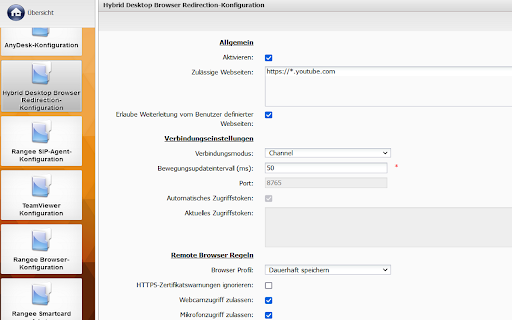
This extension redirects webpages in common remote session protocols running on Clients with HD BrowserRedirection server component installed. The website is rendered locally on the Client system which allows a native browsing experience. It is also possible to access webcams and microphones connected to the Client without the use of any additional redirecting protocols. Requirements: - HD Browser Redirection installed and licensed on the Client system - (optional but recommended) HD Browser Redirection Connector App on Serverside - (optional) HD Channel Agent + Addon Channel (currently available for Citrix ICA) Release Notes: Version 1.2.0.0 - Added seamless integration mode - Optimize configuration exchange between addon and connector app Version 1.0.0.6 - Optimize configuration exchange between addon and connector app - Added a reconnect retry for lost connections each 5 seconds Version 1.0.0.4 - Added option which allow to define a list of websites to redirect for the end user - Added the option to redirect the current website with a click on the extension icon - Optimized detection of the browser redirection server state Version 1.0.0.2 - Added support for moving a tab from one to another window - UI changes in redirector background page

moarTLS Analyzer
Analyze webpages for non-secure link references. HTTPS only works if you use it! This simple Chrome extension adds a button to Chrome that allows you to easily discover non-secure (e.g. HTTP) links on your pages. Simply click the moarTLS button and non-secure link references in the current page are flagged for review. You can learn more about latent mixed-content vulnerabilities here: https://textslashplain.com/2016/03/17/seek-and-destroy-non-secure-references-using-the-moartls-analyzer/

YouTube Auto HD - Automatic HD for YouTube
YouTube Auto HD: YouTube automatically adjusts video quality, manages subtitles and audio settings. YouTube Auto HD is a powerful Chrome extension that automatically optimizes your YouTube experience. 🎥 Auto Quality Adjustment: Selects the optimal video quality based on your internet speed. 🔧 Manual Quality Control: Set your preferred quality manually if desired. 📊 Adaptive Performance: Automatically adjusts video quality as your internet speed changes. 🌐 Subtitle Management: Automatically enables subtitles in your preferred language. 🔊 Audio Control: Offers automatic volume adjustment and mute mode features. 📈 Viewing Statistics: Tracks your total watch time and quality changes. YouTube Auto HD is designed to maximize every video watching experience. Whether you have a fast or slow internet connection, this extension picks the best quality for you, so you can focus solely on the content. With its user-friendly interface, you can customize your settings, enable manual quality selection, or switch to fully automatic mode. Set your subtitle and audio preferences once, and let the extension handle the rest! Try Auto YouTube HD now for a smoother, higher quality, and personalized viewing experience on YouTube! 🔌 1. Install the YouTube Auto HD extension from the Chrome Web Store. 🎥 2. Navigate to any YouTube video page. 🚀 3. The extension automatically detects your internet speed and sets the optimal video quality. 🎛️ 4. Use the extension popup to manually select quality or adjust settings if you prefer. 🍿 5. Sit back and enjoy your videos in the best possible quality! 🔄 Automatic quality adjustment every 30 seconds 🌍 Subtitle language preferences applied automatically 🔊 Seamless audio settings management 📊 View your watching statistics in the extension popup 🏆 YouTube Auto HD works silently in the background, ensuring you always get the best viewing experience without any hassle. Whether you're a casual viewer or a Auto YouTube HD enthusiast, this extension is designed to enhance your viewing experience effortlessly. ⬇️ Download YouTube Auto HD now and transform your YouTube watching experience!

ADCS EID Reader
This Extension is developed to communicate with console application. www.ica.gov.ae provide SDK for Desktop application with DLL to directly read from the card instead of sending request to server and fetch daata from there. So in web application it was almost impossible. Difinitly your clients must be limited and they must have dlls and a console app should be there, which on launching reads the card and if valid card is there it copies card data to clipboard. This extension will initiate and run that console app in background will wait untill cardreader responses back with valid data or error message using this extension we will be able to read client clipboard and populate required information in specified objects(s) on the webpage it do require to create some registry items search at codingsips.com 14-Dec-2023 manifest_version = 3 and extension version 3.0.0

Citrix Web Extension - Beta
Launch your workspaces anytime, anywhere without an .ica file keeping your experience safe and reliable. Chrome extension to enable Service Continuity in Citrix Workspace. This extension enables the Service Continuity feature when accessing Citrix Workspace via Chrome browser (Workspace app for Web). Service Continuity removes (or, if not possible, minimizes) the dependency on the availability of the components involved in the connection process, allowing users to connect to their virtual apps and desktops regardless of the cloud services' health status. In addition to installing this extension, you must also install Citrix Workspace app on your device.
