
kfbnpbhllihccfgndikfncfpahfcgbon
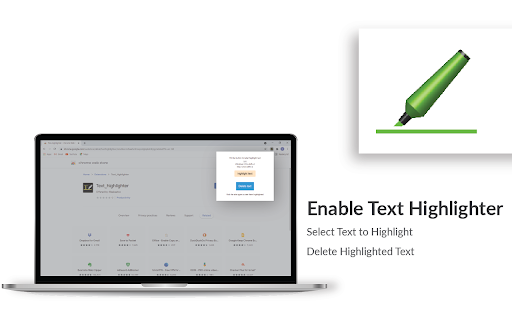
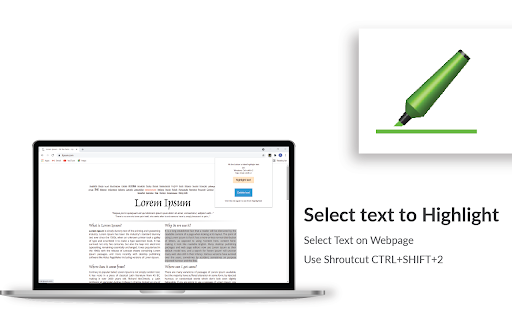


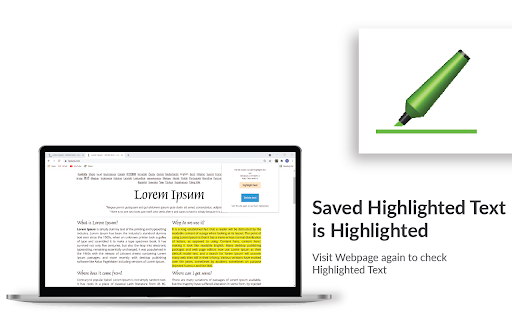
Highlight selected text in webpages, add notes and visit the webpage again to see highlighted text and saved notes. 🖍️ Online Highlighter Extension for Chrome™ – Save & Organize Your Research Effortlessly Looking for a reliable web 𝗛𝗶𝗴𝗵𝗹𝗶𝗴𝗵𝘁𝗲𝗿 Chrome™ extension to keep track of important information? This text highlighter Chrome™ extension makes it simple to highlight, save, and revisit key content on any webpage. Highlight selected text on a webpage using the highlighter for Chrome™ and save it to view later. Add personal notes to highlighted sections and access them whenever you revisit the page. All your saved highlights and notes stay linked to the same webpage for quick reference. Mac: Press Cmd + Shift + 2 for fast highlighting. Mac: Press Cmd + Shift + 4 for quick note-taking. With this highlighter for web pages, you’ll never lose track of critical insights, research notes, or references again. 🚀 Perfect for students, professionals, and researchers who need an efficient highlighter Chrome™ extension to stay organized.

Highlighter for Google Chrome™
Highlight your text right in the webpage. Over 10+ colors to choose from for the highlighter color. Want to emphasize important points on a website via highlighting before saving the screenshot to your computer? You can do so now for free using our highlighter software. This is a fast and simple highlighter software to help your screenshots stand out. Disclaimer: Please note this extension is NOT made by Google and is made by an independent development team. All copyrights belong to their respective owners. Google doesn’t endorse or sponsor this extension. Highlighter for Google Chrome™ is not owned by, is not licensed by and is not a subsidiary of Google Inc.

Web Highlighter, Eraser, Black out marker and Multi copy tool
Highlight text in a web page. Copy multiple selections at once. Delete text or images. Black out. Print or save as anonymized pdf. Open a web page and activate the extension by clicking its icon. - Highlight the meaningful text fragments in a web page. - Delete the irrelevant text or images from a web page. - Copy multiple highlighted selections to the clipboard in one click. You do not have to paste into another window each time you select text. - Black out any private information before printing a web page. - Print the decorated text or save as a PDF. The highlights are retained during printing. In the PDF the blacked out characters are replaced by question marks. - You can also cross out or underline text like in Acrobat. How this tool is different from similar extensions: - It is simple to use. Its user interface is a toolbar popping up upon text selection. It has no options or settings. - It is open-source. The code inside is not mangled, you can check it to make sure that it is safe. - It is free.

Web Highlights: PDF & Web Highlighter + Notes & AI Summary
Productivity Highlighter & Annotation Tool for Websites & PDFs with AI Summary - free, easy to use, no sign-up required. Stay organized online with Web Highlights — a powerful Chrome extension to highlight text on websites, annotate PDFs, take notes, manage bookmarks, and generate AI summaries of your content. Whether you're a student, blogger, developer, researcher, or lifelong learner, Web Highlights helps you stay productive, save, organize, and revisit what matters — all in one place. Use it as your personal text highlighter for Chrome with smart note-taking, PDF annotation, tagging, full-text search, and AI-powered content summarization. Choose offline use or sync everything to the cloud via the web app. 🟢 Highlight websites and PDFs (including local files) 🎨 Multiple highlighter colors ✍️ Take notes and connect them with your highlights 🤖 AI Summary - Generate smart summaries of your highlights and websites 💬 AI Chat - Our AI understands the full context of the website, so you can chat with it and ask questions. 🔖 Save pages as bookmarks or use as a read-it-later web clipper tool 🏷️ Tag your highlights & bookmarks for easy filtering 🎥 Youtube Highlighting - Highlight & annotate Youtube video transcripts 🔄 Sync across devices and access highlights anywhere * 💻 Web app & sidebar with an overview of all your highlights, bookmarks, and notes 📖 Reader mode for focused and distraction-free article reading & annotating 🗂️ Import all your existing Chrome bookmarks 🔍 Powerful full-text search to find anything instantly 📷 Highlight images and visual elements * 𝐓 Highlight in various formats (headings, paragraphs, etc.) * 🧠 Daily recap of your highlights for better retention ⚡ Use keyboard shortcuts for ultimate productivity 📄 Export to Notion, Obsidian, Capacities, and other popular note-taking tools 📑 Copy to HTML and Markdown 📁 Export to PDF and HTML files * 📱 Bookmark on mobile with our web app * ⏰ Set email reminders for specific pages * 📚 Import Kindle highlights easily 💾 Backup and download your research * 🔗 Share your highlights * 👥 Discover content from others ✅ It just works – Highlight text in multiple colors on any website or PDF with a simple click. ✅ Persistent highlights - Your highlights stay visible even after reloading the page. ✅ Works offline – No account required for basic use. ✅ Sync across devices - Create an account to access your highlights anywhere from the web app. ✅ Unlimited AI summaries – Unlike other tools, we don’t place any limits on AI features. ✅ Reader Mode – Enjoy clean, distraction-free reading and keep a simple copy of articles. ✅ Integrate with Notion, Capacities, Obsidian, and other note-taking tools. ✅ Export your research — PDF, HTML, Markdown, or clipboard. ✅ Perfect for online deep work & and efficient research management. ✅ Help children learn - We proudly support the Save the Children charity and other great causes. You can use Web Highlights completely free without an account. Highlight, bookmark, and take notes offline anytime. Create a free account to enable cloud sync and unlock all features with a 7-day trial. Afterward, continue using the free offline version with basic features or upgrade for seamless access across all devices. Check out the current pricing here: https://web-highlights.com/pricing. ➡️ Enable/disable the highlighter popup via the settings and highlight using keyboard shortcuts or by right-clicking text. ➡️ Customize keyboard shortcuts at chrome://extensions/shortcuts ➡️ Some websites may have limited compatibility. ➡️ Local PDF support requires access to file URLs (see PDF setup guide: https://web-highlights.com/blog/how-to-highlight-pdfs-using-web-highlights). ➡️ Right-click images to save them to your sidebar of highlights & notes. ➡️ Use as a web clipper – Click the bookmark icon or right-click any website to save pages and add tags like "ReadingList" for easy reference later. ➡️ Disable extension on specific websites: Click the power icon in the sidebar to disable the highlighter on a site. You can also configure a blacklisted domain list with patterns in the settings under "Excluded" domains. ➡️ Sort highlights manually: Highlights should appear in the same order as on the page. If not, use the drag & drop or arrows in your annotation sidebar to rearrange them as needed. ➡️ Customizable Sidebar: Change the sidebar width by dragging its edge, and align it on the left or right side of the page for a personalized experience. ➡️ Switch to Advanced Highlighter Mode in settings to organize highlights with headings, paragraphs, and more in the sidebar. ➡️ Multiple Colors: Choose from predefined standard and pastel shades or click the plus icon to add your own custom color. ➡️ Note Taking: Use standard keyboard shortcuts like CMD + B for bold, CMD + U for underline, etc., in the note-taking editor for efficient formatting. ➡️ Reader Mode: Click “Open in Reader” to view any article in a clean, distraction-free layout with customizable fonts, colors, and spacing. A copy of the article is saved so you can read and highlight it with full focus — even if the original changes or disappears. ➡️ Focus highlights on website: Click on a highlight in the sidebar, and the page will scroll directly to the highlighted section for quick access. ➡️ Color Mode: Switch between dark and light mode by clicking the sun/moon icon in the sidebar. ➡️ Your data is always private unless you choose to share it. ➡️ You may be exposed to affiliate links on sites you visit while using this extension, and you may be encouraged to click on them, but you are never required to do so. 🔐 YOUR PRIVACY MATTERS We believe your data belongs to you. ✔️ Your highlights, notes, and bookmarks are private by default ✔️ Nothing is ever sold or used to profile you ✔️ Secure sync and export, only accessible with your account We never use your data for advertising, lending, or unrelated purposes. By installing the extension or signing up with an account, you agree to Web Highlights Terms of Service and Privacy Policy which you can find here: https://web-highlights.com/legal/terms-of-service ❤️ This is a one-person project I’m building with love and late nights. I hope you enjoy using this tool as much as I do. Feel free to share your feedback with me:

1Click Text Highlighter & Marker 2.0.1
Marks text with a click or selection. Simply press Alt or Option to activate. Easy to use. Highlight what matters with 1 Click Text Marker 2.0. Dive into long texts without losing focus, because with 1-Click Text Marker 2.0, highlighting essential points has never been this seamless. • One-Tap Magic: Click on a word or drag over a passage - highlighting is a breeze. • Precision, Guaranteed: No more partial word highlights. Get clean, full-word marking every time. • Customize Your Palette: From subtle shades to bold hues, choose the perfect color for your context. • Undo in a Snap: Made an error? Revert highlights with the same ease. Please note: 1) There is a short loading time when a website first loads as the extension only starts when it is sure the website has fully loaded. after upt to 2 or 3 seconds you can highlight. 2) The extension was only tested in google chrome, not other chromium based browsers. 3) The highlighting does not work in pdfs or locally stored html pages. There is also a small number of websites where the highlighting feature may not work as expected. • Enhanced Highlighting Algorithm: Effortlessly select with improved precision. Whether it's a single word or an entire passage, get perfect highlights every time. • Expanded Color Palette: More shades, more customization! Choose from an even wider range of colors to match your mood or the content's context. • Smart Undo Feature: Made a mistake? No worries! Reverting highlights instantly with a single click now works even better and more intuitively. • Optimized Performance: Faster, smoother, and more reliable. Experience lag-free highlighting even on the longest of web pages. Ready shortly after the page loads. • Intuitive User Interface: A sleeker design ensures you get the most out of every feature, without any hassle. The new onboarding page gives you an easy introduction of how highlighting works. I'm thrilled to present this revamped and fully optimized version of 1 Click Text Marker that allows you to highlight text with absolute ease. Whether you click on a word or drag to select, 1 Click Text Marker 2.0 just works, and all highlights are reversible just as easily. No need to be accurate when selecting text to highlight, the extension ensures that entire words are highlighted for a cleaner look. With a diverse color palette you can pick the perfect shade for every context. Experience effortless highlighting and enhance your reading, research, or browsing with 1 Click Text Marker 2.0.
