
kemfccojgjoilhfmcblgimbggikekjip

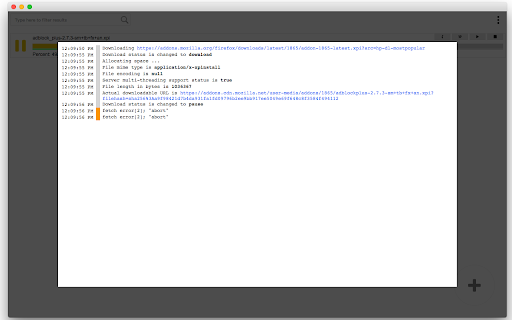
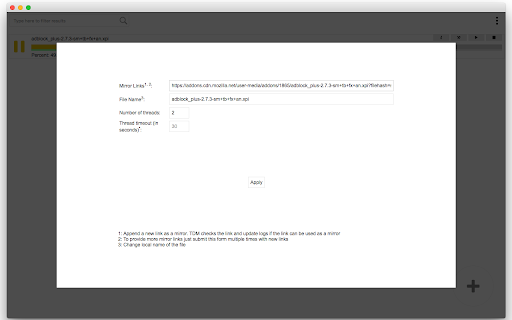

a download manager with multi-threading support Key Features: 1. Speeds up downloads (speed depends on the number of segments and your network capacity) 2. Allows resuming interrupted downloads by introducing fresh links 3. Supports downloading from multiple sources 4. Permits previewing media files while they are being downloaded 5. Extensible and accessible from other extensions and applications 6. Open source and free Please note that this extension is still under development. For bug reports, kindly submit them to https://github.com/inbasic/turbo-download-manager/issues How to Use: Right-click on any link, image, video, or audio element, then select the "Download Now" option. The download manager interface will open, enabling you to initiate the download. Difference between "Turbo Download Manager (3rd Edition)" and "Turbo Download Manager (Classic)" extensions: The classic version of this downloader is the initial edition developed as a Chrome app. As Chrome Apps are deprecated, it has been transitioned to the manifest v3 extension platform.

Download Tools - Multi threaded
Multi-threaded download utility with aria2 engine for your browser! Download Tools is a simple and yet powerful add-on that allows you to easily download files with a multi-threaded technique in your browser. It uses an open-source software called - aria2. According to the aria2 website (https://aria2.github.io/), it is a lite multi-protocol and multi-source command-line download utility. It supports HTTP/HTTPS, FTP, SFTP, BitTorrent and Metalink. This add-on uses nativeMessaging (https://developer.chrome.com/apps/nativeMessaging) technology to communicate with aria2 utility on your machine. Before using this add-on, you need to have aria2 executable on your system. You also need the native-client patch to build the communication between aria2 and your browser. First, please visit this (https://github.com/aria2/aria2/releases) page to download and install the aria2 engine on your system. Then, please visit this (https://github.com/alexmarcoo-nt/open-in-native-client/releases) GitHub repo and download the related patch for your machine. Follow the instruction in the above GitHub page to install the patch in your system. After installing, download tools add-on in your browser can communicate with aria2 client on your machine (Window, Linux, or Mac). If you have a feature request or found a bug to report, please fill the bug report form in the add-on's homepage (https://mybrowseraddon.com/multithreaded-download-manager.html).

Download Master - Free Download Manager
With this extension you can download all images, videos, pdf, doc and any other file linked on the web page you are visiting. You can choose specific set of files or use the filters to choose all files of the same type in a single click. "Download Master" helps you to download them all in one click and easily manage the files in browser's Downloads tab. 1. Filter based on files type: Our extension will display files type of the site you visit to let you filter to download only specific file type of that website 2. Custom filter: If file types filter is not enough, you can filter the file based on the characters you filter for the link to download. 3. Display options: The default setting is not "Show all links" which means we will hide the file types that not to be downloaded often like html and instead show the regularly downloaded file types like mp3, pdf, png, jpeg... Another option you can select is "Show file size", which let you know the size of each file in the website you visit. This will help you know the size in advance to choose which file to download. ✔ We care about our users, with the extension "Download Master", you get FREE download manager for your browser. We do our best to support all filetypes & all kind of websites. Thus we literally need your support to continue development and maintain the extension. Please Rate the extension, Share it and Donate. Thank you! ★★★ Terms and Conditions Use "Download Master" at your own risk, it comes with no warranty or guarantee, neither explicit or implicit towards functionality or usability. The author shall not be held liable for any damage or loss of data caused by its use. By downloading and installing "Download Master", you agree to these terms. Abide by Google Terms of Service, the extension does not enable unauthorized access or download of copyrighted content or media on some websites (such as YouTube). Do not use "Download Master" to download copyrighted content or media, the extension only works in case you're allowed to download the files and the webmaster lists them as downloadable links in the webpage you visit.

Download Accelerator & Manager
Easily manage and accelerate your downloads up to 5 times! Download Accelerator & Manager is an extension that enables you to download large files with the multi-threaded method. It divides the input file into several sections and then downloads all sections in parallel. Just enter the desired thread count in the interface and then add a new download task. You can add a new download task through the interface (top-section) or simply right-click on a desired download link and then click on the - Download with Accelerator - item in the context menu. Note: after adding a new URL, please adjust the number of threads. Also note that currently, the maximum number of threads is 5. If you have a feature request or found a bug to report, please fill out the bug report form on the addon's homepage (https://mybrowseraddon.com/download-accelerator-manager.html).

Download with Download Accelerator Plus (DAP)
Send download links to the DAP download manager by interrupting the built-in download manager or using the right-click context menu This extension integrates the well-known DAP (SpeedBit's Download Accelerator Plus) download manager to your browsers at different levels. DAP Features: 1. Pause and Resume: Resume broken or interrupted downloads and resume all paused downloads at once 2. Download Security: Know if the file you downloaded is safe before you open it! 3. Mirror Sites Speed Boost: Search for the fastest download sources and switch to faster mirror sites while downloading Usage: 1. Simple use: right-click over a link, image, audio, or video element and select "Download with DAP" options. 2. Advanced usage: You can get links from the current page or a selected area. You may also pass downloading jobs to the DAP manager by interrupting the built-in download manager. In case the download URL is not supplied directly by a website, this option is handy. 3. You can enable and disable the interruption feature directly from the browser action button. Notes: 1. For the extension to work, you need to have Download Accelerator Plus (DAP) installed; http://www.speedbit.com/dap/ 2. For the extension to be able to start Download Accelerator Plus (DAP) and communicate with it, a small native client is required. This native client can be found at https://github.com/belaviyo/native-client/releases. You will get instructions on how to install this native client when the extension tries to communicate for the first time. 3. Even without the native client, this extension works if you manually start DAP once. The extension uses the DAP's HTTP server to communicate with this download manager.
