
kebomdjipbhpnlhamgnckhlobfgnabhk
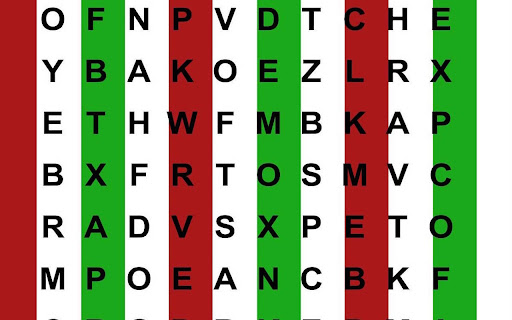
Produces customizable reading bars over browser window for antisuppression vision therapy supplement Created by Katie Low, Kristen Oda, and Carol Yu. Covers the page in red-green reading bars for antisuppression vision therapy. Meant to be used at home as supplemental treatment. WARNING: Consult with optometrist or ophthalmologist before use. How To Use: 1. Turn off any screen color filters or adjustments (if computer display settings are customized). 2. Put on medical grade bichrome glasses. 3. Open web browser and click the red-green stripe icon in the upper right. 4. Peruse the web as normal with reading bars on screen. Follow instructions for reading bar antisuppression therapy, as provided by your vision therapy provider. 5. Customizability: you may right click the extension to go to the options and save different bar widths and colors that best work for your glasses or reading exercise.

BeeLine Reader
BeeLine helps you read more quickly and easily. Try it free and see how much it can help you! Our innovative reading technology has won awards at MIT, Stanford, and the United Nations. Read about us in The Atlantic (http://theatln.tc/24LsoX8) or listen to our interview on NPR (http://bit.ly/1Tl3tpp). To try BeeLine, install now and start reading easier for free! BeeLine uses a color gradient to guide your eyes from the end of one line to the beginning of the next. This seemingly simple tweak makes reading easier and faster because it allows you to transition between lines quickly and effortlessly. Many people are able to read 20% or 30% faster with BeeLine, even on their first try. BeeLine is used by students from grade school to grad school, including at leading schools around the world. BACKED BY EDUCATIONAL RESEARCH AND NON-PROFIT PARTNERS Independent, educator-led research on BeeLine has shown dramatic reading fluency and comprehension gains for students. BeeLine has been adopted by the California Public Library System, Reading Is Fundamental, and Blackboard Ally. USE BEELINE ON YOUR FAVORITE WEBSITES The BeeLine extension works on millions of news websites and blogs. You can also get our PDF extension, which works on any text-based PDF (available at http://bit.ly/1Fo1hXa), or our iOS extension (http://bit.ly/1xNs76J) TRY FOR FREE BeeLine now offers a free mode that lasts forever. In this mode you can use BeeLine as much as you want on your list of favorite websites. You can add and remove sites from your favorites list as often as you like. • BeeLine Pro: only $1.99/mo, with annual discounts available • BeeLine Pro, Family Pack: Get BeeLine for 5 browsers and save even more! Just $8/yr per browser! Teachers can also apply on our website for free access for their students (certain limitations apply). What you read is your business, and even our free tier does not intrude on your privacy. We do not sell, rent, license, or otherwise monetize your data in any way. Please consider subscribing to support privacy-conscious businesses like ours. BeeLine Reader is supported by grants and awards from MIT Solve, Stanford BASES, Newschools Venture Fund, and the Tech Museum of Innovation. See our website for more information about our mission and impact: www.BeeLineReader.com. If you'd like to cancel your subscription, please contact us (via the extension settings, our web contact form, or our web chat) before your monthly/annual renewal date and we will cancel it immediately. If you forget to contact us before your subscription renews, we may still be able to provide a partial refund. Asking nicely helps! Fine print: text extraction based on Readability from Arc90 Labs, licensed under the Apache License, Version 2. All other rights reserved; US Patent number US20150234788A1; foreign patents also issued and additional US and foreign patents pending. Please send us your feedback (bug fixes, new color scheme requests, etc.) via Twitter, Facebook, or email

Panopto Custom Speed - AI Notes, Flashcards & Translation
Allows you to set custom speeds on Panopto. New AI features available. SET CUSTOM SPEED ON PANOPTO VIDEOS Once installed, refresh your panopto page. (Exclusive) -AI Lecture Notes & Flashcards (Allows you to download to Anki (.apkg format)) -AI Chat (Tailored to your lecture) -Silence Skipper -Dubbed lectures into many languages / translate lectures live into any language ------------------------ -Picture in picture support (PiP) -Lecture Downloader Panopto is used worldwide by lots of universities. This extension can be used by anyone who's university uses Panopto to play past lectures. This extension allows you to set custom speeds while viewing past lectures. We currently have users from all across the world, notably: USA, UK, South Korea and Israel [ ! ] IF THE EXTENSION DOES NOT WORK ON YOUR SPECIFIC PANOPTO SITE, EMAIL ME AND I WILL REPLY ASAP [ ! ] Leaderboards of most saved time added. https://github.com/harvey/Panopto-Extension

Sentence Segmenter
This extension will make your text easily readable by separating sentences based on periods. This extension can help make text easier to read by putting each sentence of a webpage on a new line (separated based on periods). You can activate the segmentation by clicking on the top-right icon. If you need to reread, it can be faster to find the beginning of sentences that all start on the left. If you’re skimming, you can abandon a sentence, and quickly find another sentence. Segmenting a page is like creating a snapshot. Certain elements can't be clicked on and expanded anymore, like comment threads. Expand first if necessary, and then segment. You can refresh the page to turn off the segmentation effect. Spacing between sentences is similar to the Microsoft Word setting: Microsoft Word -> Home -> Paragraph -> Indents and Spacing -> Spacing -> Line spacing single Before After 6 pt To create a shortcut that activates the sentence segmenter, go to the extensions page (chrome://extensions/), and click on Keyboard Shortcuts at the bottom. In addition to replacing "period" "space" with "period" "new-line", you can replace with "period""space""space". Right-click the icon, and go to "options". > Although comprehension was not affected by punctuation spacing, the eye movement record suggested that initial processing of the text was facilitated when periods were followed by two spaces, supporting the change made to the APA Manual.

Periodic Table of Elements
A compact and easy to use Periodic Table of Elements. Detailed information about the chemical elements, including, atomic number, atomic mass, atomic volume, density, hardness, electronegativity, etc.
