
jfbhkblbhhigbgdnijncccdndhbflcha
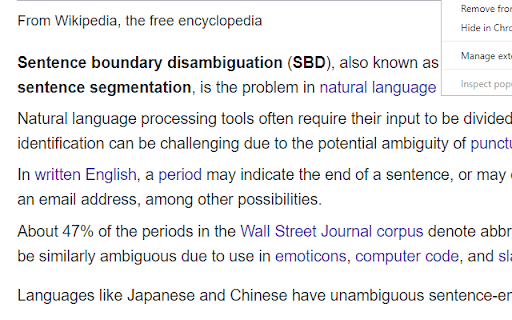
This extension will make your text easily readable by separating sentences based on periods. This extension can help make text easier to read by putting each sentence of a webpage on a new line (separated based on periods). You can activate the segmentation by clicking on the top-right icon. If you need to reread, it can be faster to find the beginning of sentences that all start on the left. If you’re skimming, you can abandon a sentence, and quickly find another sentence. Segmenting a page is like creating a snapshot. Certain elements can't be clicked on and expanded anymore, like comment threads. Expand first if necessary, and then segment. You can refresh the page to turn off the segmentation effect. Spacing between sentences is similar to the Microsoft Word setting: Microsoft Word -> Home -> Paragraph -> Indents and Spacing -> Spacing -> Line spacing single Before After 6 pt To create a shortcut that activates the sentence segmenter, go to the extensions page (chrome://extensions/), and click on Keyboard Shortcuts at the bottom. In addition to replacing "period" "space" with "period" "new-line", you can replace with "period""space""space". Right-click the icon, and go to "options". > Although comprehension was not affected by punctuation spacing, the eye movement record suggested that initial processing of the text was facilitated when periods were followed by two spaces, supporting the change made to the APA Manual.

Page Font Bolder
Make page fonts bolder and darker for better readability. Font Bolder 2.0 makes web pages easier to read by automatically increasing text weight and darkness. It now supports Manifest V3, early page styling to reduce flicker, adjustable boldness and darkness controls, saved preferences, and a refreshed extension icon.

ReadingLine
Acts as a reading ruler, helping to keep an eye on a line of text with a mouse. - Does the extension collect any user data? - No, the Reading Ruler does not collect any kind of data. - Does the extension track users? - No, the Reading Ruler does not track users. - Does the extension send data to any server? - No, the Reading Ruler does not use any kind of server connection. All the processing is doing locally. - Why does the extension need 'read and change websites' permission? - Because the Reading Ruler needs the information of website elements to calculate and render the ruler.

Text Tools
- Uppercase - converts all characters to upper case - Title Case - capitalizes every first character of word - Lowercase - converts all characters to lower case - Count characters - counts all characters in text - Count words - counts words in text - Count lines - counts new lines in text - Rotate 13 - Moves each character with 13 positions forward in the ASCII table - Sort lines alpha (case insensitive) - Sorts text lines alphabetically ignoring character case - Sort lines alpha - Sorts text lines alphabetically - Word frequency - How many times each word is used - Character frequency - How many times each character is used - Column from table - Allows you to get text column from HTML table. Copy and paste the table content in the text field and type the column number you want to extract then press Start - Trim lines start - Removes whitespace from beginning of lines - Trim lines end - Removes whitespace from end of lines - Trim lines - Removes whitespace from beginning and end of lines - Replace text with new line - Replaces string with new line - Replace text - Replaces one string with another - Format JSON - Pretty format JSON string - URLEncode - Encode string as URL safe string - URLDecode - Decode URL safe string as regular string - base64encode - Encode text as base64 - base64decode - Decode base64 sting - Add line numbers - Add line number before every line of text - Split text - Splits text by separator - Reverse text - Reverses text - Generate numbers - Generates numbers withing the provided range - Unix to date - Converts UNIX timestamp to Datetime string - Identify Hash - Try to identify hash string - Prefix/Suffix lines - Adds prefix and/or suffix to each line of the text - Format Numbers - Format numbers according to the current browser locale - Underscore - adds underscore to the text - Strikeout - strikes out the text - Shuffle - Shuffle the lines of the text - Remove duplicate lines - Removes duplicate lines from the text - Expand placeholders template 1.0.27 - Added function to format US phone numbers 1.0.26 - Added function to strip non-alphanumeric characters 1.0.25 - Migrated to manifest v3 1.0.24 - Removed automatic clipboard support 1.0.23 - Removed GoogleAnalytics 1.0.22 - Added slugify function 1.0.21 - Added Indent lines with spaces; Result is auto-selected after the operation 1.0.20 - Added replace regexp; Added expand template 1.0.19 - Added Remove empty lines 1.0.18 - Removed dependency on jQuery; 1.0.17 - Added trim lines start and end as separate commands to trim white-space from the beginning or the end of each line 1.0.16 - Added Remove duplicate lines 1.0.15 - Added case insensitive line sort 1.0.13 - Added shuffle function 1.0.12 - Added underscore and strikeout functions 1.0.11 - Save/Restore last used tool; 1.0.10 - Added auto number formatting; 1.0.9 - Added prefix/suffix to each line function; 1.0.8 - Fixed replace; Added replace with new line; 1.0.7 - Strip (most of) punctuation from word frequency; 1.0.6 - Frequency lists are now sorted 1.0.5 - Added Title Case convert. Your text is populated from the clipboard; 1.0.4 - Added Unix timestamp to date converter; 1.0.3 - Cleaner icon. Removed links from descriptions; 1.0.2 - Small interface improvements; 1.0.1 - Working Trim lines;

Vocab Tracker
VocabTracker is inspired by LingQ, Readlang and LWT: it helps you track your vocabulary on any web page. VocabTracker is a vocabulary tracking tool which can let you track your vocabulary on any page so that you can use any website as a language learning resource. It supports the following features: - Support English, French, Spanish, German, Italian, Russian, Ukrainian, Japanese, Chinese, Korean, Dutch, Arabic, Latin, Polish and more languages are being added now. - Analyze words on any web page and highlight the words with different colors based on your familiarity with the words. - Support adding user's own dictionaries to the tool, for example: NCIKU, Glosbe, merriam-webster and so on. - Support flash card and SRS system to help you memorize your vocabulary. - Support two modes -- "Lemma" and "Variant": in "Lemma" mode, the tool can find the lemma for word variants such as "were", "was", "is", "are", "am" and treat those variants as the same word ("be"). - Support adding phrases to your vocabulary. - Support segmenting Chinese (both Mandarin and Traditional Chinese) and Japanese with a very high accuracy. - Support exporting vocabulary to CSV file so that you can add your vocabulary to Anki or other tools. Note: This extension doesn't save your vocabulary data locally -- it saves them on a remote server. So in order to use this tool, you will need to register a user for this extension first.
