
bedndhimamenfipaocmhcpcickamhfnm
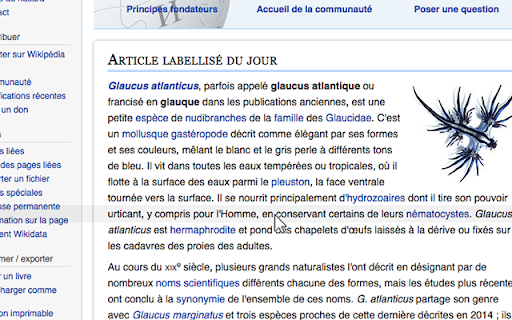
Acts as a reading ruler, helping to keep an eye on a line of text with a mouse. - Does the extension collect any user data? - No, the Reading Ruler does not collect any kind of data. - Does the extension track users? - No, the Reading Ruler does not track users. - Does the extension send data to any server? - No, the Reading Ruler does not use any kind of server connection. All the processing is doing locally. - Why does the extension need 'read and change websites' permission? - Because the Reading Ruler needs the information of website elements to calculate and render the ruler.

Readima
Readima simulates many reading techniques such as Meta Guiding, or RSVP to help you read faster with high comprehension. Readima is a Chrome extension designed to help people improve their speed reading skills through the use of various methodologies, including Meta Guiding and Rapid Serial Visual Presentation (RSVP). With Readima, users can customize their reading experience to better suit their individual needs and preferences, choosing from a variety of options such as font size, color scheme, and reading speed. One of the key features of Readima is its ability to implement Meta Guiding, a technique that involves using a visual cue, such as a cursor or a highlighted line, to guide the reader's eye as they move through the text. This can help improve reading speed and comprehension by focusing the reader's attention on the most important information and eliminating the need for unnecessary eye movements. Another useful feature of Readima is its support for RSVP, which presents text one word at a time, rather than in traditional sentence or paragraph form. This can help to improve reading speed by forcing the reader to focus on each individual word and eliminating the tendency to re-read or skim over words. It can also help improve comprehension by allowing the reader to fully process and comprehend each word before moving on to the next. In addition to these features, Readima also offers a variety of customization options, such as the ability to adjust the font size and color scheme to suit the reader's preferences, and the option to set a specific reading speed to help optimize the reading experience. Whether you're a student looking to improve your reading skills for school, a professional looking to increase your productivity, or simply someone who enjoys reading, Readima is an excellent tool to help you improve your speed reading skills and get more out of your reading experience. ✔ Reading pointer: Readima simulates the best speed reading technique called Meta Guiding. Meta guiding involves visually guiding your eye using some sort of pointer (finger, pen, or this Readima app) for the eye to move faster along the length of a passage of text. The point is to decrease distraction and focus on the specific words to increase your reading speed. Try to keep moving your pointer slightly faster than your comfort zone to increase the reading speed. ✔ Rapid Serial Visual Presentation (RSVP): In RSVP, a series of words appear rapidly in time at the same point in visual space. Indeed, the words may appear as fast as 10 items per second. ✔ Reading Mode: distraction-free & ad-blocking reading viewer focusing on the main content. ✔ Scan & Skim: highlight the first and last sentence of each paragraph in a custom color that the user can choose. This allows the reader to quickly scan through a piece of text and get a sense of the main ideas and key points without having to read every single word. Additionally, by highlighting the first and last sentence of each paragraph, the reader is able to quickly identify where one idea ends and another begins. ✔ Word List Checker: allows you to see new vocabulary in context, which can make it easier to understand and remember. We recommend moving your pointer with almost constant speed. Try to keep moving your pointer slightly faster than your comfort zone to increase the reading speed. Try to read faster so that you catch up with your pointer. If you start losing comprehension, slow your pointer down. Otherwise, consider moving your pointer even faster. What you read is your business. We do not sell, rent, license, or otherwise monetize your data in any way. By installing the extension, you agree to Readima's Privacy Policy. ★ Changelog 1.3.4 | 08 Mar 2026 New Features - Bionic Reading Mode - A new reading technique that bolds the first part of each word to help your eyes glide through text faster - Highlights & Annotations - Mark important passages and add notes while reading. Your highlights sync across sessions - Read Later Queue - Save articles to read later with right-click context menu. Access your reading list from the dashboard - Reading Streak - Track your daily reading habit with streak counters and stay motivated - Focus Mode - Dim distractions and focus on the content you're reading - Text-to-Speech - Listen to articles with built-in TTS support - Auto-Scroll - Hands-free reading with adjustable scroll speed - Reading History - Keep track of articles you've read with automatic history logging - Completely redesigned Dashboard with better organization and statistics - PDF & EPUB reader now properly saves bookmarks - Improved premium subscription management with direct billing portal access - Performance improvements through code refactoring Bug Fixes - Fixed bookmark saving in PDF/EPUB reader mode - Fixed highlight navigation issues - Fixed various UI bugs in the settings panel 1.3.3 | 02 Mar 2026 - Ebook Reader with epub, pdf files - Added a pause button in RSVP fullscreen mode 1.3.2 | 09 Nov 2025 - Fix bugs and activate subscription. 1.3.0 | 01, Feb 2023 - Fix bugs and add improvements 1.2.9 | 18, Jan 2023 - Improve side bar UI - Add Images overview feature. 1.2.7 | 11, Jan 2023 - Turn on/off media and links in the article - Page width and Line space settings 1.2.3 | 20, Dec 2022: - Add Notification for users to view the latest updates right on the extension - Update Activation page UI/UX - Add Word List Checker feature: Allow you to highlight words from a custom list. - Improve side menu user experiences 1.1.1 | 14, Aug 2022 - Fix bug when switching the reading mode 1.0.7 | 05, Aug 2022 - Improve the settings page UI - Update to manifest v3 1.0.6 | 04, Aug 2022 - Add Analytics and improve the speed reading sidebar 1.0.3 | 25, Jul 2022 - Rebranding to Readima - Add theme settings on the right sidebar Any questions and feature requests? Drop us a line at hello@readima.com

Screen Mask
A website and web document reading aid. Screen Mask is website or web document reading tool that follows your mouse or touch to help eliminate page distractions so that you can focus on reading one passage at a time.

Dyslexia Friendly
Increases readability of websites by changing to easier-to-read fonts and adding visual enhancements A simple-to-use open-source dyslexia helper extension for the Google Chrome browser. ✔ Change the font on websites to either OpenDyslexic or Comic Sans. ✔ Contrast between paragraphs of text is enhanced with different background color for even and odd paragraphs. ✔ Reading-ruler following the mouse cursor. The above settings can be be configured to preference. Feel free to leave a comment about your experience and how this could be further improved. This extension is free and open-source. The source code can be found at: https://github.com/javoire/dyslexia-friendly

Sprint Reader - Speed Reading Extension
Ah, Sprint Reader! A digital marvel that promises to turn us all into literary Usain Bolts, dashing through prose at breakneck speed. This marvelous extension, free as the air we breathe (though considerably less essential), attaches itself to your browser like a benevolent parasite. With a flick of the wrist and a right-click as casual as a royal wave, it transforms your chosen text into a high-speed literary Grand Prix. Gone are the days of laboriously dragging your eyes across the page like a sloth on tranquilizers. No, no! Sprint Reader catapults words at your eyeballs with the relentless efficiency of a tennis ball machine gone berserk. It's RSVP - Rapid Serial Visual Presentation. Not to be confused with the rather more civilized "Répondez s'il vous plaît", though both may leave you equally breathless. The creators, bless their optimistic hearts, assure us that this method will break us free from the shackles of "sub-vocalization" - that quaint habit of actually hearing the words in our heads as we read. How terribly 20th century! Why bother with the music of language when you can have a silent disco in your cranium? But wait, there's more! This digital wonder comes with a veritable smorgasbord of features. Multiple color schemes! Optimal letter highlighting! Automatic language detection! It's like having a polyglot chameleon as your personal reading assistant. And for those of us who find the idea of reading one word at a time a tad pedestrian, fear not - you can adjust the "chunk size". Because nothing says "I'm a serious intellectual" like absorbing "War and Peace" three words at a time. The creators, in their infinite wisdom, have even provided for "grammar delays". Commas, periods, and paragraphs can now be savored for a microsecond longer. It's the literary equivalent of a speed bump - just enough to remind you that punctuation exists before hurtling onward. And should you find yourself enamored with this breakneck bibliophilia, you can profess your love on Facebook. Nothing says "I have a rich inner life" quite like publicly declaring your affection for a speed reading app. In a final flourish of magnanimity, the creators have made Sprint Reader open source. So if you find yourself with a burning desire to tinker with the code that's melting your retinas, by all means, dive in. After all, why settle for reading at the speed of light when you could be going warp speed? In the end, one can't help but wonder: in our mad dash to devour information, are we savoring the meal, or merely counting calories? But such ponderous thoughts are perhaps best left for those plodding readers of yesteryear. We, the sprint readers of the future, have no time for such luxuries. Onward, at dizzying speed, to the next page! Or word. Or letter. Whatever comes first. Sprint Reader is an easy to use FREE speed reading extension. Simply select text on a webpage, right-click and select 'Sprint read selected text' from the menu. This will launch the reader window, the selected text is displayed word-by-word in a fixed focal position. The duration of each slide is calculated based upon a word-per-minute (WPM) setting. This method of reading is known as “Rapid Serial Visual Presentation” or RSVP for short. Studies have shown the habit of internally “sounding out” (sub-vocalizing) words is a limiting factor which prevents faster reading speeds from being obtained. RSVP eliminates the “sounding out” of words as individual words are not displayed long enough for sub-vocalization to occur. RSVP proves that humans are capable of absorbing information at speeds much faster than standard reading rates with the same level of comprehension. Please show us your love and support and spread the word. Sprint Reader is under constant development and we're always looking to improve. Key features of Sprint Reader: - Multiple color schemes - Optimal letter highlighting - Automatic language detection - Adjustable font and font size. - Adjustable word-per-minute (WPM) - Intelligent hyphenation of words - Focal guides to improve attention - Adjustable words-per-slide (chunk size) - Provision for different display algorithms - Optimal word positioning to improve comprehension - Optional grammar delays: 1. Comma 2. Period 3. Paragraph Sprint Reader is an open source project which means you can contribute, fix bugs and add functionality. Become a developer for Sprint Reader: https://github.com/anthonynosek/sprint-reader-chrome For version release information please refer to the update page displayed by Sprint Reader after an update has been downloaded. Sprint Reader is under constant development so get in touch with us if you'd like new features added! Stay tuned for more exciting features! --- DISCLAIMER AND PRIVACY Sprint Reader does not collect your usage data. Copyright All rights reserved.
