
kbbdabhdfibnancpjfhlkhafgdilcnji
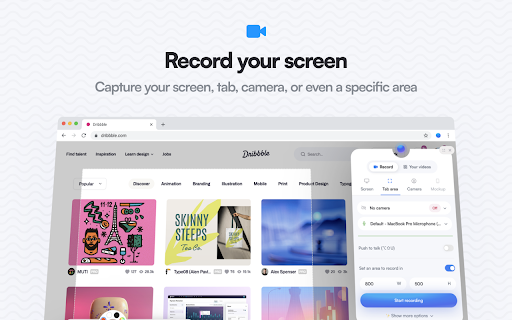
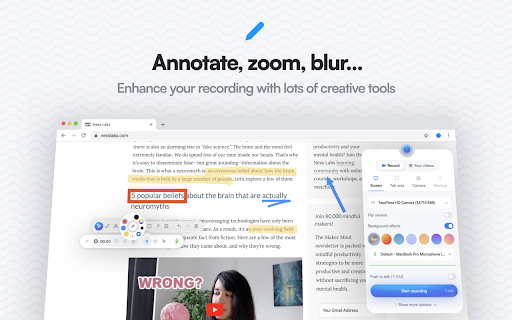

The free and privacy-friendly screen recorder for everyone. Capture, annotate, edit videos and more - all with no sign in needed. Screenity is a powerful privacy-friendly screen recorder and annotation tool to make better videos for work, education, and more. You can create stunning product demos, tutorials, presentations, or share feedback with your team - all from your browser. 🎥 Make unlimited recordings of your tab, a specific area, desktop, any application, or camera 🎙️ Record your microphone or internal audio, and use features like push to talk ✏️ Annotate by drawing anywhere on the screen, adding text, arrows, shapes, and more ✨ Use AI-powered camera backgrounds or blur to enhance your recordings 🔎 Zoom in smoothly in your recordings to focus on specific areas 🪄 Blur out any sensitive content of any page to keep it private ✂️ Remove or add audio, cut, trim, or crop your recordings with a comprehensive editor 👀 Highlight your clicks and cursor, and go in spotlight mode ⏱️ Set up alarms to automatically stop your recording 💾 Export as mp4, gif, and webm, or save the video directly to Google Drive to share a link ⚙️ Set a countdown, hide parts of the UI, or move them anywhere 🔒 Only you can see your videos, we don’t collect any of your data. You can even go offline! 💙 No limits, make as many videos as you want, for as long as you want …and much more - all for free & no sign in needed! Best of all, the Screenity extension is open source. If you prefer, you can self-host Screenity by going to our GitHub repository: https://github.com/alyssaxuu/screenity Screenity Pro is an all-in-one platform to create, edit, and share videos with style - right from your browser. Pro includes: 📁 50GB cloud storage - share videos with a link 🎬 Multi-scene editing for tutorials, demos, or full stories 🎨 Customizable animated templates and camera layouts ✨ Keyframes and automatic zoom on click 🔡 Auto-generated captions with customizable styles 🖼️ Add frames, device mockups, backgrounds, and more 🇪🇺 EU-based infrastructure (no US data transfers) Pro is totally optional. The core extension will always be free, private, and open source. But if you want to support Screenity and help me as a solo indie developer, you can try Pro at screenity.io/pro ❤️ If you need any help, or want to become a Screenity expert, you can browse articles and guides in the Screenity help center: https://help.screenity.io/ You can also reach out with any questions or feedback at support@screenity.io Screenity is developed and maintained by Alyssa X: https://alyssax.com/

RSSHub Radar
Easily find and subscribe to RSS and RSSHub. - Discover and subscribe to the RSS feeds associated with the current page effortlessly. - Explore and subscribe to the RSSHub supported by the current page promptly. - Easily identify the RSSHubs supported by the current website quickly. - Supports one-click RSS subscription for various platforms including Follow, Tiny Tiny RSS, Miniflux, FreshRSS, Feedly, Inoreader, Feedbin, The Old Reader, Feeds.Pub, Local Reader... Made with ❤️ by DIYgod

Douban Book+
Only 1-click from Douban to your favorite ebook platforms

Google Meet Attendance List
Easiest way to save the attendance list for your meetings or lectures The simplest way to save the attendance list for your meetings or lectures. From teachers to business professionals, this extension is intended to create a simple way to have all the meeting attendees on a list. What does it offers: ★ automatically generated attendance list ★ possibility to manually save the attendance ★ saved data contains First Seen At and Time In Call for each participant ★ date included in the name of the file, for easy reference ★ dashboard to see meetings history ★ Google Meet elegant UI integration (controls are integrated inside the Google meeting UI for easy access) ★ CSV export for easy integration with Google Classroom or Drive (just drag & drop) Everything is stored locally, the data belongs to you and it never leaves your device.

Reelia Record - Screen Recorder & Editor
Record screen, website and webcam to a video - free, quick and easy. Reelia Record – Free, Fast & Easy Screen Recorder & Editor Effortlessly capture and share your screen, website, or webcam in one click! • No Sign-Up Required • No Watermarks • Completely Free 🎥 Record Your Way: • Versatile: Record your screen, specific app, browser tab, or just your webcam. • Engaging: Embed webcam & mic for screencasts. • Clearly Communicate: Annotate live while recording. • Focus Viewers: Highlight mouse clicks & movements. 🖊️ Edit Effortlessly: • Organized: Local library for your recordings. • Powerful Editor: Trim, cut, crop & merge clips. • Flexible: Easy undo/redo for any edit. 🔥 Why Reelia? ✔️ Unlimited Recording: No limits. ✔️ No Watermarks: Your content, your brand. ✔️ HD Quality: Crystal-clear videos. ✔️ Privacy First: Everything stays on your computer. 🚀 Help Shape Reelia! We're always improving based on your feedback! ✔️ Recording Library – Done! ✔️ Bug Fixes & Performance – Ongoing! 💡 Ideas or Bugs? Let us know via the "Support" tab in the Chrome Web Store. 🙌 Love Reelia? Share with friends & leave a review! Your support means the world to us! 😊
