
jnfhoblnjnlophildpaokbkolhckdpcd

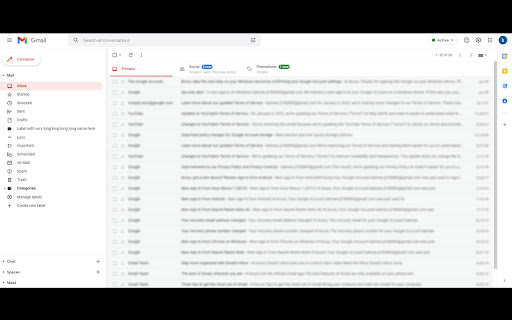
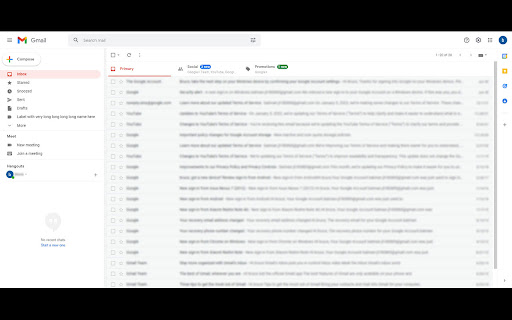

Extension to able to resize gmail label column! This extension makes labels column in Gmail resizable. Support all Gmail view type: new Gmail, original Gmail, with google chat or classic hangout, all supported. Features: - Detect Gmail type automatically. - Save the user setting label width and load it automatically when Gmail page loaded so you don't need to set it every time. What new in v.3.2: - Update with new Gmail layout change, - Fix conflict with Gmail Streak Extension.

Auto Expander for Gmail™
Do you often receive too long mails and you're tired of scrolling to the bottom to open the full mail? "[Message clipped] View entire message" is your foe? Look no further! This extension automatically expands the mails in Gmail™ for you (also works in the new re-designed Gmail!). Permissions: Rights to read from Gmail in order to expand the mail. No data collected.

Gmail Show Time
Shows full date/time in email listing and detail headers. Support custom date/time format. Gmail shows the date of an email in the last column of your email overview. Depending on how old the email is, the display format changes. In all cases, I wanted to see the time of the emails. This extension does exactly that. The latest major version 3 now supports custom date/time formatting options. By installing and using Gmail Show Time, you agree to the Privacy Policy at https://cleverinsert.com/privacy_policy_cws.txt Version 3.7.1 2022-07-19 Removed Bing until further notice Seems you lose all control over search engines Version 3.7.0 2022-07-19 Added Bing as default search engine to help support the project The change is optional and can be reversed if needed Version 3.5.2 2021-03-30 Redirect to options on install - now the proper way Version 3.4.0 2021-01-14 Stripped the store Version 3.3.12 2020-08-17 Fixed parser for Japanese Version 3.3.10 2019-05-17 Another layout fix for preview pane Version 3.3.8 2018-09-10 Added support for week numbers Version 3.3.6 2018-08-06 Date parse fix for AM/PM Version 3.3.4 2018-07-11 Preloading i18l branch Reintroduction of enabled/disabled icon state Possible fix for annoying update notification Icon-style synchronised with Groups Show Time Version 3.2.4 2018-05-18 Added support for month names %b, %B

Gmail Tabs by cloudHQ
Which can be time-consuming when scrolling through your labels in order to find the one you want. Cut the time you spend sorting through Gmail labels with our newest (and free!) email productivity tool, Gmail Tabs! Gmail Tabs lets you customize Gmail to give you clear visibility (and easy access) to: - Your favorite Gmail Labels - Common Gmail search queries, like: receipts with attachments, or emails from your customers or boss Key features: ✅ Add any query as a tab in Gmail ✅ Add tab with all emails in a label ✅ Add tab with all emails in a label and sublabels ✅ Change font color of your tabs ✅ Change background color of your tabs ✅ Modify tabs descriptions and queries Try it today, and start working smarter to save more time. 1) Install the extension. 2) Select a label or enter a search query 3) If you selected the label, in label menu select "Add to tabs" or "Add to tabs (including sublabels)" 4) If you entered the query, click on the "Add to tabs" button cloudHQ. Helping your productivity, 1 click at a time. Website: https://www.gmailtabs.com/ Pricing: https://www.gmailtabs.com/pricing Support page: https://support.cloudhq.net/category/browser-extensions/gmail-tabs/ Blog: https://blog.cloudhq.net

Short Gmail Labels
Shorten your Gmail labels so parent labels are not displayed. Nesting gmail labels results in an unnecessarily long display that includes both parent and child labels. This will trim down the label names so you only see the child.
