
ilkidmijegomodfeplfdekbfglhaahba

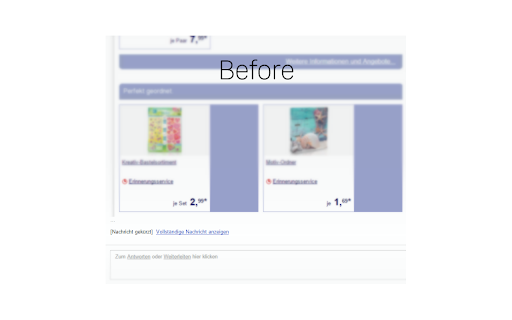

Do you often receive too long mails and you're tired of scrolling to the bottom to open the full mail? "[Message clipped] View entire message" is your foe? Look no further! This extension automatically expands the mails in Gmail™ for you (also works in the new re-designed Gmail!). Permissions: Rights to read from Gmail in order to expand the mail. No data collected.

Gmail App - Mail Application for Gmail™
Use Gmail app for Windows and Mac to boost productivity. Get notifications and read emails in Gmail desktop app for macOS and PC. 🔥 Optimize your email with Gmail apps, a Chrome extension for Windows & Mac. Get it now to boost your email management. 🔐 Your data is strictly protected by Google Security mechanisms: Encryption, Multi-factor Authentication, and Regular Audits. 1️⃣ Effortless Access: ● With just a click, access your Gmail inbox messages directly from your desktop. ● Eliminate the need to open a browser window. 2️⃣ Download and Installation: ● Download Gmail Apps for Mac or Windows - it is quick and easy! ● Visit the Chrome Web Store, search for "Gmail App" and click on the "Add to Chrome" button. ● When Gmail com app download is finished within seconds, you'll have access to all the features you need to manage your emails effectively. 3️⃣ Seamless Integration: ● Once installed, the gmailapp seamlessly integrates with your desktop environment. ● Whether you're on Windows 10, 11 or Mac, enjoy a consistent experience across all your devices. 4️⃣ Powerful Features: ● From accessing your inbox messages to composing new emails, this Google email app offers a wide range of features to enhance your productivity. ● Mark all emails as read with a click. ● Organize your inbox with labels and filters, and more. ● Do Not Disturb Gmail app mode. ● Listen emails, translate mail and customize account. ● Gmail Dark Mode is now available! ● Save Email in PDF! 5️⃣ Gmail AI: ● AI Summary: Instantly generate gmail summaries for long or complex emails. ● AI write E-Mail: Create polished emails using gmail app AI compose email tools. ● AI reply Gmail: Get context-aware responses tailored to your message tone. ● AI Inbox Assistant: Automatically highlight priority emails using intelligent AI sorting. 📨 Efficient Email Management. 1. Archive Emails: Declutter your inbox by archiving addressed or non-essential emails. 2. Delete Unnecessary Emails: Keep your inbox tidy by removing unwanted messages. 3. Star Important Emails: Prioritize crucial emails for quick retrieval and attention. 4. Summarize Emails: Get brief AI summary of your Gmail AI mails. 5. Save Emails to PDF easily! 🔔 Real-Time Notifications. - Stay Informed: Receive instant notifications on your desktop for important emails. - Prompt Response: Respond promptly to incoming messages, enhancing communication efficiency. - Work Flexibility: Stay updated even when taking breaks, ensuring timely responses. 🚀 Instant Access. 📌 Single-Click Launch: Access the Gmail com ap instantly from your desktop or taskbar with just one click. 📌 Efficiency Boost: Enjoy immediate access to your inbox without opening a browser window, saving valuable time. 📌 Streamlined Workflow: Enhance productivity by eliminating unnecessary steps and simplifying sendemail management. 🔕 Do Not Disturb Mode - Schedule Your Peaceful Time 1. Take control of your Gmail web app's notifications by scheduling Do Not Disturb mode on any day and at any time. 2. Choose between muting just sound or silencing all notifications, ensuring complete focus or tranquility from any pc. 3. Customize your schedule to fit your lifestyle and enjoy uninterrupted time on your device, whether for work, relaxation, or sleep thanks to the Google Mail application's reliable functionality. 🔝 Enhanced user experience. ➤ Quick and efficient access to all features: Enjoy immediate access to the Google Mail app's functionalities without delay. ➤ User-friendly interface for effortless navigation: Navigate seamlessly through the Gmail desktop version app's intuitive interface with Gmail Dark Mode. ➤ Unique email features: listen mail and translate emails, change account colors and labels, save email to PDF in just one simple click. ❓How secure is the Gmail App? 💡The Gmail Apps adheres to strict security standards to ensure the safety of your email data. It utilizes encrypted connections to Gmail servers and follows Google's security best practices to protect your information. ❓Is the Gmail App user-friendly for beginners? 💡Absolutely! This application of Gmail for macbook offers a user-friendly interface that's intuitive and easy to use. Whether you're a seasoned Gmail for desktop user or new to email management, you'll find the app straightforward and accessible. 👆🏻 Download Gmail App for Windows or Mac to enhance your email management. ❗ Extension provides additional features like entire functionality will work only if you have a paid subscription.

Entrar for Gmail™
Entrar for Gmail™, a gmail entrar extension, is a shortcut to open gmail and login gmail. Entrar for Gmail™, a gmail entrar extension, is a shortcut to open gmail and login gmail. Entrar for Gmail™, a gmail entrar extension provides a shortcut to login www.gmail.com directly and change mailto href link behavior. How to Use the extension: ● First,when the user wants "login gmail", click the extension icon; ● Second,Entrar for Gmail™ will open a new tab and login gmail without manual operation; ● Third,You can quickly reply to emails with gmail; It should be noted that If you signed in gmail, the extension will open gmail inbox directly. The features of the extension are as follows: ● This gmail entrar extension can help users log in gmail more quickly and more easily; ● If users click a normal email href link, the browser will open an email application to handle it. But this gmail entrar extension can help users to open Gmail in a new browser tab to handle it; Vision for current extension development: ● Help users make better use of emails, such as gmail or other emails; ● Integrate more shortcut operations to help users improve work efficiency and leave more time for other things; ● Users can get in touch with us to provide feedback, and we will greatly respect the opinions of users; RECENT UPDATES: [Stay tuned for more interesting features] Disclaimer : gmail is a trademark of Google Inc, registered in the U.S. and other countries. This extension is made by an independent development team, and it is not related in any way to the Google Inc.

Trimless for Google Mail™
Expands trimmed parts, removes "Show trimmed content" buttons, sets trimmed text's color to light gray and indents it to the right. Restores clipped messages as well. You can switch it on and off by simply clicking the scissors icon in the address bar. The color and the size of indentation are fully customizable. Tinker with the source code on GitHub: https://github.com/alecmev/trimless-gmail

Auto Follow Up for Gmail™ by cloudHQ
Automated follow up emails and mail merge Auto Follow Up for Gmail™ is a Google Chrome Extension that helps you follow up on your email emails. Just set up a sequence of emails to send to your recipients over time from your Gmail™. Let’s say you meet a lot of people at a networking event. You want to email all of them to explore opportunities, but it’s hard to follow up with so many people. Auto Follow Up for Gmail™ makes it easy to reach your clients. It automates the process for you with personalized emails to multiple contacts with just a few clicks. Auto Follow Up for Gmail™ has two methods to create auto follow-ups: ***Auto Follow Up on Your Emails*** Send an email as usual, then activate follow-up either during the sending (click on Gmail Auto Follow-Up under the send button) or after it’s sent by selecting the email in your Sent label and activating a follow-up template for this email. Follow-up templates specify intervals, email content, and whether to track clicks and opens. In other words, Follow-up templates define criteria and conditions under which additional emails will be sent and emails which will be sent. Example: You email an employee about a deal status. To ensure the email isn’t overlooked, activate a follow-up so if there’s no reply in two days, a follow-up email is automatically sent. This feature is great for managers, sales call follow-up, effective client communication, and more. ✅ Managers: Ensures timely communication by sending automatic reminders, like if there's no reply on a project status within a set timeframe. ✅ Sales Call Follow-Up: Increases conversion rates by maintaining persistent contact, such as resending proposal details to a client who hasn't responded after the initial sales call. ✅ Client Communication: ensure that important information requests are addressed promptly and not forgotten (e.g., reminding a client to send required documents). ***Auto Follow Up Campaigns*** Start the cloudHQ wizard, upload your recipient list, and set your follow-up rules and sequences. Follow-up rules determine the criteria and conditions under which additional emails will be sent. These rules can be based on various triggers, such as a recipient opening the initial email, clicking a link within the email, or not responding within a specified time frame. In addition, you need to establish your follow-up sequences, which are the series of messages that will be sent to recipients over a period of time. Example: You send an email campaign to 100 warm leads from a trade show offering to set up a demo of your product. When you send that campaign, you set it so that two days later, a follow-up email (a reminder) is sent to anyone who hasn’t replied. Three days after that, another reminder is sent, and a few days after that, a final email is sent asking for a reply. This approach is perfect for sales outreach for large number of recipient: ✅ Take advantage of all your opportunities and close more business. ✅ Save time and get more done with automated outreach emails to prospects. ✅ Always be visible to your clients in their inbox. 👉 Mail merge so that you can send out bulk email messages that look personalized. You can import recipient list and merge tags from Google Sheets, CSV or Google Contacts. 👉 Simple-to-set-up, automated email responses. 👉 Email tracking so that you know who read your emails, and when. 👉 Gmail email templates so that your emails can either be beautiful html-based templates, or just simple text-based templates. The choice is yours! 👉 Video email so that you can record yourself in an email via video so that you can "speak" to your audience. 👉 Screencasting so that you can demonstrate something on your screen. 👉 The ability to link back to your CRM, like Salesforce. All this, right from your Gmail™ account! There's no 3rd party website you'll need to learn or visit. Whether you're a: 👨🏾💼A busy professional, and you want to follow up with 40 new potential clients whose cards you just picked up at a convention last week. 👩🏫An overworked teacher that needs to schedule 75 parent/teacher conferences. 👨🏿⚖️A lawyer who needs to constantly remind his clients that they need to send their emails for discovery. 👩🏽💼A realtor who wants to send out her latest listing to your clients. 👨🏼🎓A job seeker who wants to make sure that they're automatically following up with recruiters. 👰🏻🤵🏽Or maybe you’re getting married and you need to remind 150 of your friends to RSVP. cloudHQ. Helping your productivity, 1 click at a time. cloudHQ website: https://www.cloudhq.net/ App website: https://www.gmail-auto-follow-up.com/ Pricing: https://www.gmail-auto-follow-up.com/pricing Support page: https://support.cloudhq.net/category/browser-extensions/gmail-auto-follow-up/ Blog: https://blog.cloudhq.net Demo: https://www.cloudhq.net/demo Google Workspace, Google Contacts, Google Sheets, Google Drive, Google Alerts and Gmail are trademarks of Google LLC. Use of this trademark is subject to Google Permissions.
