
jkgpcmmhejecphgdnihjfgmdpdkhgpke


Hide the duration of YouTube videos to prevent spoiling the ending. In particular, a Let’s Play video of a rogue-like coming to an end suggests the player will make a crucial mistake soon. With this extension a duration can be hidden at the start of a video manually, and also all videos matching a particular title can have their durations hidden automatically.

hyde — hide the YouTube video player controls
Press Ctrl+M to hide or show the YouTube video player controls. When you pause a YouTube video, the player controls don't disappear. That makes it really hard to take a clean screenshot of the video. The controls also block your view, which can get really annoying. Hyde is a simple Chrome extension that allows you to hide or show the video player controls easily. ⭐ Simply use the keyboard shortcut Ctrl+M to hide the controls or show them again. ⭐

Video spoilerless
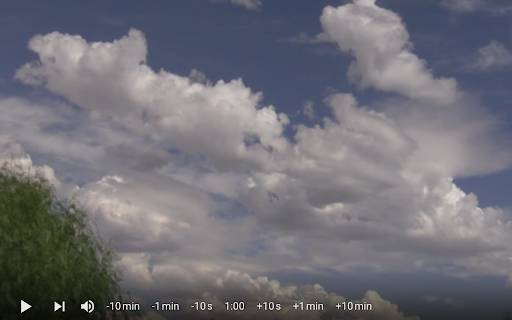
Prevent spoilers by removing the progress bar and video duration from the Youtube™ player. Remove the video duration, progress bar & time of related videos on your favorite Youtube™ channels to prevent spoilers. Navigate easily with new controls while avoiding spoilers. Never get spoiled by the video length anymore ! By hiding the duration information, you won't be able to guess the result of any sport/e-sport match (or any kind of vod). -- HOW TO USE THIS EXTENSION -- 1) Click on the Video Spoilerless extension in order to configure the extension (you can pin the extension for an easier use) 2) Enable the extension to hide the duration of all Youtube™ videos 3) Activate the white list then add your favorite Youtube™ channels in order to only hide the selected channels 4) Use the new controls of the Youtube™ player to easily navigate while avoiding spoilers ! Note : Refresh the page if the extension does not apply.

Youtube Progress Viewer
Shows the percentage of a YouTube video that has been watched. Never lose track of your video progress again! This lightweight extension adds a sleek percentage counter to your YouTube videos, showing exactly how much of the video you've watched. Perfect for: • Students tracking lecture progress • Content creators checking video lengths • Anyone who wants to know exactly where they are in a video • Users who like to customize their YouTube experience Simple to use, yet powerful to customize! Just install and watch the percentage appear on your videos. Access settings easily by hovering over the display. No ads, no tracking, no unnecessary permissions - just a clean, useful addition to your YouTube viewing experience. Key Features: ✓ Clean, minimal display shows exact video completion percentage ✓ Fully customizable appearance: • Choose from 4 corner positions • Adjust transparency • Customize colors to match your theme • Set your preferred font size • Show/hide when video is paused ✓ Precise control with adjustable decimal places ✓ Settings persist across sessions ✓ Zero impact on video performance ✓ Works seamlessly with YouTube's interface Version 1.0.0 • Initial release with full customization options • Compatible with all YouTube video pages

Twitch && Youtube spoiler-free
No more spoilers watching TWITCH VODS and YOUTUBE videos. Enjoy watching twitch vods and youtube videos by preventing spoilers… No more spoilers watching TWITCH VODS and YOUTUBE videos. Enjoy watching twitch vods and youtube videos by preventing spoilers ruining the experience of matches or tournaments. Twitch, features: - Hide timebar - Hide video duration. - Hide related videos thumbnails images and timestamps - Added new video controls, navigate quick and easy with them avoiding spoilers! Youtube features: - Hide timebar - Hide video duration. - Hide related videos thumbnails images - Added new video controls, navigate quick and easy with them avoiding spoilers! Easy configuration with extension's popup menu Share your experience at the Chrome Store and rate Twitch Vod Spoiler Free extension Extension made by Adrián Arbizu Donoso (Spain). Framework used: Angular 12.
