
jjplaeklnlddpkbbdbnogmppffokemej
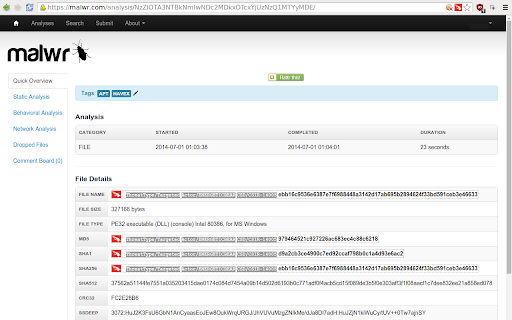

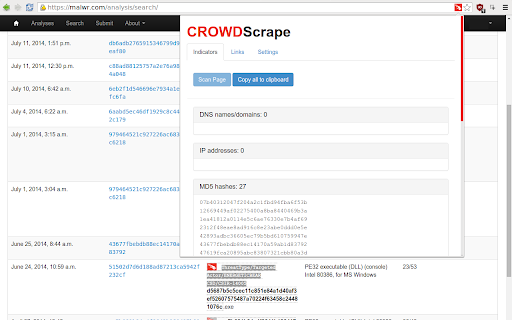

Scrape web content for indicators of interest and integrate CrowdStrike Intelligence information The CrowdStrike Intelligence Team is proud to announce the release of CrowdScrape version 1.5.0. CrowdScrape is a Chrome Plugin designed to allow you to be able to scrape indicators from various websites and in-browser documents such as PDF reports while matching the data up against CrowdStrike Intelligence. This release provides bug fixes and enables support for customers in all cloud environments, and includes support for the OAuth2-based Intel API, which has replaced the deprecated legacy key-based APIs (see https://falcon.crowdstrike.com/support/documentation for further information on our API). This easy to use tool produces indicator lists that collect: · Domain, IP addresses, URLs, hashes (MD5, SHA1, SHA256) and Bitcoin addresses · On-Screen Tagging of CrowdStrike known indicators, and links to Indicator Search · Matches to CrowdStrike Intelligence with links to reports in CrowdStrike Intel Portal · Integrations with the CrowdStrike Indicator Graph to visualise intelligence In addition, you can use CrowdScrape to copy any indicators to clipboard making it easier to pull OSINT from different sources and converting this to a text file for implementation into your systems.

Breakbot
Quickly add disruptive unicode, naughty strings, and more to your clipboard. Save yourself from googling for RTL characters, Zalgo, general unicode naughtiness, the EICAR string, and more - Breakbot makes them available for quick copying to the clipboard. With a fast search and one-click copy, fuzzing and pen testing is just a little bit easier (and no more copy-paste-type-paste-type to check if you got that RTL character copied correctly!) Just search and click the one you want to copy, or strike enter to copy to top result. Launch the popup with +B. Add your own strings at https://github.com/jkingsman/Breakbot.

Plugin Vulnerabilities
Adds warning message to WordPress Plugin Directory pages when plugins are from developer we have released security advisories for. One of the little understood realities of security issues with WordPress plugins is that the insecurity of them is not evenly spread across those plugins. Instead, many developers are properly securing their plugins and others get them properly secured when alerted they haven’t done that, while other plugin developers either are unable or unwilling to properly secure their plugins. With the latter group, among the issues we have seen, are developers who have introduced new serious vulnerabilities that are substantially similar to vulnerabilities that they know have been exploited in their plugins. In situations where we become aware of developers who have shown that inability or unwillingness to properly secure their plugin, we are releasing advisories to warn customers of our service and the wider WordPress community of the risk of utilizing those developers' plugins. This extension adds a notice on the pages of the WordPress Plugin Directory for the plugins from those developers.

Shodan
The Shodan plugin tells you where the website is hosted (country, city), who owns the IP and what other services/ ports are open. The Shodan plugin for Chrome automatically checks whether Shodan has any information for the current website. Is the website also running FTP, DNS, SSH or some unusual service? With this plugin you can see all the info that Shodan has collected on a given website/ domain.

PhotOSINT
OSINT tool for images. Scans page for images with EXIF metadata, while browsing. Also has context menu options for images. Open source OSINT tool for images. Scans page for images with EXIF metadata, while browsing, and shows all images found with EXIF data on popup window. Also provides context menu options for images such as reverse image search in different search engines, and metadata viewer.
