
jjcjblcbnjhgjlnclhficglfjedhpjhl
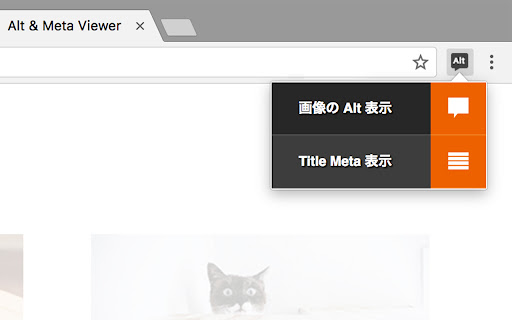


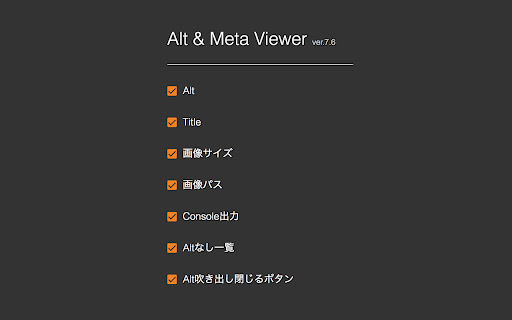
This extension show alt and meta.

HTML Diff Check Tool
Tool for checking HTML difference between tabs ,or between production and development environment. HTML Diff Check Tool is chrome addon for checking difference between tabs or between Production and Development. You can check HTML diff with other tab. You can open the URL of production and development server each other with pre-register pairs of those URLs. Also, you can check HTML diff of them. [usecase] - To check the difference between a testing and production environment before/after deployment. - When your co-worker asks you to check a testing environment which he/she updated. [How to use] 1. In the settings register the combination of a testing and production environment domain (including a subdomain). 2. Turn on the "balance scale" icon or select from context menu at the web page where you want to check a testing or production environment. 3. Click the "open" button then a testing or production environment domain will be opened. 4. Click the "diff" button so you can check the difference between the HTML sources. [about privacy] - The registered domains, URLs or HTML sources are not sent to third parties. - According to correspond to manifest v3, analyzed via Google Analytics is stopped. -v.2.0.0 Add function for checking diff with other tab. -v.1.3.0 Nex/Prev Diff and Search Functions are added. -v.0.2.0 You can also use in incognito mode. Fix bug and strings. - v.0.1.11 You can also check HTML diff include JavaScript rendered HTML. Change option for that, if you need.

The QR Code Generator
Create, scan, and edit QR codes instantly with one click. The QR Code Generator (TQRCG) Chrome Extension allows you to quickly generate static or dynamic QR codes for the current webpage and scan QR codes using your webcam. With a single click, it creates a QR code from the URL of the active tab, syncs it with your TQRCG dashboard, and displays it in a clean, compact pop-up. Key Features - Generate a QR code from the current tab with one click - Choose between static and dynamic QR Codes - Sync QR Codes created in the extension with your TQRCG dashboard - Scan QR codes using your webcam - Download or copy the generated QR Codes - No special permissions required - Fully offline QR code generation for maximum privacy - Minimalist popup interface for quick access - Lightweight and resource-efficient - Optional link to edit and customize the QR code on the website Trusted by over 700,000+ active users, and completely free for everyone. This extension is designed to be fast, lightweight, and privacy-friendly. It does not request access to your browser data, tabs, or history. It only runs when you click the extension icon, so it uses no memory or resources in the background. All QR Code generation happens entirely offline. The URL you visit is never sent over the internet unless you choose to open the "Edit QR Code" option, which redirects to www.the-qrcode-generator.com. This makes it a highly secure and private option for creating QR Codes directly in your browser. You can now choose to create static or dynamic QR Codes directly from the extension. If you are logged in, QR Codes created through the extension automatically sync with your TQRCG dashboard and show that they were created via the Chrome Extension. Where can you use TQRCG QR Codes? - Add QR codes to packaging or signage to direct customers to digital content. - Collect instant customer feedback in restaurants, retail, or service industries. - Link printed materials to websites, videos, or downloads without manual typing. - Share digital business cards at events using vCard QR codes. - Enable mobile app downloads or multi-language landing pages with one scan. - Track performance of offline marketing with detailed scan analytics. - Use dynamic QR codes for campaigns that require flexibility and updates. Updated on January 6, 2026: - Users can now choose between static and dynamic QR Codes when creating them from the extension. - QR Codes created in the extension now sync with your dashboard and clearly show they were created via the Chrome Extension. Updated on November 20, 2025: - Users can now access a full web dashboard from the extension to create and edit QR Codes with advanced customization. - A new sign-up flow lets you seamlessly connect your extension activity with your TQRCG dashboard. Updated on July 30, 2025: - Users can now download/copy the QR code that they created

HTML Tag Error Checker
Check the HTML start and end tags for problems. This extension displays errors in the HTML code of the page you are viewing, such as mistakes in the opening and closing tags. ## Main Features - Displays results in a separate tab - Shows the number of errors on the icon - Automatic checking - Settings for sites you want to automatically check - Exclusion settings for specified sites - Custom warning rules - HTML File Analysis ## Caution The code is checked using JavaScript, so no data is sent externally. Behavior may be unpredictable on pages that use forms, such as login screens.

HeadingsMap
To show, browse and audit (for accessibility and SEO) the headings structure The extension generates a document map or index of any web document structured with headings, allowing direct access to content by clicking on any of its items. It now also displays the Landmarks analysis. Although the extension was initially meant to assist web developers, consultants, and accessibility auditors, it turned to be useful for many users, facilitating the reading and navigation in long structured pages Features: * Lists headings with optional information about their levels and any breaks in the correct hierarchical structure. * Lists sections with header information, including optional details about structural errors. * Lists the landmarks and can identify details about them, and optionally details about structural errors. * Provides information from the main document and documents within frames, featuring a document selector when multiple documents are present. * Clicking on headers scrolls the document to the corresponding position and highlights it. * Detects changes in the DOM and updates content as necessary, with an option for manual refresh. * Allows collapsing of the header list by levels. * CSS outline for identifying headers or sections when clicking the tree. * Does not display hidden headers or sections (hidden from assistive technologies). * If a header or section is an anchor, the link in the results points to it. This is useful for copying directly from the tree using the browser's contextual menu. Optionally, it shows anchor-links that copy the link to the clipboard when clicked. * Two themes available.
