
jbifjmjmilebcibfonkhgkifofplocej
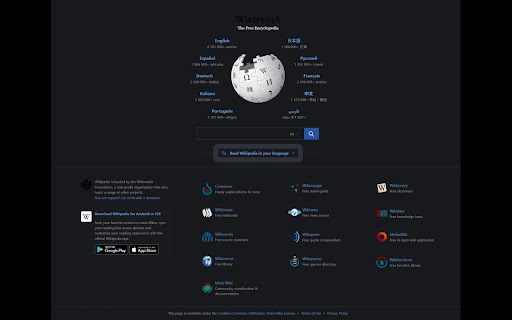
Dark Mode, read at night. Bluelight filter for every website. Relax your eyes at night and day. Dark Mode - Enhance Your Browsing Experience Experience the web in a whole new light with Dark Mode! This powerful browser extension not only transforms your favorite websites into a sleek and stylish dark theme, but it also offers a range of additional functionalities to make your browsing experience even better. Dark Theme: Enjoy a visually pleasing and comfortable browsing experience by changing the bright backgrounds of websites to a sophisticated dark theme. Brightness Adjustment: Customize the darkness level according to your preferences. Easily adjust brightness to find the perfect balance for your eyes, day or night. Contrast Enhancement: Fine-tune the contrast settings to make text and images stand out clearly against the dark background, ensuring optimal readability. Grayscale Mode: Reduce visual distractions and create a minimalist aesthetic by switching to grayscale mode. This mode can be particularly helpful for increasing focus and reducing eye strain. BlueLight Filtering: Shield your eyes from the harmful effects of blue light emitted by screens. BlueLight Control applies a gentle and effective filter that reduces blue light, minimizing eye strain and helping you sleep better, especially when browsing during the evening or night. Customizable Options: Tailor the extension's settings to match your exact preferences. Control various aspects such as darkness intensity, contrast levels, and grayscale settings. Upgrade your browsing experience with Dark Mode and discover a new way to interact with your favorite websites. Say goodbye to blindingly bright screens and hello to a more elegant, soothing, and customizable online environment. Transform the web today - install Dark Mode!

Dark Reader
Dark mode for every website. Take care of your eyes, use dark theme for night and daily browsing. This eye-care extension enables night mode by creating dark themes for websites on the fly. Dark Reader inverts bright colors to make web pages high contrast and easier to read. Adjust brightness, contrast, the sepia filter, font preferences. Enable dark mode on every web page or give websites a sepia tone. Enable or disable Dark Reader for specific websites, automatically sync with system dark mode, or detect already dark websites and leave them unchanged. This is the original Dark Reader extension. Since 2014, we continuously evolve alongside modern web technologies to deliver fast and reliable dark mode support for people sensitive to bright light. By installing the extension you agree to these terms of use https://darkreader.org/terms/

Dark Mode
Dark Mode, read at night. Bluelight filter for every website. Relax your eyes at night and day. The Dark Mode Extension. Works with all websites! ⭐️ Dark Mode: ( Night Mode / Smart dark reader / dark night reading) ✓ Blue Light Filter + Darkness for every Website AND / OR specific ones! Avoid eye strain. Relax your eyes at night & day. ✓ Invert colors, improve brightness & contrast. Mild / faint colors, Bright colors, greyscale, sepia, ... ✓ Schedule dark to manage your day-night-cycle. Blue light makes us awake and prevents sleep. Care for your eyes. (dark mode is not only for night shifts) ✓ Style (css) editor. Delete elements/logos/ads/notifcations. Soon: Visual Picker/Selector, Drag & Drop. customize any Website beyond stylus / stylish / userstyles To come: ✓ Reduce brightness of colors only - not color-tone (compare with samsung browser dark mode) ✓ Smart dark mode / invert: Only if page is very light or blue ✓ We are working on a smart Theme-Engine to exceed the results you get from other extensions (dark reader depends on crowdsourced styles) "When the night (night night night) has come, and the land is dark (dark dark dark)", note: - If you use multiple night / dark reader extensions / screen shader at once, then color-Inverting or other effects can invert each other. Dark Mode is your extension offline on your computer. https://github.com/code-charity/night-mode. We can not track you. We are developing distraction-free extensions transparently (Open-Source) since 2012 for 300000 people: https://github.com/ImprovedTube/YouTube super-amoled / oled screens: 100% dark (black) backgrounds save electricity & screen wear-down Permission explained: "Read and change...all websites you visit" to modify Colors (Dark Mode) on any website.

Lunar Reader: Dark Theme & Night Shift Mode
Dark theme and night shift mode for every website. Care your eyes, use Lunar Dark Reader for night and daily web browsing. Lunar Dark Reader extension will put dark theme on all websites, suitable for those work at night and dark reader for online news or book reading. ★ What will you get from Lunar Dark Reader extension: 1) An easy way to create dark mode on every website. In addition, you can customize your dark theme visual from Brightness, Contrast, to Saturation. 2) A night shift mode which changes the website's color to warmer, making it much more pleasing to watch. You can choose to use either dark theme or night shift mode, or both. You can also quickly activate these modes with simple keyboard shortcuts. 3) You can set up schedule for each dark theme and night shift mode, and decide when you want to auto-activate dark theme. ★ Our Lunar Dark Reader extension is safe to use, as it complies with Google's policy: https://lunarreader.com/privacy/ ★ Note: Remember to disable any similar dark theme or night shift mode extension to prevent compatibility issues. UPDATE 2026.4.4: Lunar Reader updated to manifest v3 with improvements and bugfixes.

Dark Mode — Night Theme for All Sites
Dark mode for any site. Reduce glare, boost focus, read comfortably at night. Dark Mode — Universal Dark Theme & Smart Reading Instantly switch any website to a comfortable dark theme. Reduce eye strain, increase focus, and enjoy reading at night with a lightweight, privacy-first extension. Why Dark Mode? Bright pages cause eye fatigue — especially at night. Dark Mode applies a carefully tuned dark color palette to websites while keeping contrast and readability. Key features: ✔Universal dark mode — works on most websites (Google, Wikipedia, YouTube and more). ✔Reading Mode — distraction-free layout (large type, soft background, width control). ✔One-click toggle & per-site settings — save preferences per domain. ✔Lightweight & fast — minimal CPU/memory impact. 1. Install → click the toolbar icon. 2. Toggle global dark mode or enable per-site. 3. Enter Reading Mode for long articles (adjust font size and margins). Who it’s for? Night readers, students, devs, people with light sensitivity. Permissions & Privacy: We only request the minimal permissions needed (e.g., content script for page styling, storage for settings). No user data is collected. Full privacy policy linked on the listing. Pro tip If a page looks off, open settings → disable images inversion or add a site-specific override. FAQ ✔Will it break websites? — Rarely; use per-site exceptions. ✔Does it slow my browser? — No — it’s optimized to be lightweight. ✔Is it free? — Core features are free. (If you have paid features, mention them here.)
