
jampigcbgngjedogaoglhpeckidccodi
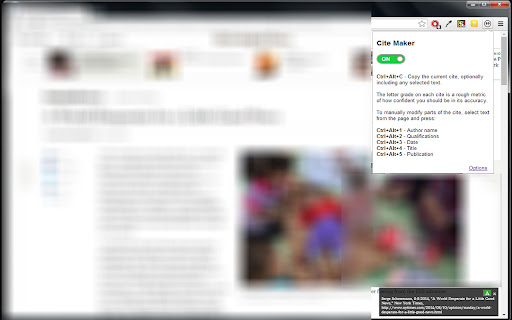
Constructs debate cites from html tags or page info and copies to clipboard. Cite Creator is a cross-browser extension that creates cites for use primarily in US high school or college competitive debate. It's designed to work well with the Verbatim template (https://paperlessdebate.com). Includes keyboard shortcuts for quickly modifying/copying the cite.

Link Grabber
An easy to use extractor or grabber for hyperlinks on an HTML page Extract links from an HTML page and display them in another tab. Permissions Required: Link Grabber requires permission to copy links to the clipboard. No other special permissions are required. Features: * No usage information / analytics are collected from you * Use either browser action button or context menu item to activate * Configurable list of blocked domains * Filter links by substring match * Copy links to clipboard * Show/hide links that appear more than once on the page * Show/hide links to the same origin as the source page * Group links by domain

Copy Paste URLs
Copy Paste URLs, an alternative to the "Copy All Urls" extension (now discontinued): - Copies the URLs of all tags/selected tags to the system clipboard. - Opens multiple URLs in the system clipboard in batches. - Supports Ctrl+C and Ctrl+V keyboard shortcuts. - Supports edit mode, allowing you to manually enter several URLs to open at once. - Compatible with Chrome Listing 3. - Keeps it clean and simple.

BlogLinkClipper
This extension copies to clipboard URL, and Title for various formats. For link shareling with title or writing documentation. Awesome Copy Extension(Google Chrome) that copies TITLE/URL combination to clipboard with various formats in current tab. It's useful to share URL with Title or writing documentation, and more. - Copy TITLE/URL combination to clipboard in various format. - Get short url with Firebase - Cleanup Amazon Product URL(ASIN) - Simple format: between title and url, be inserted line feeds - HTML link tag format: `title`. (`_target="blank"` supported.) - Markdown: `[title](url)` - Redmine: `"title":url` - JIRA: `[title|url]` - reSTructuredTest: ``title `_` - MediaWiki: `[url title]` - PukiWiki: `[[title:url]]` - DokuWiki: `[[url|title]]` - Hatena notation (Japanese hacker popular): `[url:title=]`

Web Content Copier
Copy headings and paragraphs from the current webpage. Introducing the 'Web Content Copier' Chrome Extension This Chrome extension simplifies the task of copying website content. With just one click, you can extract relevant text from any website (including ChatGPT) without manually selecting and copying each element. Here's what it offers: – One-Click Content Copying: Easily extract all necessary text, including all headings (H1-H6) and paragraphs (P), from any website with a single click. – Intelligent Text Selection: The extension excludes content in the navigation and footer of the website, ensuring you only get the content that matters. – ChatGPT Conversation History Extraction: Perfect for frequent ChatGPT users, it allows you to copy and extract your entire conversation history in one go. – Ideal for Students, Researchers, and Professionals: It simplifies the process of collecting information from various websites quickly and efficiently. – Saves Time and Effort: Avoid manually selecting each element and navigating through a cluttered web page. – Prevents Accidental Copying: Eliminate the risk of accidentally copying unnecessary content, saving precious time. – Effective for Note-Taking and Analysis: It's especially useful for those who wish to save their ChatGPT conversation history for further analysis or note-taking. In essence, the 'Web Content Copier' is an essential Chrome extension for anyone who values speed, efficiency, and accuracy in online research and information gathering. Download now for a hassle-free content copying experience!
