
caodelkhipncidmoebgbbeemedohcdma

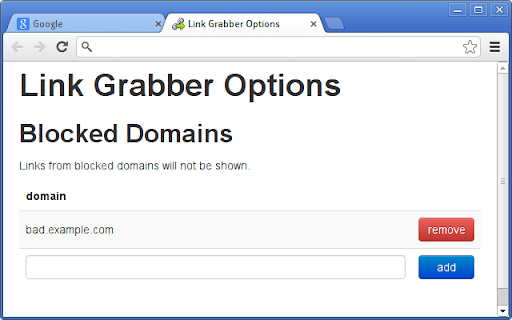
An easy to use extractor or grabber for hyperlinks on an HTML page Extract links from an HTML page and display them in another tab. Permissions Required: Link Grabber requires permission to copy links to the clipboard. No other special permissions are required. Features: * No usage information / analytics are collected from you * Use either browser action button or context menu item to activate * Configurable list of blocked domains * Filter links by substring match * Copy links to clipboard * Show/hide links that appear more than once on the page * Show/hide links to the same origin as the source page * Group links by domain

ESUIT | Bulk Videos Downloader for Facebook™
Bulk videos downloader for Facebook, supports reels and videos This extension allows you to bulk-download all videos/reels from Facebook. Works on: - Any User's reels/videos - Any Page's reels/videos With ❤️ from esuit.dev If you need to subscribe to our service, we will collect your email address to verify your subscription status. (We only collect this data from subscribers; if you do not subscribe, we will not collect any of your data.) This is our privacy policy. https://esuit.dev/privacy-policy Additional Features: In the Popup, we provide the following additional features: Function Description: A brief description accompanied by a video tutorial demonstrating how to use this extension. Login Button: Use when you need to subscribe to premium features or log in with an existing subscription. Relevant-Ext: We provide brief recommendations and introductions to relevant extensions in a small section. Encountering an issue? Report it to us 💪: If you encounter any issues, you can get in touch with us through this link, and we will assist you in fixing it. Warning Facebook™ is a trademark of Facebook Inc., registered in the U.S. and other countries. This is an independent project developed by ESUIT. and has no relationship to Facebook™ or Facebook Inc. this extension is not officially developed by Facebook™, The author is @William Chen Got feedback or experiencing any issues? Let us know on Facebook! Your input is important to us and we're here to help. https://www.facebook.com/esuitdev

Image Link Grabber
Extract image links from webpage with a single click. Just open the page and click on app icon, voila you got the links. Update 0.4 Extension requires API Key after 10 free runs.

Auto Scroll: Effortless Page Navigation Chrome Extension
Enhance browsing by automating page scrolling. Customizable speeds & loop options. Streamline content consumption effortlessly. Auto Scroll is a convenient Chrome extension designed to enhance the browsing experience by automating page scrolling. By using this plugin, users can effortlessly navigate through web pages without the need for manual scrolling. Auto Scroll offers customizable scrolling speeds and options to loop the scrolling behavior, providing flexibility to cater to individual preferences. Whether for reading lengthy articles, browsing image galleries, or navigating through long webpages, Auto Scroll streamlines the process by automating scrolling, allowing users to focus on content consumption without the hassle of constant manual scrolling

Bulk URL Opener
Browser addon to open multiple urls with one click. With many more tools to help you manage urls. A simple and easy to use extension which allows the user to open a list of URL's in one click. Or alternatively you can create and store lists of links that you use and then load them from the drop down menu in the extension to open large amounts of links quickly and easily. Key Features:- -Allows a user to open a list of links quickly and easily -Ability to save, load and edit lists of links to provide an easier way to store and use a large amount of links -Tab Creation Delay: A user requested feature that allows the user to set a specified delay (in seconds) between each tab being created when a large number of links are opened -Custom themes: Change the look of the extension by using a different theme This extension collects no user data, for more info here is our privacy policy: https://euan.link/bulkurlopener-privacy-policy PERMISSIONS REQUIRED:- "Read your browsing history": This permission allows the extension to create tabs for you. It also allows the extension to get the URL's from currently open tabs when the 'Get list of currently open tabs' button is clicked Changelog:- 1.12.1 - Improved browser detection to fix broken buttons on Chromium. 1.12.0 - Migrated app to work with Manifest V3 - Temporally disabled context menus, as the way services workers work makes the context menu click event handlers work very poorly. Leading to context menus often not working correctly. - Added a list of tabs that are still to be created on the openingtabs page. This allows the user to easily see what (and how many) tabs are still to be created. - Fixed URL extraction (Thanks @allanlaal) 1.11.2: - Limited snapshots to 4 - Added option to disable snapshots & to delete snapshots - Added more context menu items for tools, settings help. - Added better error handling for localstorage writes, to prevent unhandled errors if users localstorage is full. 1.11.1: - Limited snapshots to 50 1.11.0: - Redesigned settings page: - New card based layout. - Settings now auto save. - Added automatic snapshotting: - Local storage is automatically snapshotted when a destructive action is taken, so user has option to restore to previous versions - Bug Fixes - List saving bug 1.10.0: - Added context menus. Currently, only context menus are for opening lists that the user has saved. - Added setting to open lists in reverse order. - Added new option for the 'Default list to display' setting: - 'Previous urls': whatever you previous had in the 'URLs' text box will be displayed the next time you open the app / popup. - Improved the REGEX for extracting urls from strings. - Redesigned help page - Added 'Tools' page, currently only includes a url extractor tool 1.9.0: - Added ability for the user to pause and resume the opening of tabs when using tab creation delay. - User can now specify the tab creation delay to decimal points, rather than just whole numbers as previously. - Added a hotkey to open the popup (Ctrl + Shift + U). 1.8.3: - Fixed wording on buttons on extension popup to make them clearer and less confusing. 1.8.2: - Fixed bug where if "Delay tab loading until tab is selected" setting was enabled, the url would be truncated after the first parameter in the query string. 1.8.1: - Firefox bug fix when deleting lists. 1.8.0: - Added option to launch a list when the browser starts. - Added feature to delay tab loading until the user focuses the tab (Selects the tab in their browser) - Added basic command line flags for election version of app, -v or --version, -h or --help 1.7.2: - Added a options file to the app manifest, so the settings page can be launched from the browsers addon / extension management page. - Continued refactor of old sections of code, as well as working to completely remove dependence on Jquery in preparation of Bootstrap 5 1.7.1: - Prevented electron version from having a tab creation delay of
