
jamphegminpokpnalkjiecfoobdnlmfb

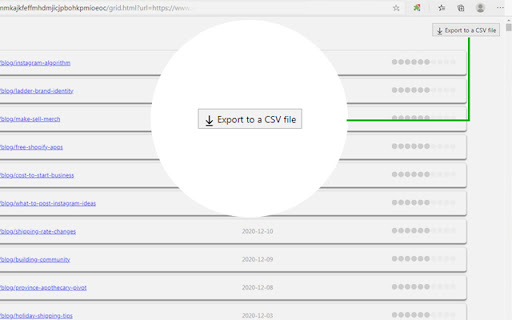
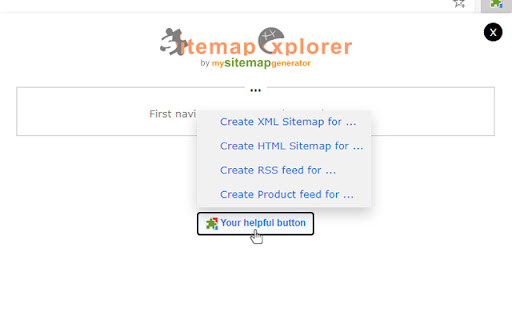
This extension helps you find, inspect, export, and view XML Sitemap files for any site you navigate in a browser. The helpful and easy-to-use extension helps you find, inspect, export, and view XML Sitemap files for any site you navigate in a browser. Extension features: - Automatically detects links declared in the robots.txt file of any site you develop, administer or analyze. - Displays XML contents of files in a human-readable form. - Validates XML syntax (Standard XML and Atom protocols are supported). - One-click export of URLs from XML to a local CSV file. - Contains “Your Helpful Button” that you can use to easily create a Sitemap, RSS, or Product feed (for eCommerce sites) file from the current URL. How to use: 1. Open the URL of any site in your browser and click the app icon in your toolbar. 2. Get information about the linked files for the current website. 3. Now, you can open file view or copy the full URL of the file to your clipboard. This extension for Chrome is a software product of MySitemapGenerator.com.

Schema Builder for Structured Data
Easily build validated json-ld structured data markup for any webpage. Based on schema.org specification Generating structured data markup for your webpages doesn't have to be hard! No more having to learn each Schema type, which elements are required vs. recommended or worrying about errors and issues. Schema.dev's Schema Builder makes it as simple as point and click to generate the perfect JSON-LD structured data for dozens of Google supported Schema types! and all for FREE! ============================================= Be sure to view the initial training video for fastest time to value. https://videos.seoclarity.net/video/kazj73n005plxgv61 ============================================= Simply enable the plugin, choose the schema markup you'd like to add and then populate the form using the point and click capabilities or manual input. Already have schema markup on your webpages? The built-in Schema testing tool helps validate your schema markup and shows errors and warnings. Key Features - Updated March 2nd, 2025 ================================== + NEW! Support for Vehicle Listing Markup + Support for 20+ Schema types - including ALL Google supported markups + Automatic detection of existing structured data + Point-and-click ease to populate schema fields + Intuitive UI that guides you through required, recommended and optional elements for each schema + Structured Data Testing capabilities built in for any schema markup generated + Intuitive UI to guide through required, recommended and optional elements NOTE: The plugin is in actively development - Join the forums at https://support.schema.dev for feedback, bugs and tips.

Sitemap Clusterizer - Simplify XML Sitemap Analysis
Streamline your SEO workflow with intelligent XML sitemap analysis After all, XML sitemaps are designed for search bots, not humans. But that's where Sitemap Clusterizer steps in. The extension transforms unwieldy XML data into a digestible pivot table. In seconds, you can transform your sitemap into actionable insights by grouping your website's pages by path segments based on the URL structure. So, making sense of large XML sitemaps is effortless. Pivot Table Conversion: Automatically extract URLs and their last modified dates from any XML sitemap and view them in an organized pivot table format. Dive deeper into your website's structure by grouping URLs based on their path segments, making it easier to analyze and manage your site's content. Customizable Segment Filtering: Tailor the pivot table to match your site’s URL structure by filtering path segments using forward slashes, hyphens, or underscores. This flexibility allows you to customize how the segments are broken down, optimizing the pivot table generation for deeper, more meaningful analysis. Comprehensive URL Count: Get a clear overview with a total count of all URLs contained in the sitemap. This feature helps you track the size and scale of your website's content at a glance. CSV Download: Need to share or further analyze your data? With just one click, download the entire list of sitemap URLs as a CSV file. This makes it easy to share insights with your team or import data into other SEO tools. Common tasks that Sitemap Clusterizer can assist with your own site: Identify gaps: By reviewing your own XML sitemap, you can identify if there are any important pages that are not being indexed. Content hierarchy: Understand how your content is structured and whether it aligns with your SEO goals, ensuring that priority pages are prominent. Content audit: The sitemap can help in auditing your content to check for outdated or underperforming pages that might need updating or improvement. URL optimization: Ensure that your URLs are optimized for SEO, including proper keyword usage. Track content updates: The sitemap can help track how frequently your content is updated, an important factor in SEO. Product category analysis: In ecommerce verticals, analyzing sitemaps can be especially useful to understand category and product taxonomies. For Competitor Sites: Site architecture insights: Analyzing a competitor's sitemap gives you a clearer picture of their site architecture, including how they prioritize their pages in terms of navigation and SEO. Content themes and focus: By reviewing the URLs and their organization in the sitemap, you can identify what types of content themes and product categories are most important to your competitors. Keyword opportunities: Spot potential keyword gaps in your strategy by analyzing the keywords that competitors seem to be targeting in their URL structures and metadata. Content freshness: See how often competitors update or add new content, which might give insights into their content strategy and how they manage SEO freshness signals. Marketing strategies: By examining how new products or categories are added to a sitemap, you can infer competitors’ market focus areas or seasonal strategies.

Robots TXT & Sitemaps XML Viewer 👀
Unleash the Power of Effortless SEO Exploration with the Robots.txt & Sitemaps.xml Extension The Robots.txt & Sitemaps.xml extension is a powerful Google Chrome tool designed to simplify and accelerate the way you access essential SEO configuration files. For SEO professionals, developers, technical auditors, and digital marketers, robots.txt and sitemap.xml files are fundamental components of any website’s search engine strategy. Yet accessing and reviewing them manually can be repetitive and time-consuming. This extension transforms that process into a fast, intuitive, and efficient experience. With a single click, you gain direct access to a website’s robots.txt and sitemap.xml files, allowing you to instantly analyze how a site communicates with search engines. Instead of manually typing URLs such as /robots.txt or /sitemap.xml in your browser bar every time you audit a site, the extension provides structured, immediate access within a clean interface. It streamlines your workflow and improves your technical visibility. The extension allows you to instantly retrieve and display the robots.txt file of any active website tab. This file contains crucial instructions that guide search engine crawlers on how to interact with the site. With immediate visibility, you can quickly analyze: Allowed and disallowed paths This enables rapid identification of configuration issues that may impact indexing and crawl efficiency. The extension also provides direct access to the sitemap.xml file. This file lists the URLs that a website wants search engines to discover and index. By reviewing the sitemap, you can: Identify indexed and prioritized pages Verify proper structure and hierarchy The extension is built around a simple and intuitive interface. Clear tabs allow you to switch seamlessly between Robots.txt and Sitemap.xml views. There is no unnecessary complexity. The information is presented in a readable and structured format for efficient analysis. Quick Content Retrieval and Copy Function Using the required permissions to access active tabs and send HTTP requests, the extension fetches the content of the robots.txt and sitemap.xml files in real time. A built-in “Copy” button allows you to instantly copy the retrieved content to your clipboard. This simplifies reporting, auditing, debugging, and collaboration with teams or clients. Robots.txt and sitemap.xml are foundational elements of technical SEO. Sitemap.xml guides discovery and indexing. A poorly structured or outdated sitemap can reduce crawl efficiency and limit search visibility. Having immediate access to these files allows you to: Designed for Professionals For SEO Specialists The extension eliminates repetitive manual checks and provides immediate technical insight. It accelerates audits and enhances precision when evaluating site configurations. For Web Developers Developers can quickly verify that SEO configuration files are properly structured and accessible. This reduces debugging time and ensures technical compliance. For Digital Agencies Agencies managing multiple client sites benefit from faster review cycles and simplified analysis across domains. For Curious Explorers Anyone interested in understanding how websites communicate with search engines can use the extension to explore configuration files easily and safely. Performance and Efficiency The extension operates directly within your browser, retrieving configuration files without slowing down your navigation. It integrates seamlessly into your daily workflow and requires no advanced setup. Privacy and Permissions The extension requires permission to access the active tab and send HTTP requests in order to retrieve the robots.txt and sitemap.xml content. These permissions are strictly necessary for functionality. The tool focuses exclusively on retrieving publicly available configuration files. Upgrade Your SEO Workflow Stop manually navigating to configuration URLs for every website you analyze. The Robots.txt & Sitemaps.xml extension centralizes and simplifies access to critical SEO files. Install the Robots.txt & Sitemaps.xml extension today and take full control of your technical SEO exploration. Thank you. Libérez la puissance d’une exploration SEO simplifiée avec l’extension Robots.txt & Sitemaps.xml L’extension Robots.txt & Sitemaps.xml est un outil Google Chrome conçu pour simplifier et accélérer l’accès aux fichiers de configuration SEO essentiels d’un site web. Pour les consultants SEO, développeurs, auditeurs techniques et professionnels du digital, les fichiers robots.txt et sitemap.xml sont des éléments stratégiques. Pourtant, leur consultation manuelle peut être répétitive et peu optimisée. Cette extension transforme cette tâche en un processus rapide, intuitif et structuré. En un clic, vous accédez directement aux fichiers robots.txt et sitemap.xml du site que vous consultez, ce qui vous permet d’analyser immédiatement sa configuration vis-à-vis des moteurs de recherche. Interface claire et intuitive L’extension propose une interface simple avec deux onglets distincts : Robots.txt et Sitemap.xml. La navigation est fluide et pensée pour un usage professionnel. Grâce à cette extension, vous pouvez : L’extension fonctionne directement dans le navigateur sans ralentir la navigation. Elle nécessite l’accès à l’onglet actif pour récupérer les fichiers robots.txt et sitemap.xml, qui sont par nature publics. Optimisez votre approche SEO et simplifiez votre analyse technique avec l’extension Robots.txt & Sitemaps.xml.

SEO Minion
SEO Minion helps you in your daily SEO tasks such as On-Page SEO analysis, Broken Link Checking, SERP Preview and more The tool helps you with the following tasks - (1) Analyze On-Page SEO - analyze the HTML of any webpage and view useful information that will help you optimize the On-Page SEO as well as alert you to any issues. (2) Highlight All Links - quickly see all the links (internal & external) for any webpage (3) Check Broken Links - check every link on a webpage and get a report of any links with issues (5) SERP Preview - preview your website on a real Google search result and update this in real time (6) Google search location simulator - view non-personalized google search results for one keyword on two different location/language combination. (8) HTML v/s DOM - analyze the differences between the HTML source code and the rendered DOM to check if your JS library is causing any SEO related issue (9) Analyze Structured Data - analyze the structured data on the webpage We add features based on user feedback. If you'd like us to add any new features, please email us at akash@seominion.com. You can view the change-log for every version update at https://seominion.com/news
