
jajgofbjginbedegkkcfmlcpjmbaopep
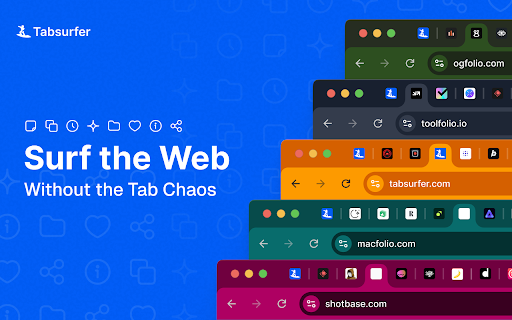


Save, manage, and restore browsing sessions Tabsurfer – The Tab Manager that doesn't bloat your workflow. Too many tabs? Tabsurfer helps you save, organize, and restore tabs without slowing down your browser. 🎯 Who It's For - Students juggling coursework, projects, and deadlines - Founders & Freelancers switching between clients and projects daily - Power users who want control without complexity 🔍 Universal Search (⌘+Shift+F) Open a search modal anywhere in your browser with a single shortcut. Search across your saved tabs, active tabs, browser history, and shared links — all in one place. Jump to any tab without touching your mouse, in just two keystrokes. 🗂️ Smart Save Overlay When you're ready to save tabs, a new overlay lets you select exactly which tabs to close. Quick-save them instantly, or organize as you go by assigning folders, tags, or groups before saving. Decluttering has never been this effortless. 📝 Notes Keep notes, to-do lists, and quick reminders right inside Tabsurfer. Jot down thoughts while you browse without switching to another app. ⚡ Collapse to Save Memory Suspend inactive tabs to free up RAM without losing your place. 🤖 AI-Ready Tab Sharing Turn any tab group into a prompt for ChatGPT, Claude, or Gemini. Perfect for research synthesis and analysis. 🔗 Shareable Links Create links from tab groups to share resources with teammates or collaborators. ⏰ Schedule Tabs Set tabs to reopen later so you can focus now without losing track. 💾 Session Restore Save your entire browsing session and restore it exactly how you left it. 🛡️ Privacy First. Always. No tracking, no analytics, no browsing history collected Tab data only accessed when you save, collapse, or restore AI features are opt-in and send directly to your chosen provider. Your data stays yours. 💡 Use Cases 📚 Research Projects – Save 50+ tabs across sources, collapse them when you're not working, restore when you're ready to dive back in. Use Universal Search to jump back to any reference instantly. 🎓 Student Life – Keep separate tab groups for each class. Share resource links with study groups. Use Notes to track assignments and deadlines as you research. 💼 Client Work – Switch between projects without reopening everything. Use the Smart Save Overlay to quickly organize tabs by client before closing them. ✍️ Content Creation – Collect inspiration tabs, then send them to AI for summaries or outlines. Keep running notes on ideas as you browse. 🚫 What Tabsurfer Doesn't Do No auto-grouping. No forced workflows. No bloat. You decide when and how your tabs are organized. Clean browser. Clear mind. Your tabs, your rules. 🔒 Privacy Details Tabsurfer only uses data you actively choose to save. We do not collect browsing history, search queries, analytics, crash logs, or device identifiers. There is no tracking or behavior monitoring. Tab data is accessed only when you save, collapse, restore, or schedule tabs. AI features are fully opt-in—content is sent directly to your selected provider and never stored by Tabsurfer. If you sign in, we only access basic account info for authentication. Payments are handled by a secure third-party provider. We never store payment details. Your work stays private, anonymized where possible, and fully under your control. 📋 Changelog See what's new and what's coming next at tabsurfer.com/changelog

Lumno - The Ultimate Browser Command Bar
A lightweight browser command bar and new-tab search for Chromium browsers. Note: Lumno is fully open source and built with privacy in mind. It does not collect or upload any user data. To enable search across your browsing history, bookmarks, tabs, and current page information, it requests the necessary permissions. All related processing stays local by default. Lumno is a lightweight browser search and new tab extension. You can open a search overlay from any page with a keyboard shortcut to quickly find tabs, bookmarks, browsing history, and frequently visited sites. The same search experience is also available on the new tab page, so you can get where you want with less switching. 🦋 Best for: Frequently switching between many tabs Often searching bookmarks, browsing history, or frequently visited sites Wanting a faster way to open pages and run searches Preferring a cleaner and more efficient new tab page 🦋 Key features: 1. Open the search overlay from any page with a single shortcut 2. Quickly search and switch between open tabs 3. Search bookmarks, browsing history, frequently visited sites, and search suggestions 4. Support site search and custom search rules 5. Replace the new tab page with quick access to frequently used sites and bookmarks 6. Support light and dark themes, multiple languages, and settings sync 7. Support automatic Picture-in-Picture for videos and floating web content view 🦋 How to use: 1. Open a new tab to view frequently used content 2. Use the keyboard shortcut to open the search overlay 3. Type a keyword and press Enter, or choose a suggestion 4. Adjust language, theme, shortcuts, and site search in Settings

Bookmarkify - Bookmark Manager
Save, organize, and revisit your favorite websites. Bookmarkify is a visual all-in-one bookmark manager for the web. The Visual Bookmark Manager Built for Designers & Creatives Stop losing great design inspiration. Bookmarkify helps you save, organize, and rediscover websites, images, and videos — all in one beautiful visual library. Unlike boring bookmark lists, Bookmarkify shows you full visual previews of your saved content. Find exactly what you need, when you need it. Team Collaboration Save bookmarks together with your design team. Share inspiration in real-time and build a shared reference library. Design Analysis Extract color palettes and typography from any bookmarked website. Instantly see fonts, brand colors, and design systems. Keyboard Shortcuts Navigate faster with hotkeys: G (Grid), F (Fullscreen), M (Mobile), T (Three-column), L (Long), I (List), A (Assets) Redesigned Interface A cleaner, more intuitive UI that stays out of your way while you work. Save More Than Websites Bookmark websites, images, and videos. Right-click any image to save it instantly to your collection. 7 View Modes Grid • Fullscreen • Three-column • Long • Mobile • List • Assets/Moodboard Customize how you browse your bookmarks for different workflows. Bulk Download Export all images from your collection as a ZIP file — perfect for moodboards and presentations. 💼 PERFECT FOR → UI/UX Designers collecting interface inspiration → Graphic Designers building visual references → Web Designers saving layout ideas → Brand Designers analyzing color palettes and typography → Creative Directors curating team moodboards → Freelancers organizing client projects → Design Teams collaborating on shared inspiration 1. Click the Bookmarkify icon or press CTRL+D (Cmd+D on Mac) 2. Add tags and notes to organize your bookmark 3. Access your visual library anytime from the extension 4. Collaborate with your team or keep it personal Join thousands of designers who've replaced messy bookmark folders with a visual inspiration system that actually works. 📌 Install Bookmarkify now — your future self will thank you. 🔐 Privacy First Your bookmarks are stored locally by default. Team features use secure cloud sync only when you choose to collaborate. 💬 Questions or Feedback? Visit bookmarkify.io or reach out — we'd love to hear from you!

Raycast Companion
A browser extension to give more context to Raycast Interact with the web in a new way by leveraging Raycast AI to summarize websites or videos, analyze content, and automate tasks in your browser. The extension gives Raycast a better understanding of what you are looking at in your browser. Create custom AI Commands with the {browser-tab} dynamic placeholder in Raycast. Explores commands on https://ray.so/prompts. Features you'll love: 🤏 Summarize the focused tab with the built-in "Summarize Website" command 🔤 Create custom commands that use AI to interpret the focused tab 🔁 Get inspired by our community (https://raycast.com/community) and share your commands Note: The extension requires Raycast to be installed.

Flow - Tab Manager
A new way to manage chrome tabs and windows easily. Flow is your ultimate solution for managing tabs and windows in Chrome. Whether you’re a power user or just someone who wants to keep things tidy, Flow streamlines your browsing experience. Here’s why you’ll love it: Effortless Tab Management • Create Sessions: Start fresh by initiating a new session. A dedicated Chrome window opens, marking the beginning of your focused browsing journey. • Automatic Saving: Flow takes care of your tabs in the background. Close a window without hesitation; your tabs are securely saved. • Resume Seamlessly: Reopen any session whenever you need to pick up where you left off. • Unsaved Windows: Add any open window to your sessions directly from the ‘Unsaved Windows’ section. Boost Your Workflow with Additional Features • Main Session: Designate a session as your ‘Main Session.’ When you launch Chrome, all other windows close, leaving only your essential workstream active. • Backups: Create local backups of your sessions. Flow auto-generates a backup before deleting any session, ensuring you never lose your work. • Dark Mode: Enjoy a sleek dark mode that’s easy on the eyes during late-night browsing. • Resizable Interface: Customize the extension’s size by simply dragging the bottom right corner to fit your screen and preferences. • Simplicity: Flow keeps things straightforward. • Speed: It’s fast and reliable. • Organization: Say goodbye to tab overload. Give Flow a try and experience a clutter-free browsing environment. Your feedback is invaluable in making Flow even better! What's new? 1.2.8 • Added session badge • Removed the unsaved window popup 1.2.7 • Added sessions details to view tabs and move tabs between sesssoin • Added move tabs to session in chrome context menu • Added permission view to review optional permissions for certain settings 1.2.5 • Now Discarding tabs after title is load to improve search and visibility. • Clicking on the open sessions will bring them to front. • Bug fixes. 1.2.1 • Organizing settings and added a few more settings in additional settings • Bug fixes 1.1.0 • Sessions can be opened in the current window. • Project is open source now. see about us in extension settings for more info. • Pinned tabs will be saved now. • Alert will be shown if a window is not saved as session. • Performance improvements.
