
jaibdaoocnhjhpgcfcbfoiommnejappg
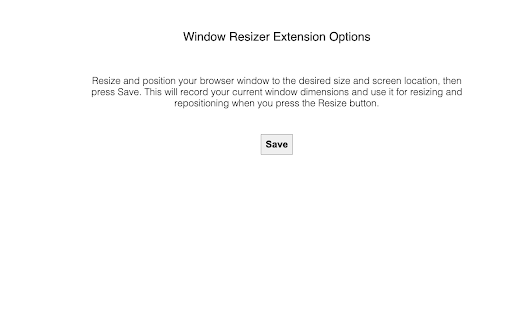
Restores window size and position after changing screen resolution. This extension allows you to save a desired browser window size and position, then easily restore to that state. This is useful when your browser gets resized and moved automatically by actions such as switching from a docked laptop with a large screen to the laptop's built-in screen, then switching back.

Window Resizer
Resize your browser window to custom sizes, test layouts, emulate resolutions, and improve productivity with multi-monitor support. Window resizer is a utility extension that allows you to resize any browsing window to a list of options or customize the size per your needs. Use this one-click extension for computer browser tab resizes into mobile, desktop & custom sizes and is extremely useful for web page Design.It allows you to configure any website in various sizes. Easy window resizer shortcut for Google Chrome. This extension adjusts the sizes of the browser tab to emulate various layouts to help web developers & designers to test their sites on different platforms like mobile, desktop, and tablet. Fully customizable extension with add, delete, rotate function, or you can set custom width and height in a simple, accessible way. This way, you won't need to do the window resizing manually. 1. This extension works on all websites, so visit any domain and open the extension. 2. Click on this static button, and then the window screen resizes according to the width and height that you have selected or set. 3. Click on add button to add customize the size, and you can delete it later. For temporary size, add the width & height, then click “set”. 4. Click on “Rotation” for vertical & horizontal screens. Note: The current tab option is not working on the blank tab (Chrome://) and also not working on the chrome extension gallery or internal browser pages.

Easy Window Resizer
Easy Window Resizer - Resize and Position Windows Effortlessly A simple, user-friendly extension to quickly resize your browser window and snap it to a position within your current screen. Key Features - Preset sizes: common resolutions, one-click apply - Custom sizes: enter any width/height and save as presets - Recent list: remembers your latest 5 sizes for reuse - Get current size: one click to capture current dimensions - Window positions: Top Left / Top Right / Center / Bottom Left / Bottom Right What’s New - In multi-monitor setups, the window now stays on your current screen when positioning (no more jumping to other displays) - Leaner permissions for a safer experience Great For - Developers, testers, and designers switching window sizes frequently - Anyone working with fixed window sizes and positions Simple and distraction-free. Thanks for using Easy Window Resizer!

FitWidth
Adds an additional zoom mode for the default image view. The Google Chrome image view has two different zoom modes. This extension adds a third one. Fit height or width: Fits the image to the window size. Original size: Displays the image in the original size. Ignores the window size. -New- Fit width: Fits the image to the window width. If the image is too high a scollbar is used. This new mode is perfect to view very thin and high images like Screencaps.

Window Resizer
Resize the browser window to emulate various screen resolutions. This extension re-sizes the browser's window in order to emulate various resolutions. It is particularly useful for web designers and developers by helping them test their layouts on different browser resolutions. The resolutions list is completely customizable (add/delete/re-order). You can set the window's width/height, window's position, preset icon (phone, tablet, laptop, desktop) and even the option to apply the new dimensions to the entire window or just to the viewport. The extension also features customizable global key shortcuts, an option to export your settings and import them on another computer and more! Please report all bugs (or suggestions) using the support link on the extension's details page.
