
ipgmlkipgamfglkeblpgeoaiplppmgid
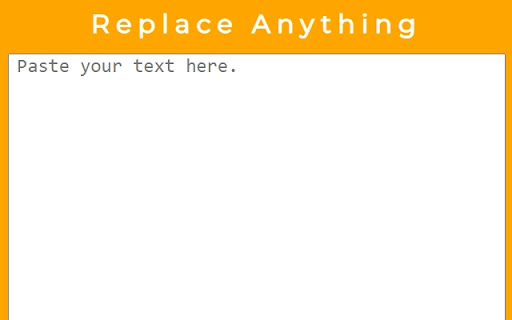
A simple find and replace extension. Replace Anything is an efficient browser extension designed to swiftly find and replace text on web pages. Whether you're looking to change words, phrases, or entire text blocks, this extension makes it effortless.

Simple Search and Replace
Extension to search and replace text in input and textarea tags The Simple Search and Replace extension for Google Chrome is a powerful tool that allows you to quickly search and replace text within input and textarea tags on web pages. With flexible customization options, this extension is a handy tool for efficiently performing text editing operations. Key Features: Quick Search: Swiftly search for text within input and textarea tags on web pages. Flexible Replacement: Execute replacement operations with flexible options, including one-time or global replacement, case sensitivity options, and more. Advanced Customization: Provide a variety of customization options to meet your specific needs, including advanced search and replace options. Save Settings: The extension automatically saves your settings, saving you time when reusing them. Benefits: Time-Saving: Perform search and replace text operations quickly and effectively. Seamless Integration: Operates directly within the Chrome browser without complex steps. High Customization: Easily tailor settings to suit your specific requirements. How to Use: Open the web page where you want to perform the search and replace operation. Click on the extension icon in the Chrome toolbar. Enter the text you want to search for and replace. Select the necessary options. Click the "Search and Replace" button to complete the operation. Easy to customize and use, the Simple Search and Replace extension helps you manage content on web pages quickly and efficiently.

Search and Replace
Search for text on a webpage and replace it with different text. Allows you to search for text anywhere on the page and replace it with different text. For example: - edit text in editors in WordPress, Drupal, Notion, Etsy, eBay, Amazon +more! - quickly correct forms in which the wrong information has been entered multiple times - edit the HTML of the page - use regular expressions as a search term - edit hidden fields - apply matches from the regular expressions search term as part of the replacement - save the search and replace instance and apply to all subsequent page visits - match pages by regular expressions to apply one rule to many different web pages Please Note: 1. You must refresh the page or restart chrome before using. 2. The popup will not stay open if you click elsewhere. This is a feature of Chrome.

Find and replace
A tool that help you find and replace text. Supports: 1. Run find and replace rules automatic, manual or realtime. 2. Sync rules across multiple devices. 3. Open in popup, side panel or inside the page. 4. Save multiple rules and manage rules in groups. 5. Multiple search modes: regular expressions, case matching, whole word matching. 6. Support context menu and keyboard shortcuts.

Find & Replace for Text Editing
Adds search & replace tool for input fields and editable text content. Find & Replace for Text Editing is an extension that allows you to search and replace text in input areas, directly in your browser. It works for any editable text, and automatically highlights all found occurrences as you type in your search term. Use it for composing long emails, blog articles, or forum posts. Extra Features: * Save to Favorites * History * Text Templates (click to paste into page) * Regular expression info previews * Occurrence highlighting
