
mogefjlnnldblkakpbakdaffphhjfjba
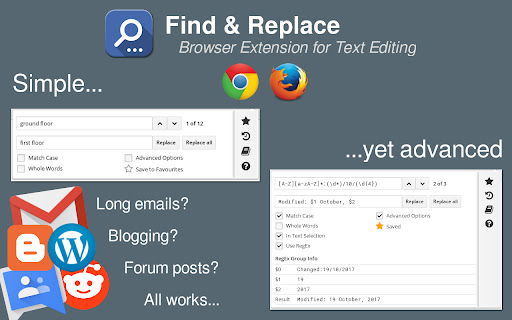
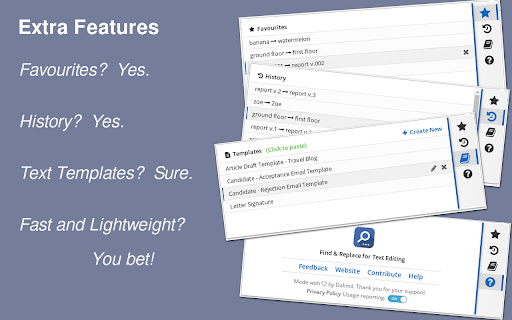
Adds search & replace tool for input fields and editable text content. Find & Replace for Text Editing is an extension that allows you to search and replace text in input areas, directly in your browser. It works for any editable text, and automatically highlights all found occurrences as you type in your search term. Use it for composing long emails, blog articles, or forum posts. Extra Features: * Save to Favorites * History * Text Templates (click to paste into page) * Regular expression info previews * Occurrence highlighting

Find & Replace
Adds search & replace tool for input fields and editable text content with advanced features. The Find and Replace extension enables you to locate and substitute text directly within input fields in your browser. It supports any editable text and automatically highlights all occurrences as you type your search term. Use it for composing lengthy emails, blog articles, or forum posts.

Replace Anything
A simple find and replace extension. Replace Anything is an efficient browser extension designed to swiftly find and replace text on web pages. Whether you're looking to change words, phrases, or entire text blocks, this extension makes it effortless.

Word Replacer Max
Seamlessly replace text on any web page. ⚡️ Smart Text Replacement Set up rules to automatically transform text across the web. 🌐 Domain Controls Specify which sites your rules apply to using allow or block lists. 🤝 Share & Import Exchange rule sets with friends and teammates to share useful replacements. 🎯 Pattern Matching Fine-tune rules using whole word, case sensitivity, or regular expressions for exact control. 🎨 Visual Styling Optionally highlight changes with styles such as bold, italic, underline, or background colors to make them stand out. 🌗 Dark Mode Eye comfort for all times of day. 1. Install Word Replacer Max 2. Click the extension icon in your toolbar 3. Create your first replacement rule 4. Start browsing with your personalized web experience ❯ Simple to use but powerful when you need it ❯ Full control over where replacements happen ❯ Your rules stay private on your device ❯ Open source code on GitHub: https://github.com/dan-lovelace/word-replacer-max

Rewords — Text Replacer
Replace words with words as you browse Rewords instantly replaces any words or phrases on web pages as you browse. Clean, fast, and seamless. — Click the Rewords icon in your Chrome toolbar to open the popup. Your Library shows all your current word pairs. — Free version gives you 3 slots. Upgrade for unlimited. — Add a pair: type the word to replace, type the new word (max 30 characters), then hit Add. — Smart validation prevents duplicates, empty fields, or overly long replacements. — Your pairs appear with the original struck through and the replacement in bold. Tap × to remove any. — Clear everything with Delete all (with confirmation). As you browse, replacements happen live in real-time with zero slowdown. Your words. Your rules. No surprises.
