
iojgjmcdmcekjmflcnmmcflcjmkmjmfi
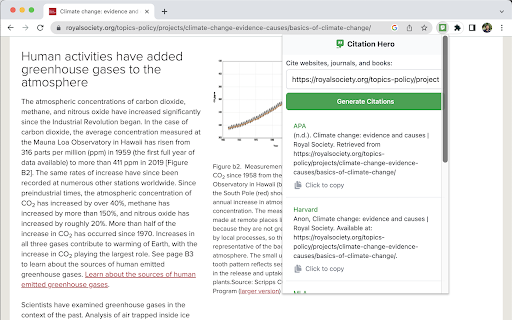
Generate citations in APA, MLA, Chicago, Harvard, and Vancouver formats with Citation Hero's free Chrome Extension. Citation Hero is a free citation generator that makes it easy for students and academics to generate formatted citations for websites, books, journal articles, and other sources. With a wide range of supported citation styles, including APA, MLA, Chicago, Harvard, and Vancouver, Citation Hero is the perfect companion for anyone who needs to cite sources in their writing. Simply visit the website or webpage that you want to cite, click on the "Get Citation" button in the bottom left, and select the appropriate citation style. The extension will then generate a properly formatted citation for you, which you can copy and paste into your own document. Whether you're a student working on a research paper, an academic writing a scholarly article, or anyone else who needs to cite sources in their writing, Citation Hero is an essential tool that will help you get the job done quickly and easily.

nXr.iNote
Annotate and store text/quotes/images in a quote/image searchable library for writing accurately cited paper based on quotes/images. nXr.iNote supports you to collect text/quotes and images/graphs with tags/notes from articles while browsing, which are automatically stored along with the articles in a quote/image searchable library (nXr.iLibrary). Then, you can write well-substantiated reports/writing assignments/research papers by referring/making citations based on the quotes and images besides article titles. Moreover, you can share the cited quotes/images/articles with your peers or reviewers (by nXr.iCite) to confirm that your writing is comprehensive and free from quotation/citation errors. Other key features: - support for making annotated bibliography - create topics that group together information on issues or questions from various sources - article information autofill, save PDF, multi-label article grouping. - view notes automatically in articles when they are visited again. - share articles while browsing without writing emails. - anonymous integration and viewing of articles and their annotations made by a research group members (in nXr group account). - access Read it later, Latest read while browsing. - access millions of research papers made freely available by funders (powered-by Unpaywall) Visit nxref.com to learn more on how to do things for better research through nXr.iNote integration with nXr.iLibrary and nXr.iCite, which can never be done with traditional reference managers and citation tools. Please rate us and leave feedback for making nXr more productive for you.

Citation Manager for Google Chrome™
Quickly cite a Website Source for writing essays & research papers Do you need to write an essay/research paper? To prevent any plagarism issues, its very important to cite all the sources you use. Our software allows you to do research on the Internet and save each and every website which you wish to use quotes/statistics. To get started, all you need to do is install the extension Go to the website which you want to quote from Click on the extension icon, choose the type of citation method. Our software will automatically save this citation for you and you can paste these citations into the essays you are writing. Our software supports the most common citations methods such as APA / Chicago Citation/ MLA Citation / Harvard Citation method. Disclaimer: Please note this extension is NOT made by Google and is made by an independent development team. All copyrights belong to their respective owners. Google doesn’t endorse or sponsor this Chrome extension. Citation Manager for Google Chrome™ is not owned by, is not licensed by and is not a subsidiary of Google Inc.

Citation Generator: InText
The citation generator extension helps you create APA, MLA, Chicago, IEEE, AMA, and Turabian citations for your bibliography. Generate flawless APA, MLA, Chicago, IEEE, AMA, and Turabian citations instantly with this free browser extension. Save time with just a few clicks. Citation Generator: InText is built for students, researchers, and academics who need perfectly formatted citations in seconds. No matter your field of study, paper type, or academic level, our powerful extension creates accurate citations directly in your browser. Just 3 Simple Steps 1. Enter the title of a book, journal article, or website URL into the built-in search bar 2. Choose your preferred citation style, APA, MLA, Chicago, IEEE, AMA, or Turabian, to match your professor’s requirements 3. Click "Search" and get a properly structured citation. Edit if needed, then copy it to your bibliography or access it later from your citation history Supports All Major Source Formats ✓ Web sources - instantly cite articles, reports, blogs, and multimedia content from the internet ✓ Books & publications - generate citations for print and digital books using our integrated database ✓ Academic journals - create perfect citations for scholarly articles from any academic database or repository Why Choose Our Citation Generator ✓ 100% Free of Charge - no hidden fees or premium features ✓ Time-Saving - create citations in just seconds ✓ Guaranteed Accuracy - follows the latest style guidelines ✓ Citation History - access all your previous citations anytime ✓ Editable Fields - customize any part of the citation

Citationsy - Cite Websites and Papers
Reference websites and papers with a single click, powered by Citationsy Cite websites, books, papers, articles, podcasts, songs, and much more using Citationsy. Perfect references and footnotes every time. Citationsy is perhaps the world’s best referencing tool. This Chrome extension will let you cite any website with a single click. We support citations in APA, Harvard, DIN, Chicago, MLA, and thousands of other referencing styles. When you find a website or link you want to cite, simply click the Citationsy icon in the toolbar (*) and a little window will pop up to let you choose which one of your Citationsy projects you’d like to add the link to.
