
inoloeomjfeclpophdghgoanggkahjcl
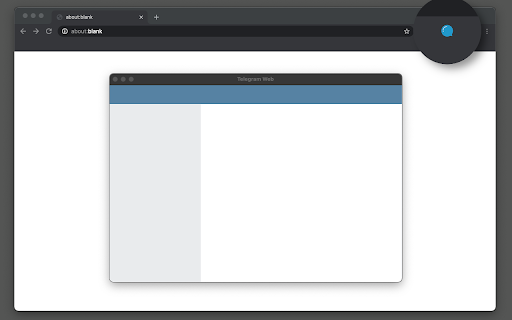
Access to Telegram's web application in a separate window or tab and get notified when new messages received This extension opens the official Telegram's web client in a sandboxed window or a browser tab. If an existing window is found, the extension activates the window without opening a new instance. Also, when the interface is open, the extension updates its badge number based on the total unread conversions that the user has. This number ignores muted conversions. Also, automatically updates when a conversion is read. After installation, if you haven't used Telegram on this browser yet, you will need to login into your Telegram account. Simply, press the newly added icon on the toolbar area (the icon might be inside the extensions panel; if so pin the icon to the toolbar area). Now enter your Telegram's phone number and check another device that has a Telegram client on it. Enter the PIN code into the web client and wait for Telegram to sync your data. If you already have open Telegram tabs, make sure to refresh them for the extension to inject the badge monitoring script into these pages. To protect user privacy, this extension does not send any data to any server whatsoever. It is only a shortcut to access your beloved messenger. What is Telegram? Telegram is a freeware, cross-platform, cloud-based instant messaging software and application service similar to WhatsApp and Signal messengers. The service also provides end-to-end encrypted video calling, VoIP, file sharing, and several other features. -- Legal This extension is an open-source project to open the official Telegram's web client. It has nothing to do with Telegram development and is an independent project.

Web.Tel.Onl
Web Telegram Online extension on popup panel. The Awesome Advantages of Using Telegram: Simple Telegram is so simple you already know how to use it. Private Telegram messages are heavily encrypted and can self-destruct. Synced Telegram lets you access your chats from multiple devices. Fast Telegram delivers messages faster than any other application. Powerful Telegram has no limits on the size of your media and chats. Open Telegram has an open API and source code free for everyone. Secure Telegram keeps your messages safe from hacker attacks. Social Telegram groups can hold up to 200,000 members. Expressive Telegram lets you completely customize your messenger.

Send to Telegram for Google Chrome
Send to Telegram for Google Chrome, with your own key and token. This extension sends website content directly to your Telegram Bot using the official API, without involving any third-party servers. Source code can be found at : https://github.com/phguo/Send-to-Telegram-Chrome-Extension. 0. Install "Send to Telegram" from Chrome Web Store. 1. Create a Telegram Bot following https://core.telegram.org/bots#6-botfather and get your bot . 2. **Send any message to the bot created, in the Telegram APP.** 3. Get your (value of 'id' in the response) by visiting `https://api.telegram.org/bot/getUpdates`. 4. Fill your and in the extension setting page. 5. If everything is working correctly, the settings page and your bot will display '"Send to Telegram" configured successfully!'. (The icon was created by Picons on Flaticon - https://www.flaticon.com)

Telegram Blur - Advanced Telegram Web Privacy
Blur and Hides your messages on Telegram until you hover over them. Blur and Hides your messages on Telegram until you hover over them. To increase privacy in public spaces the Telegram Blur Extension For Telegram Web blurs your messages as well as other content. And only reveals one when you hover over it with your mouse cursor. Additionally, you can quickly toggle all effects by using a keyboard shortcut (Alt+X) or by clicking the toggle button in the extension menu. It adapts to your needs by letting you decide which elements you want to blur. Your options: - Blurs all messages in the current chat. - Blurs all message previews on the left. - Blurs all images, videos, stickers, ... in separation from the text. - Blurs all small icons of images, videos, ... while viewing an image, video, ... - Makes the color in your input field lighter to make it hard to read. - Blurs all profile pictures. - Blurs all groups and users names. - Allows you to turn off the delay before revealing an item on hover. - Unblurs all elements when you hover over the Telegram Web app. --- This extension does not collect information about you or your messages. Disclaimer: Telegram is a trademark of Telegram Inc., registered in the U.S. and other countries. This extension is an independent and has no relationship to Telegram or Telegram Inc. We display a banner ads and affiliate link redirection as a sort of monetization, thank you for your support.

Telegram story downloader - Telegram Video Download
Download videos, images,stories, or music from Telegram Privacy Restrictions with only one click Download story from Telegram user Info in one click Allow download telegram media from channels or groups with one click This plugin helps you easily download private videos and pictures, personal stories from Telegram groups and channels. It is simple to operate and allows you to easily obtain media content. We adhere to the principle of legal use and strongly recommend to avoid downloading unauthorized copyright content. ➡️Main features: ✓ Fast downloading: Download all the content you want from any group or channel. ✓ Supports multiple types: supports large downloads of Telegram videos, pictures, music, and stories. ✓ 24/7 Support: Have questions? Our technical support team is ready to assist you. 👉🏻Simple and easy steps: 1) Install the video download plug-in: and pin it in your browser. 2) Log in to Telegram web version: access your account. 3) Click to download: Click the icon in the upper right corner of the video or picture to download immediately. 📝Disclaimer: This plugin is not directly affiliated with the official Telegram app/website, but is independently developed by a third party. Please use responsibly and respect copyright.
