
dgblfklicldlbclahclbkeiacpiiancc


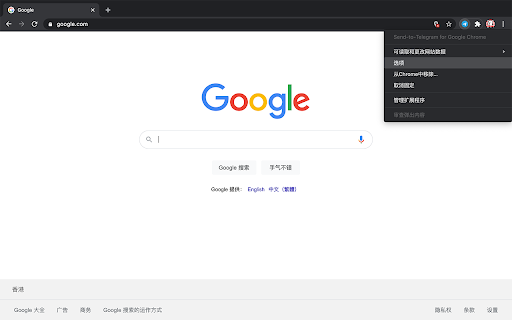

Send to Telegram for Google Chrome, with your own key and token. This extension sends website content directly to your Telegram Bot using the official API, without involving any third-party servers. Source code can be found at : https://github.com/phguo/Send-to-Telegram-Chrome-Extension. 0. Install "Send to Telegram" from Chrome Web Store. 1. Create a Telegram Bot following https://core.telegram.org/bots#6-botfather and get your bot . 2. **Send any message to the bot created, in the Telegram APP.** 3. Get your (value of 'id' in the response) by visiting `https://api.telegram.org/bot/getUpdates`. 4. Fill your and in the extension setting page. 5. If everything is working correctly, the settings page and your bot will display '"Send to Telegram" configured successfully!'. (The icon was created by Picons on Flaticon - https://www.flaticon.com)

Tresorit for Gmail
Share files and folders securely using Tresorit — without leaving your Gmail inbox. The Tresorit for Gmail extension lets you conveniently share your files with the outside world without compromising security, using a simple Tresorit link. - Replace risky email attachments with secure links - Attach files from your computer to your emails as secure Tresorit links - Access Tresorit directly within Gmail to share files and manage existing Tresorit links Requirements This extension requires a paid Tresorit subscription. Please visit https://tresorit.com/pricing for more information. If you need help, contact support@tresorit.com.

SendSafely Encryption for Chrome and Gmail
Chrome extension that provides end-to-end encryption for Gmail. Encrypt private emails and securely share files up to 10GB. With the SendSafely Chrome Extension, you can send encrypted files and messages directly from Gmail or using our Chrome pop-out menu. It's never been easier for Chrome or Google Mail users to use SendSafely. SendSafely is an end-to-end encryption platform that eliminates the need for pre-shared encryption keys and passwords. With SendSafely, nobody other than you and the people you send items to can view them...not even us. - Built on OpenPGP: OpenPGP is the most widely used email encryption standard in the world. It's been in development and use for years, and proves to be the best encryption available today. - Multi Factor Authentication: We offer an extra layer of security to keep your information secure. When users access items sent using SendSafely, they are prompted for a username and password, along with a unique SMS code. - No Software for Recipients: With SendSafely, the people you share items with don't need to download or install on anything on their computer. If they have a web browser, they can receive your files.

Send from Gmail (by Google)
Makes Gmail your default email application and provides a button to compose a Gmail message to quickly share a link via email This extension will open a Compose window in Gmail when you click any email address on a webpage. It also provides a button that will create a Gmail message when clicked, using the page title as the subject and selected page text and link address as the message. For setting the domain name of your "Google Apps for your domain" account, click Options. By installing this extension, you agree to the Terms of Service at https://chrome.google.com/extensions/intl/en/gallery_tos.html

Video Email for Gmail™ by cloudHQ
Record and send video directly from Gmail™ Do you want to standout in your emails? Or maybe you're too busy to type an email, but a video might be right up your alley? Video Email is 100% free, and allows you to record your video, overlay multiple filters on it, and end it directly through Gmail- all with 3 taps: record, upload, and send. You can also upload your video privately to YouTube, Google Drive, or create video file (which then you can send as an attachment). This is ideal for salespeople, realtors, lawyers, marketers, and anyone who's looking to cut through the noise of boring text emails. cloudHQ. Helping you stand out. Website: https://www.free-video-email.com/ cloudHQ website: https://www.cloudhq.net Pricing: https://www.free-video-email.com/pricing Support page: https://support.cloudhq.net/category/browser-extensions/gmail_video Blog: https://blog.cloudhq.net Gmail, Google Calendar, and Google Workspace are trademarks of Google LLC. Use of these trademarks is subject to Google Permissions.
