
imohhjdbajiihdogpnphgbocfodbofip
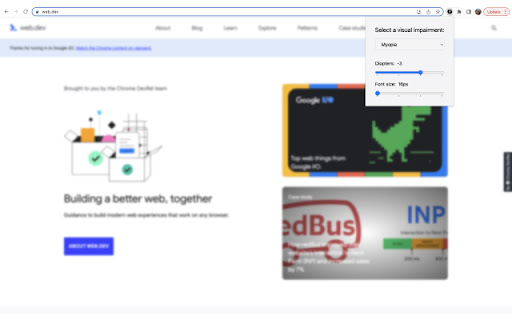


Helps to check if your website is accessible and understand how you can improve experience for your users. Helpful tool to simulate some visual impairments. You can use it for testing or just to educate yourself and your colleagues. With this extension you can apply some filters on your web page: * Myopia filter - you can configure diopters to check if your page is accessible for people with blurred vision. Pay attention to important texts with small font sizes. Also you can configure root font size and see how your page scales. * Color blindness filter - you can apply different filters to check if your page is still usable. If some important information is only provided by color, it could be impossible for color blind people to get it. * Blindness filter - with these filters you need to use a screen reader to test your page properly. But it's helpful to apply the filter too - in this case you'll get more accurate experience. If you want to use this extension for manual testing, repeat all your base test cases with filters on. If these scenarios are successful, then you're going in the right direction. As a rule of thumb, you must be able to get all the info needed for navigation and having a nice and clear user experience. Our GitHub page: https://github.com/airadavometra/accessibility-simulator-plasmo Feel free to report issues, suggest improvements or contribute.

IBM Equal Access Accessibility Checker
A web browser extension for checking accessibility issues The IBM Equal Access Accessibility Checker is an open source tool for web developers and auditors that utilizes IBM's accessibility rule engine, which detects accessibility issues for web pages and web applications. The extension integrates into the browser development tools, providing an integrated checking experience, helping users quickly identify the source of accessibility issues and try fixes.

Silktide Accessibility Checker
Test your website against over 200 website accessibility checks with Silktide’s easy to understand accessibility checker. ✅ Test your webpages for over 200 website WCAG accessibility checks ✅ See highlighted accessibility concerns directly on the webpage ✅ Use our straightforward, step-by-step guidance to fix the issues ✅ Check WCAG color contrast of any on-page elements ✅ Check alt text of any on-page images ✅ Listen to your website with our screen reader simulator 🔥 Check accessibility against 200 WCAG standards including 2.0, 2.1 and 2.2 🔥 Discover color contrast errors with our handy color picker 🔥 Understand which images on the page have alt text, missing alt text, or decorative alt text 🔥 Understand how your site appears to users with visual impairments. We aim for our accessibility checker to be the most user-friendly on the market. We'll help you test against the WCAG accessibility standards, up to the latest 2.2 release. Our tool can also help you find ADA website accessibility violations. We’re the comprehensive web governance platform that helps Fortune 500 companies, governments, healthcare providers, and higher education institutions monitor and improve their websites. We’re passionate about accessibility and offer a range of free tools and resources help you make the web more accessible. Visit https://silktide.com/ for more details. When you update the extension, your browser (Chrome, Edge, or whichever you use) may ask for a new permission. We know that sounds intimidating, but rest assured: • We do not collect or send data about every site you visit. • We only gather info when you specifically choose to test a page or if that page is already in your Silktide account. • We take security and privacy seriously. This permission simply lets us display the instant results you love, plus any new features coming soon. By installing the Silktide Accessibility Checker browser extension, you are agreeing to our Silktide Accessibility Checker Extension Terms of Use https://silktide.com/company/legal/accessibility-checker-extension-terms/ and Privacy Policy https://silktide.com/company/legal/free-accessibility-extension-privacy-policy/.

WCAG Color contrast checker
To check the color contrast between foreground and background of the texts It checks the color contrast between the foreground and background of the elements that are in the page according to the WCAG 2.2. It evaluates the contrast on all elements of the page considering their computed style for the color and background-color CSS properties. In case of these colors are defined with RGBA values, it also considers the opacity to deduce the real color that finally is show. It can simulate color blindness and evaluate the contrast for the simulations. By this way, developers can see how the pages look for colorblind users. The tool also includes two fields in which the colors can be introduced manually to be tested. It also allows to pick the color directly from the documents. Finally, it auto-refreshes when DOM of the page changes (addition or removing elements), but if the page has many changes, this behavior can be de-activated.

Accessibility Insights for Web
Accessibility Insights for Web helps developers quickly find and fix accessibility issues. The default keyboard shortcut to launch Accessibility Insights for Web is [Ctrl+Shift+K]. If that doesn't work, follow these instructions: 1. Select Shift+Alt+T to move focus to the Chrome address bar 2. Select the Left arrow key to move focus to the Accessibility Insights for Web extension. 3. Select the Space key to open the extension.
