
imocceandhokambkfbaegipcondcfnjn


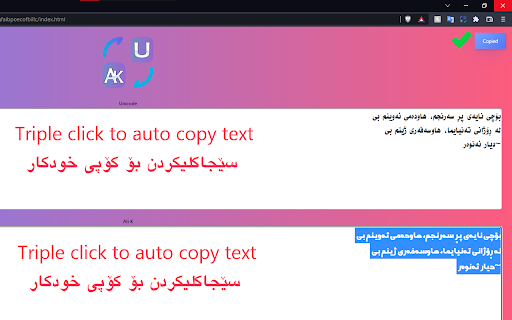

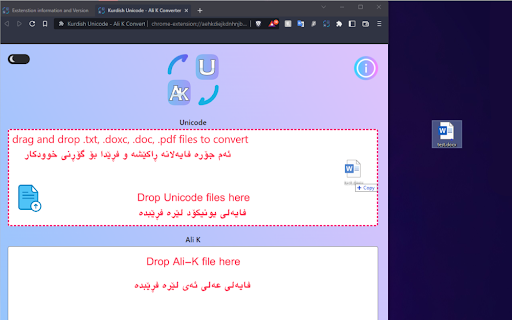
Convert between Kurdish Unicode and Ali-K, with features such as light/dark modes, drag-and-drop, and quick triple-click copying. Introducing Kurdish Unicode - Ali K Converter The ultimate extension designed to effortlessly convert Central Kurdish Unicode keyboard to the Kurdish font on Arabic keyboard (Ali-K fonts), and vice versa. With an array of powerful features, including light and dark mode options, a convenient new tab view, and seamless drag-and-drop functionality for Word documents, PowerPoint presentations, and PDF files, this extension ensures swift and accurate text extraction and conversion.

Github JSON Editor
We normally have many Github repository multiple JSON files in it. Most times these JSON files are application configuration and we tend to edit them directly from Github. As Github's own editor doesn't have any sort of validation for checking the syntax of the JSON file being saved, we sometimes save these JSON files with syntax error which results in app runtime error. This chrome plugin helps you make sure you are not saving wrong JSON and keeps your JSON formatted. 1. Install this plugin from Chrome web store. 2. Open this plugin and save your settings like Github token, Username, Email etc. 3. Now open any JSON file on Github. You shall see a button labelled 'JSON Editor'. Click on that button 4. Plugin will open with that JSON filled in a new tab. 5. Now you can make any changes to JSON and finally click 'Save' button to commit your changes to your repository. Support for multiple settings based on host

WP Ranking - Free WordPress Plugin Rank Checker
This extension checks the rank of specified WordPress plugins. Now includes Download CSV functionality to export data easily. WordPress Plugin Rank Checker is an essential tool for all WordPress Plugin developer and marketers. Main Features: This extension checks the rank of specified WordPress plugins. Instant Rank Checking: The extension allows you to instantly check the rank of any specified WordPress plugins. Simply enter the URL and Keywords of the plugin you're interested in, and the extension will display its rank in real-time. This tool eliminates the need to manually search through the WordPress plugin directory, saving you valuable time and effort. Download CSV: This functionality allows users to download data in CSV format, making it easy to export and analyze the data. Easy Access: With the WordPress Plugin Rank Checker, you no longer need to navigate away from your browser or interrupt your workflow to check plugin rankings. The extension integrates directly into your Chrome browser, providing you with immediate access to plugin ranking information whenever you need it. Data Accuracy: The extension accesses real-time data directly from WordPress, ensuring the accuracy of the ranking information you receive. This allows you to make informed decisions about which plugins to use on your website. User-Friendly Interface: The extension's design is simple and intuitive, making it easy for users of all skill levels to check plugin rankings. The default popup provides a clear and concise display of the plugin's ranking information. Privacy Focused: WordPress Plugin Rank Checker requires minimal permissions to function, ensuring your privacy is respected. The extension only needs access to all URLs for data collection purposes, and local storage access to save your preferences and settings. For Webmasters and SEO professionals: Use WordPress Plugin Rank Checker to perform competitor analysis and discover the most popular and highly ranked plugins. This will help you to optimize your own site and improve its performance. WordPress Plugin Rank Checker is your go-to tool for improving your website's performance and staying ahead of the competition. Try it today and experience the difference it can make in your WordPress journey!

Slides Captions
Slides Captions allows you to turn Google Slides into a full screen captioning tool idea for those who have hearing loss, auditory processing disorders, or foreign language learners. It allows you to: • Choose the font, • Line spacing, • Font size • Font colours, The extension puts you in control of your Google Slides Captions. To use the extension load your presentation by using /present in the URL with Google Slides, enable captions and then click the extension icon. Preferences can be set by right clicking on the extension icon. You can then enter full screen if you wish. - In a school auditorium, it can be used for providing captions on a projector or TV for students with hearing loss, or auditory processing issues. - In an office, it can be used for captioning a meeting or presentation - At a comedy club, it could be used for captioning the comedy show - There are many other possible uses for the extension. If you're enjoying Slides Captions, try out Zip Captions our browser based dedicated tool at https://zipcaptions.app

Kurdish Alphabet Converter
Kurdish alphabet conversion between Arabic, Yekgirtú, and Bedirxanî alphabets How to use the Kurdish Alphabet Converter Converts text written in different Kurdish scripts between Latin-based: Yekgirtú, Bedirxanî and Arabic alphabets. Tip! (Not mandatory) The Kurdish Alphabet Converter can now be used with keyboard shortcuts - In your adress bar enter: "chrome://extensions" - Scroll to the bottom of your extensions list and select "Shortcuts" in the right lower corner - Select Kurdish Alphabet Converter and insert your desired shortcut i.e Ctrl-Shift-Y (cmd on mac) and click ok Now when you are on a page and want to convert, simply press your previously entered shortcut and when popup is open press the following: "Y" for Sorani to Yekgirtu, "B" for Sorani to Bedirxani "U" for Bedirxani to Yekgirtu "S" for Bedirxani to Sorani
