
ojkpalfdidhnipfgeaaopjfkgemancnd
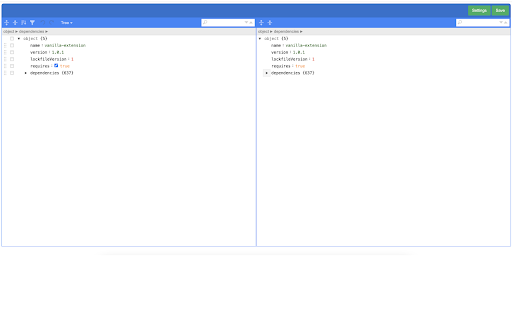

We normally have many Github repository multiple JSON files in it. Most times these JSON files are application configuration and we tend to edit them directly from Github. As Github's own editor doesn't have any sort of validation for checking the syntax of the JSON file being saved, we sometimes save these JSON files with syntax error which results in app runtime error. This chrome plugin helps you make sure you are not saving wrong JSON and keeps your JSON formatted. 1. Install this plugin from Chrome web store. 2. Open this plugin and save your settings like Github token, Username, Email etc. 3. Now open any JSON file on Github. You shall see a button labelled 'JSON Editor'. Click on that button 4. Plugin will open with that JSON filled in a new tab. 5. Now you can make any changes to JSON and finally click 'Save' button to commit your changes to your repository. Support for multiple settings based on host

Follows You GitHub
Adds a "follows you" label on a GitHub follower profile or hovercard Follows You GitHub adds a label on a GitHub follower profile or hovercard. It also works on gist.github.com.

GPT-3 Questions
A Chrome extension that uses GPT-3 to answer questions The GPT-3 Questions extension is a powerful tool that lets you get quick answers to any question you may have. Simply click on the extension icon and enter your question in the popup window, and the bot will use the advanced AI capabilities of GPT-3 to provide you with a concise and accurate answer. This extension features an options page where you can set your own GPT-3 API key for use with GPT3. The extension also includes a loading animation while waiting for the response, ensuring that you always know when your answer is on its way. Changelog: Update 1.2: Transitioned over to using gpt-3.5-turbo instead of text-davinci-003 due to deprecation of the latter. Update 1.1: Fixed error where Max Tokens remained at 50 despite user-set value.

Twitter Reaction Counter
This extension get list of Like/Retweet on a tweet You can display the user list of Like/Retweet/Quote/Reply on a tweet into table format. Click Likes, or Retweets on a tweet, then click "Getting Engagements" button on its popup, you can get the list. You can see what number of the user list you got, on its icon. This extension get the list only you display on your browser. so if you wanna get more Like/Retweet list, scroll down the list of Like/Retweet on the tweet page. Finally, click "View Results" button on its popup, then another tab will be opened. You can see the user list, and Name, DisplayName, Follow you and Bio of the user. Please use this for Giveaway or so.

GPT Summary
Summarizes webpages with `Alt+S`. Default to selected text, otherwise summarizes entire page.
