
clhfnkgkjapoielpcakpkelmekloaoji

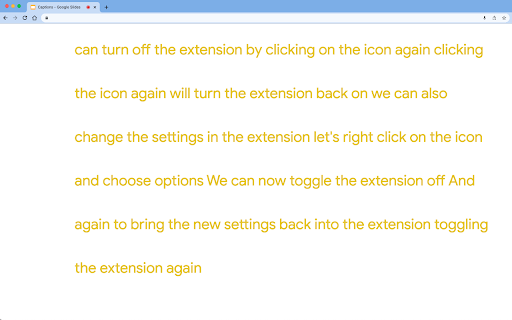

Slides Captions allows you to turn Google Slides into a full screen captioning tool idea for those who have hearing loss, auditory processing disorders, or foreign language learners. It allows you to: • Choose the font, • Line spacing, • Font size • Font colours, The extension puts you in control of your Google Slides Captions. To use the extension load your presentation by using /present in the URL with Google Slides, enable captions and then click the extension icon. Preferences can be set by right clicking on the extension icon. You can then enter full screen if you wish. - In a school auditorium, it can be used for providing captions on a projector or TV for students with hearing loss, or auditory processing issues. - In an office, it can be used for captioning a meeting or presentation - At a comedy club, it could be used for captioning the comedy show - There are many other possible uses for the extension. If you're enjoying Slides Captions, try out Zip Captions our browser based dedicated tool at https://zipcaptions.app

Agency Toolchest
The Agency Toolchest Chrome Extension is used to send information to the AgencyToolChest Web Application. The AgencyToolChest Chrome Extension is used to send information to the AgencyToolChest Web Application. Our tool allows you to easily input quote or policy information such as premium, quote type, and other fields from any page and at a click of a button, send this information to our web application and track your reports and visualize them with beautiful charts.

ReadAnything
Read anything with the power of AI Are you bothered by long and tedious papers filled with jargon? Are you frustrated by bad writing that seems to prevent you from understanding? Don't worry, let's harness the power of GPT to help us read anything!

Workiro
Integrate any website with Workiro to create tasks and manage your work. Do more in Google Chrome with the Workiro connector. Integrate Workiro with any number of web applications, so that you can quickly jump from a record in another system to the corresponding record in Workiro. Highly configurable. You can also perform quick Workiro actions related to the current record, such as create a new task for the client record you’re working on. * Documents: Capture, organize, manage and store work easily. * Communication: Communicate with anyone quickly and securely. * Shared tasks: Get work with anyone, in a structured, clear way. * Signatures: Unlimited E-Signatures with a simple client experience. * Custom branding: Represent your brand with every interaction. * Alerts, reminders & more: Smart nudging and notifications. Join 65,000+ GetBusy UK Ltd software users from small to enterprise businesses around the world. Help us build the product you need. We love your feedback, either in the app, or email help@workiro.com

Lindle: Save, Manage Web Links
Say goodbye to scattered links and hello to streamlined productivity. All-in-one web link saver and bookmark manager Lindle is your ultimate solution for managing and organizing your web links with ease. This versatile Chrome extension empowers you to save, categorize, and access your online resources like never before. Say goodbye to the chaos of scattered bookmarks and hello to streamlined productivity. 1. Effortless Link Saving: Save links from the web with a single click, and watch as they're neatly organized in one central hub. 2. Intelligent Auto-Sorting: automatically categorizes your saved links based on their source, whether it's from social media platforms like Facebook, Instagram, LinkedIn, or other websites. 3. Seamless Integration with URL Shorteners: Enjoy the convenience of integrated Bitly and other popular URL shorteners to keep your links clean and concise. 4. Intuitive Search Functionality: Easily find any link you've saved by using our powerful search feature. No more endless scrolling or digging through folders. 5. Folder Organization: Create custom folders to sort and manage your links. Keep everything neatly tucked away for quick access. 6. Access from Messenger Platforms: Our extension embeds directly into Facebook Messenger, Instagram, and LinkedIn. You can access your saved links right from these platforms whenever you need them. 7. Share with Ease: Share links with colleagues, friends, and family without leaving your preferred messenger platform. 8. Cross-Device Sync: Enjoy a seamless experience across multiple devices. Your links are always within reach, whether you're on your desktop or mobile. 9. Clean, User-Friendly Interface: The extension is designed for simplicity and ease of use, making link management a breeze.
