
imjkkofdknonmlapjelmafbikikbegbi

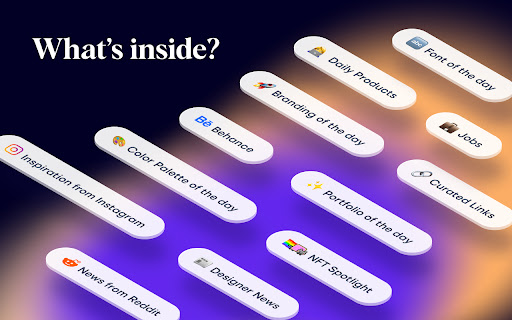
This extension opens a daily Designer Report on a background tab (non-distracting) roughly around 00:00AM PST time as the report is ready. ✦ Curated Inspirational Websites ✦ Daily Products for Designers ✦ Portfolio of the Day ✦ Font of the Day ✦ Color Palette of the Day ✦ Branding of the Day ✦ Articles from popular Design Blogs ✦ News from Reddit ✦ Curated Inspiration from Dribbble and Behance ✦ Inspirational posts from Instagram ✦ Job listings for Designers and more Coming Soon! Be one of the first adopters of Designer Daily Report.

Fonts Ninja
Speed up your design workflow! Identify fonts from any website, bookmark and organize them. Font DNA Our proprietary algorithm analyses font files to get more accurate results. Rollover any text to get the font name and CSS properties. The main extension window will also display a summary of all font used on a website. BTW, we dramatically improved the processing speed (this could change depending on websites). Font Details You can get more information about fonts. Check how many styles are available, their foundry, and price. Font Bookmarks Bookmark fonts and manage your font bookmarks right within the extension. You can also share them with your friends or the people you work with. Similar Fonts We help you get inspired and find similar or complementary fonts. Search You can also search fonts using multiple parameters and filters (characters shape, license type, price...) Feedback and support: contact@fonts.ninja

UniJump - Shortcut for ChatGPT
Shortcut for ChatGPT with Superpowers UniJump - Free ChatGPT Shortcut with Superpowers Our code is open source on GitHub! https://github.com/unijump-ai/unijump-extension

Panda New Tab
Replace your new tab page with all your favorite websites like Dribbble, Product Hunt, GitHub, Hacker News, Medium, and more. Panda is a new tab dashboard with widgets. It includes a simple, free newsreader. Discover the best tools, resources, and inspiration in the world of design and tech—all in one place. You’ll find the date and time, customizable wallpapers, a fullscreen toggle, and quick access to Chrome Apps. FEATURES Over 200+ news and inspiration sources 9 reading layouts to chose from Bookmark and read it later Dark mode for when it gets late Quick Notes for Post-it style notes Timezone Calculator ☆☆☆ TechCrunch ☆☆☆ An easy way to keep up with industry news and inspiration from a variety of sources in one interface. ☆☆☆ Lifehacker ☆☆☆ Panda is a news reader that keeps you inspired and informed by combining top-rated stories from sites like Hacker News and Product Hunt. CONTACT For general enquires: hello@usepanda.com To report a bug or suggestion: feedback@usepanda.com Twitter: @usepanda

html.to.design
Convert any website into fully editable Figma designs. Requires the associated Figma plugin! With html.to.design, convert any website into fully editable Figma layers. Leverage an existing website and import its HTML to Figma to start your own designs, without building each element from scratch. This Chrome extension is a companion to the html.to.design Figma plugin, which you’ll need to install for certain features. If you are using the “Copy to clipboard” option, you do not need to run the Figma plugin — simply paste (⌘+V) your captured webpage in your canvas! This extension also has built-in support for AI Tools like ChatGPT, Bolt and Lovable, and can directly capture their results without any extra steps. You can find the full list of AI tools supported here: https://html.to.design/docs/import-from-ai-tools 1. Install the html.to.design Chrome extension by clicking on [Add to Chrome] on this page. 2. Navigate to the page you would like to import into Figma. 3. Click on the html.to.design extension icon in your Chrome top bar. 4. Hit 'Capture' and the extension will automatically start capturing the page. Once your webpage has been captured, there are several ways to import it into Figma: a) Store it locally as an .h2d file that must be dropped into the html.to.design Figma plugin b) Send it directly to the Figma plugin d) Copy it to the clipboard to then directly paste the result in Figma --- Notes: In order to best map what you see in your browser to Figma, we need to access Chrome's debugging features.
