
haafibkemckmbknhfkiiniobjpgkebko


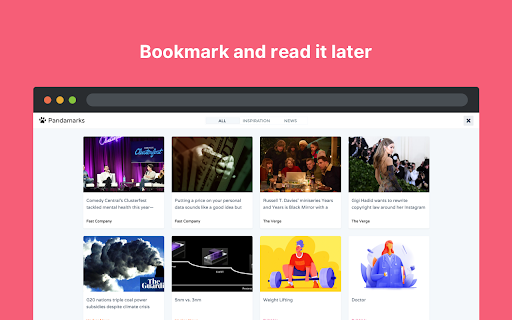
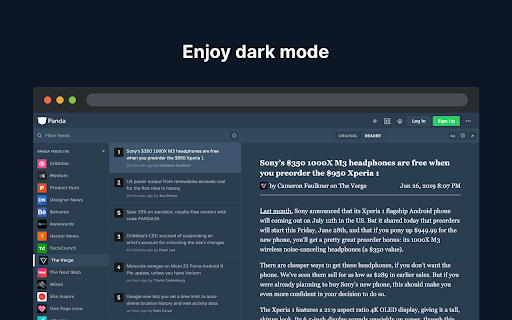

Replace your new tab page with all your favorite websites like Dribbble, Product Hunt, GitHub, Hacker News, Medium, and more. Panda is a new tab dashboard with widgets. It includes a simple, free newsreader. Discover the best tools, resources, and inspiration in the world of design and tech—all in one place. You’ll find the date and time, customizable wallpapers, a fullscreen toggle, and quick access to Chrome Apps. FEATURES Over 200+ news and inspiration sources 9 reading layouts to chose from Bookmark and read it later Dark mode for when it gets late Quick Notes for Post-it style notes Timezone Calculator ☆☆☆ TechCrunch ☆☆☆ An easy way to keep up with industry news and inspiration from a variety of sources in one interface. ☆☆☆ Lifehacker ☆☆☆ Panda is a news reader that keeps you inspired and informed by combining top-rated stories from sites like Hacker News and Product Hunt. CONTACT For general enquires: hello@usepanda.com To report a bug or suggestion: feedback@usepanda.com Twitter: @usepanda

Savee
Savee is where over a million designers and creatives find and save inspiration. Our Chrome extension is the fastest way to bring anything you love on the web into your feed. Four ways to save: -Open Savee on any site. We scan the page so you can save any image or video in one click. -Hover over any image or video. A Savee button appears. Click it and it lands in your feed. -Right-click any image or video and choose "Add to Savee" from the menu. -Use the screenshot tool to capture any part of a page straight to your profile. Every save can go to the board you choose: client work, moodboards, private collections, whatever you're building. Prefer a quieter browse? Every save method can be toggled on or off in settings, so the extension works the way you want.

Site Palette
Now available for Microsoft Edge, Brave, and Opera via Chrome Web Store! Introducing our new browser extension for generating color palettes! As a designer or frontend developer, you know how important it is to have a tool that helps you quickly and easily generate beautiful color schemes for your projects. With our extension, you can do just that - simply visit any website and start building your palette. We've made it incredibly easy to use, and our seamless user experience means you can focus on creating without any distractions. Whether you're designing a website, creating graphics, or working on a new branding project, our extension is the perfect tool to help you get the job done. Give it a try today – we can't wait to see what you create with it! 💸 PRICING - 24-hour free trial. - $2.50 per month or $30 per year. - Limited-time offer: lifetime subscription for $99. 🆕 FEATURES - Register and log in via MagicLink for enhanced authentication and account management. - Manage subscriptions directly from the “My Profile” page. - Login pop-up when clicking the extension icon for a seamless experience. - New tools and features for organizing palettes on the “My Palettes” page. - Integration with Google Art Palette for fine-tuning color schemes. - Work with palettes using coolors.co (not affiliated with coolors.co). - Extract visible CSS colors directly from the current viewport and rank them by on-screen area. - Share palettes using unique shareable links. - Quick download of auto-generated Sketch templates based on selected palettes. - Support for Adobe Swatch to enhance flexibility. - Support for SVG format on shared pages. - Palette history for accessing, managing, and sharing previous palettes. - Subscription-based product with monthly/yearly plans for ongoing feature development and support. - Lifetime purchase option for unlimited access to all current and future features. 🔧 IMPROVEMENTS - Redesigned interface with a cleaner, more streamlined look. - Enhanced Stripe payment system with better security, faster processing, and improved error handling. - Improved user experience after extension installation. - Increased performance and stability for faster load times. - Added hover states for buttons in modal windows. - Updated footer design. 🐞 BUG FIXES - Fixed palette generation issues on long pages. - Resolved link copying problems in Safari. - Aligned button labels for consistency. - Optimized scrolling on long pages. - Various minor fixes and performance enhancements.

Extensity
Tired of having too many extensions in your toolbar? Try Extensity, the ultimate tool for lightning fast enabling and disabling all your extensions for Google Chrome. Just enable the extension when you want to use it, and disable when you want to get rid of it for a little while. You can also launch Chrome Apps right from the list. * Keep your browser lean and fast - disable extensions that you won't use right away. * Keep your toolbar clean. * Turn all extensions off (and back on) with a single click. * Quick switch between several extensions groups using the Profiles feature. * Allow your most important extensions to be always enabled. * Keep computers in sync with Chrome Cloud Storage support. * Ideal companion for extensions collectors.

Add to Dropmark
A quick way to add links, images, and screenshots to your Dropmark collections. The "Add to Dropmark" extension is the quick way to add links, images, and screenshots to your Dropmark collections. Click the Dropmark toolbar button, right-click anywhere on a page, or drag and drop to quickly add an item to Dropmark. Dropmark is the smart way to organize all your links, files, and notes into visual collections.
