
imjhbjgngcmofphoakoladagahpdogbm
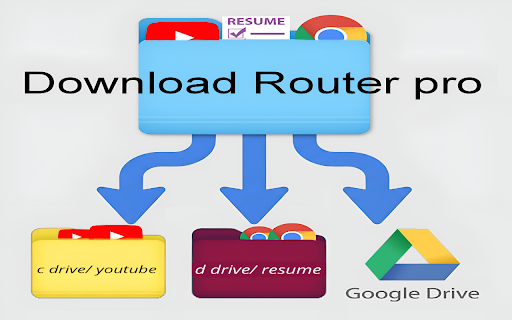


DOWNLOAD ROUTER PRO - Free Download Router Pro automatically organizes your downloads based on source domain rules. Instead of dumping everything into a single default Downloads folder, this extension routes files into specific subfolders depending on the website they came from. No manual sorting. No drag-and-drop cleanup. ✔ Domain-based routing ✔ Custom subfolder structure ✔ Windows junction command generator ✔ Safe fallback to normal Downloads ✔ Lightweight and fast ┌───────────────────────────────┐ │ WHO IT'S FOR │ └───────────────────────────────┘ 1. What is a junction? A Windows junction is a link that redirects one folder location to another. It allows your Downloads folder to point to another drive without copying files. 2. How do I connect Google Drive or another cloud drive? 1. Install the official desktop sync app (Google Drive, OneDrive, etc.). 2. Ensure the cloud storage appears as a local drive on your system. 3. Create a junction from your Downloads subfolder to the mounted drive location. ** IMPORTANT NOTES 1. Junction setup is required for external or cloud routing. 2. Deleting the junction does NOT delete files stored on the target drive. 3. The extension does not upload, copy, or access file contents. It only redirects download paths using Chrome’s downloads API. 3. How it help-full for Job Seekers If you download resumes from Overleaf or similar platforms, this extension automatically separates each version into a specific folder — either in a local subfolder or another drive (including cloud drives if mounted).

Download Router
With this app, you can easily set rules on websites or file extensions and download while organizing! The app is 100% free & open source, nothing is saved or tracked, cause privacy is a right! Install, configure and never have a disorganized downloads folder again!

Downloads Router Plus
Organize your downloads automatically! Set custom download locations based on filetype, filename, or source domain. Organize your downloads automatically! Set custom download locations based on filetype, filename, or source domain.

Downloads Router
Organize your downloads automatically! Set custom download locations based on filetype, filename, or source domain. Latest news: ☆ Updated to support Chrome extension manifest v3 ☆ Torrent files downloaded as octet-streams now trigger application/x-bittorrent MIME routing rules ☆ Referrer routing now uses the source URL as a fallback, improving reliability Downloads Router is a tiny extension that helps you avoid cleaning the dreaded "Downloads" folder by automatically saving files in the right places. Downloads Router springs into action whenever you start downloading a file. It looks at the filename, filetype, or origin domain (source website) of the item, and matches this information against rules that you define on the extension's Options page. Should a matching rule exist, a "suggestion" is sent to the browser, indicating where it should save the file; this suggestion may however be overridden, as for instance when you use the "Save As..." feature. The Options page opens automatically after installing the extension, and may thereafter be reached from the chrome://extensions page.

YouTube Channel Auto Player
Automatically play all videos from a YouTube channel with favorites, blacklist, and playlist integration. 【How to Use】 1. Click the extension icon 2. Enter a YouTube channel URL 3. Click "Start Playing"
