
ikacefikkoghpebjlodipbglchgkofbk
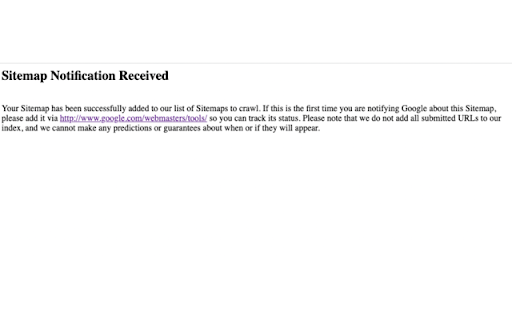
Chrome extension that automatically pings your sitemap to Google, requesting for them to crawl your XML sitemap. Make pinging your sitemaps to google one click away! Or press CMD+U or Control+U and remove clicking entirely! :-) If you're viewing a .xml file Sitemap Pinger assumes that file is the sitemap otherwise it assumes your sitemap can be found at: your-domain/sitemap.xml

Sitemap Explorer
This extension helps you find, inspect, export, and view XML Sitemap files for any site you navigate in a browser. The helpful and easy-to-use extension helps you find, inspect, export, and view XML Sitemap files for any site you navigate in a browser. Extension features: - Automatically detects links declared in the robots.txt file of any site you develop, administer or analyze. - Displays XML contents of files in a human-readable form. - Validates XML syntax (Standard XML and Atom protocols are supported). - One-click export of URLs from XML to a local CSV file. - Contains “Your Helpful Button” that you can use to easily create a Sitemap, RSS, or Product feed (for eCommerce sites) file from the current URL. How to use: 1. Open the URL of any site in your browser and click the app icon in your toolbar. 2. Get information about the linked files for the current website. 3. Now, you can open file view or copy the full URL of the file to your clipboard. This extension for Chrome is a software product of MySitemapGenerator.com.

SEO On-Page Analyzer
Chrome extension to review the on-page SEO attributes of a page. Elevate your website's SEO performance with the SEO On-Page Analyzer Chrome extension, a comprehensive tool designed to help SEO practitioners with quick webpage analysis. 🔍 Complete On-Page Analysis: Dive into the essentials of SEO with evaluations covering title tags, header tags, links, images, stylesheets, scripts, meta tags, word counts, and more, ensuring every aspect of your page is optimized for search engines. 💾 Export to Excel: Seamlessly export analyzed data to Excel for detailed analysis and streamlined reporting, making it easier to identify areas for improvement and track your optimization efforts over time. 🔗 Link Tester: Within the "Links", "Images", and "Styles & Scripts" sections, utilize the link testing feature to verify all links, ensuring there are no non-200 status code responses. This aids in debugging and optimizing your web pages for better performance and user experience. 👩💻 User-Friendly Interface: With an intuitive interface designed for both beginners and seasoned SEO professionals, navigating through the extension’s features and utilizing its capabilities has never been easier.

Bookmark It — Personal & Team Bookmarks
Save, share, and find bookmarks in one click. Personal collections and shared team workspaces, with fast import and instant search. Bookmarks are a necessary evil. Lost in folders. Buried in browsers. Impossible to share. Almost no one bookmarks the way they actually want to — and almost no one can collaborate on bookmarks with their team, family, or friends. It's the only bookmarking app that combines real ease of use, real organization power, and real collaboration in a single place — for yourself, your team, and everyone in between. 🚀 Get started in seconds ● One-click import from your existing Chrome bookmarks bar ● One-click import from your browser history ● No spreadsheets, no copy-paste, no re-saving ● Free plan with no credit card. Ever. 👤 Personal + 👥 Team workspaces ● Keep a private collection just for you ● Spin up a shared workspace for your team, family, or side project ● Invite anyone in seconds — everyone sees the latest version, every time ● No more "send me that link again" in Slack, Messages, or email 🔍 Find anything in one click ● Recently Viewed history puts the page you're looking for one click away ● Instant search across every bookmark in every workspace ● Collections, tags, and notes that scale from 10 bookmarks to 10,000 📌 Bookmark from anywhere ● Browser extension — save the active tab with one click ● Menubar app — save and search without leaving what you're doing ● Web app — organize and manage from any device ● Title, URL, and page details pre-filled so saving really is one click 💬 Built for collaboration ● Share entire collections, not just single links ● Add notes and context so teammates understand why a bookmark matters ● Organize together — for work projects, family hubs, reading lists, travel planning, recipe collections, anything 🪄 More than a bookmark manager ● Boosted productivity — spend less time searching, more time doing ● Onboarding made easy — new teammates get the full knowledge hub on day one ● Cross-platform — your bookmarks follow you across browsers and devices ● Upstream from the browser into a dedicated app you'll actually open Stop losing links in chat threads. Stop emailing yourself URLs. Stop maintaining bookmarks five different places. Bookmark It is the home for every link that matters — personal, professional, and everything in between. 🔒 Privacy first ● We will never sell or share your data ● Imports are optional and read-only — we never modify your native browser bookmarks ● Page content is never sent to our servers

Infinity URL Scout
Effortlessly extract URLs from any webpage or sitemap. Making web navigation and data gathering simpler than ever. Unveil the hidden pathways of the internet with Infinity URL Scout, a versatile Chrome extension crafted to empower users with comprehensive URL extraction capabilities. This tool is an indispensable asset for SEO experts, digital marketers, researchers, and anyone looking to delve deeper into the web's intricate structure. - Versatile URL Extraction: Infinity URL Scout is designed to adapt to various content types, making it your go-to tool for extracting URLs from any webpage. Whether it's a complex XML sitemap, an HTML page brimming with links, or a plain text sitemap, our extension ensures no URL remains undiscovered. - XML Sitemap Processing: Specializing in XML sitemaps, Infinity URL Scout navigates through the structured format, extracting URLs efficiently. It parses the XML content, identifies `loc` elements within `url` tags, and meticulously collects each URL found, presenting you with a comprehensive list of links. - HTML Page Exploration: Not limited to sitemaps, our extension thrives on general web pages too. It patiently waits for HTML content to load, then scours through every anchor tag (``), compiling a list of hyperlinks, whether they lead to internal site pages or external domains. - Plain Text Sitemap Handling: For plain text sitemaps, Infinity URL Scout skillfully reads the text content, separating each URL for your convenience. This feature is particularly useful for basic sitemaps where URLs are listed in a simple, line-separated format. - Dual Extraction Modes: Cater to your specific needs with two extraction modes. 'Extract from All Pages' offers a comprehensive sweep of any website, while 'Extract Only from Sitemaps' hones in on sitemap-specific data. - User-Friendly Management: Once URLs are gathered, managing them is a breeze. Choose to download them in .txt, .csv, or .json formats for further analysis or copy them directly to your clipboard for immediate use. - Intuitive and Accessible UI: Boasting a clean, intuitive interface, Infinity URL Scout is designed for effortless interaction. - Efficient and Lightweight: Engineered for performance, the extension operates seamlessly in the background, ensuring your browsing experience remains fluid and uninterrupted. Infinity URL Scout is not just an extension; it's your ally in navigating the web's vast expanse. It's a tool that brings the unseen links to light, offering insights and opportunities that enhance your digital endeavors. Whether for professional use or personal exploration, Infinity URL Scout is the key to unlocking the web's full potential.
