
ijpjifeopinhiiofbbblkfgcdcfcmncd

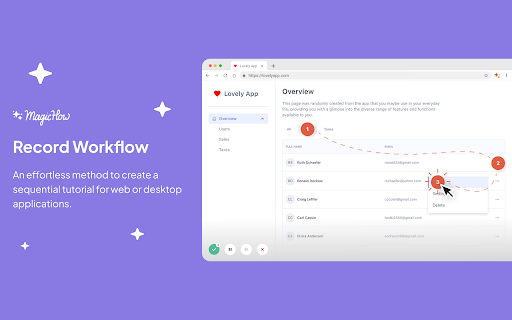


Advanced step recorder with screenshot annotations & PDF export. Document any process and create how-to guides & SOPs instructions. MagicHow is a free step-by-step guide creation tool for automatic process documentation and creating instructional documents like how-to guides, manuals, tutorials, and standard operating procedures (SOPs). It is designed to simplify the task of describing and explaining software-related processes for teams. By using our how-to guide creation tool, you can easily generate visual guides that provide step-by-step instructions for specific tasks. You can streamline the learning process and improves team performance by creating step-by-step guides for your team. With MagicHow's screenshot generator for process documentation, you can capture screenshots of your computer screen as you go through a process, and it will compile them into a comprehensive document with step-by-step instructions. You have the flexibility to customize created guides by adding annotations, graphic elements, titles, logos, and selecting colors. Whether you need to create a knowledge base or document process with step-by-step instructions, how-to guides, or manuals. MagicHow can serve as a versatile step-by-step guide builder. You can simplify the following tasks with our free process generator: - A technical support manager composing a manual for customers on setting up, installing, and using a new software product. - A sales manager preparing a guiding manual for using a CRM. - A software developer sharing their experience with a how-to guide of use developer tools. - A HR manager creating step-by-step instructions for the introduction of new software or process documentation. - A hospital IT department creating a step-by-step guide on the Electronic Health Record (EHR) system for an administrator. The automation provided by MagicHow saves you time and allows you to focus on strategic tasks instead of tedious screenshot capturing and editing. You can find new ways to enhance your team's productivity by identifying areas where additional guides can be created. Our free step-by-step guide generator strikes a balance between predefined options and your own vision, allowing you to personalize the guides to align with your branding standards. Visual step-by-step guides created with MagicHow are beneficial for various types of process documentation. From onboarding new hires and answering client queries to implementing new tools and building software, MagicHow's free step-by-step guide creator helps you create effective instructional materials. It enables you to share the guides easily: - via direct links; - as PDF downloads; - as HTML or Markdown copies; - by embedding them in different platforms. Updates to the guides can be made effortlessly, ensuring your audience always has access to the latest information. 📜 Feel free to use the browser extension to create SOPs, manuals, and step-by-step instructions for your knowledge base, or corporate portal. ❔ Generate responses to Frequently Asked Questions to avoid repetitive replies to requests from teammates and clients. 🏆 Empower your teammates with the knowledge they need to work productively and keep the service quality threshold high! MagicHow is a valuable tool for the automated creation of instructional documents. It has the ability to generate visual guides simplifies the learning process, enhance team performance, and save time. With customizable features and various delivery options. Our free process record software can be used for a wide range of process documentation needs.

Wizardshot – Create SOPs, Documentation automatically using AI, for free.
With Wizardshot, you can automatically create step-by-step tutorials simply by recording your screen. Our extension figures out what you're doing, takes screenshots and turns it all into a simple step-by-step guide. You can export them as PDF/DOC/HTML, or embed them into a knowledge base, via our native Helpjuice.com integration. As you share your tutorials, we'll even keep track of the completion rate, providing you with a detailed view on which parts of your process people are stuck on To record: 1) Install the extension 2) Press record & perform your actions 3) Once done, press the stop button, and your tutorial will automatically be done

Float — Documentation, guides & Screenshots
Record screen with easy shareable links No more manually writing process guides or copying and pasting screenshots to share knowledge with your team. Just Add Float to your chrome browser and turn any process into a process guide in seconds. Create Workflow in 3 Easy Step Step 1. Go to the URL you want to capture. Step 2. Click on the Float extension to Record your Workflow Step 3. Click on the Stop Capture to end. KEY FEATURES ✨ Automatically generated step-by-step workflow 🔗 Easy link sharing 🌐 Embed your workflow in Notion, WordPress, Google Docs, etc. `✅` Dashboard tour - Create Dashboard tour in seconds with Float. `✅` Product demo - Create a "try before you buy" guide with Float.

Stepsy: create step-by-step guide with screenshots
Struggle to describe your every step with screenshots in the browser manually? Welcome to Stepsy, your free AI-powered go-to solution for generating powerful, yet easy-to-understand step-by-step guides, SOPs, process tasks, or manuals, and sharing them with your colleagues and customers. Our software features have been proven to deliver exceptional results. With our intuitive interface and robust functionality, you can streamline your processes and achieve greater efficiency. Stepsy is free to use, along with Personal and Team plans to fit any team's needs. BENEFITS OF USING STEPSY: 📈 Increase data processing efficiency 📊 Improve workflow documentation accuracy ⚙️Ensure consistency across instructions ⏳ Save time of tedious work for each guide 🎯 Simplify the training and onboarding process STEPSY’S FEATURES: 📸Record your steps with screenshots on clicks: Just do your work, and we will automatically capture the screenshots with auto-generated descriptions. ✨Customize your screenshots: No need for other tools, we have a built-in image editor. ⚙️AI-tuned step descriptions and document summaries: Eliminate the need for manual repetitive text input, let us care about it. 📥Export and share via GDrive: Your guide quickly becomes shareable online via your own GDrive. 🔐Keep your screenshots safe: Your screenshots never leave YOUR space. Everything happens in YOUR browser and then gets exported directly to YOUR GDrive or YOUR local workstation. HOW TO USE STEPSY: Step 1. Get started Begin by downloading our extension for free. Step 2. Capture the process Navigate to the website you want to document. Then, open the Stepsy icon in your Chrome toolbar and click the “Record a Guide” icon to initiate the process. Once you've captured your process, you can edit and customize it with a built-in toolset. Step 3. Publish your results Simply click the “Finish and share” button and publish it as a Google Docs document directly to your Google Drive. WHO'S STEPSY FOR WHAT YOU CAN CREATE WITH STEPSY ✔️ Any documentation you need! What used to take hours, now takes seconds with our free step-by-step guide creator — empowering you and your team's productivity as well as allowing you all to focus on what truly matters: innovation and growth.

Gyde: AI Documentation in Video & Screenshots
Save hours daily creating video and screenshot documentation by utilizing Gyde – a #productivityhack extension that automatically turns any process into a step-by-step guide in both video and screenshot format in SECONDS - You heard it right - blink, and you'll have a guide ready. It's that fast! ▶ Where can you use Gyde? And much more! ▶ How to use this extension in 3 easy steps? Open the process for which you want to create a guide on your browser. Perform the steps you want to include in the guide. Gyde will automatically generate step titles & screenshots for each step performed and simultaneously record a video. 💪BONUS Benefits: You can blur the confidential details in the screenshot while capturing. Video guide will also have the voice auto-generated You can customize the guide by adding/deleting steps and editing text/screenshots. 💪BONUS Benefits: With just a click, you can refine step titles with the AI Text-Enhancer feature. You can also gray out the rest of the area except the step to focus on it more. Click Save, and your video & screenshots guide URL is ready to share!! 💪BONUS Benefits: You can download the guide in PDF or MP4 format for offline usage. You can also embed it in a knowledge base. "Previously, my team used to spend a lot of time explaining to customers how to complete a process in my application. If I had found Gyde earlier, it would have saved my team 1000s of hours. Gyde is incredibly user-friendly and has become a lifesaver!!" Pritesh Baviskar, Co-founder Storeplum "I really enjoy using Gyde to quickly send clear and easy-to-follow instructions to my clients. Highly recommended for anyone tired of manual documentation!" Nachiket Dhavalikar, CEO, Studio Albatross "Biggest game changer for my company! Gyde has helped me train my whole team on various application process faster than any other method and effortless" Tanmay Dighe, Founder, HackXSecurity Download the extension now! And leave guidance to us - You achieve your business goals🚀
