
nijhhcoccbcbkhjihfongicomflmflkk


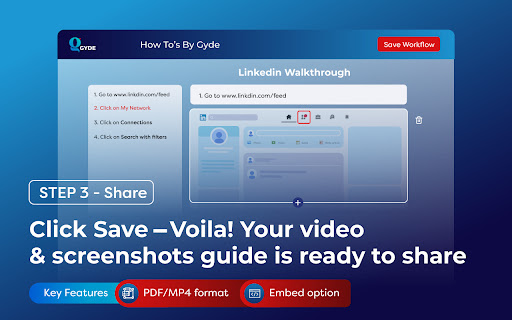

Save hours daily creating video and screenshot documentation by utilizing Gyde – a #productivityhack extension that automatically turns any process into a step-by-step guide in both video and screenshot format in SECONDS - You heard it right - blink, and you'll have a guide ready. It's that fast! ▶ Where can you use Gyde? And much more! ▶ How to use this extension in 3 easy steps? Open the process for which you want to create a guide on your browser. Perform the steps you want to include in the guide. Gyde will automatically generate step titles & screenshots for each step performed and simultaneously record a video. 💪BONUS Benefits: You can blur the confidential details in the screenshot while capturing. Video guide will also have the voice auto-generated You can customize the guide by adding/deleting steps and editing text/screenshots. 💪BONUS Benefits: With just a click, you can refine step titles with the AI Text-Enhancer feature. You can also gray out the rest of the area except the step to focus on it more. Click Save, and your video & screenshots guide URL is ready to share!! 💪BONUS Benefits: You can download the guide in PDF or MP4 format for offline usage. You can also embed it in a knowledge base. "Previously, my team used to spend a lot of time explaining to customers how to complete a process in my application. If I had found Gyde earlier, it would have saved my team 1000s of hours. Gyde is incredibly user-friendly and has become a lifesaver!!" Pritesh Baviskar, Co-founder Storeplum "I really enjoy using Gyde to quickly send clear and easy-to-follow instructions to my clients. Highly recommended for anyone tired of manual documentation!" Nachiket Dhavalikar, CEO, Studio Albatross "Biggest game changer for my company! Gyde has helped me train my whole team on various application process faster than any other method and effortless" Tanmay Dighe, Founder, HackXSecurity Download the extension now! And leave guidance to us - You achieve your business goals🚀

PageTrail
This Extension tracks your daily surfing activity PageTrails is designed to enhance productivity by tracking time spent on various websites. It records active browsing time, aggregates it at the domain level, and provides a concise summary of web activity. This extension is ideal for users seeking to monitor their web usage patterns and optimize their online time.

Tolon Browser Extension
Find webpage discussions on the web. (e.g. Hacker News, Reddit) Tolon (토론) is a browser extension that helps you find discussions around the pages you're looking at on the web. It works by searching available sources for URL submissions. While viewing a webpage, opening the extension will search available sources for URL submissions (discussion threads) and present a list of results. Tolon is mostly JavaScript plus a little CSS. There are no trackers. No data is sent (aside from the page URL query) or shared. All of the code is available on GitHub.

Peek for YNAB
Check on your YNAB category and account balances, and quickly add transactions. The Peek for YNAB extension gives you a snapshot of your current YNAB category and account balances. You can pin your favorite categories and accounts, view recent transactions, and add transactions right from the extension. Split transactions and transfers are fully supported. You can also setup customizable notifications and alerts for each budget. Peek for YNAB is a third-party extension, and is not maintained or supported by YNAB (the company). Please do not reach out to YNAB's official support channels for help or issues related to this extension. Instead, please refer to the extension's help page: https://peekforynab.com/help

Faro
Save pages with highlighted taglines - Bookmark manager ⨯ web highlighter Chaos in your bookmarks? Can't find what you want? They end up gathering dust? Or you don't even try and end up with 100s of open tabs? Faro is made to fix that! It's the simplest way to save & keep track of pages. With it, even thousands of saves don't get overwhelming. When saving, you highlight a sentence to act as a tagline. It helps you remember what the page is about and why you saved it. If unsure - just save whatever sentence you're reading. All saves appear on your dashboard. They come most-recent-first by default, so you don't forget what you recently saved. You can pick up your reading where you left off - no need for a separate reading list. You can also pin & archive to further arrange it. Organize them with tags. Since you're reminded what you saved and why, you can do it later. It makes your saves much easier to manage than bookmarks. Faro supports nested tags (eg: recipes/vegan), so combines the best of tags and folders. Clicking a save takes you right back to your highlight - especially useful for longer articles. Also: ➣ export to bookmarks to keep them if you uninstall Faro ➣ copy links to highlights and share them or paste into Notion, Obsidian, etc. ℹ️ About your data: When installing you can read: "it can read and change all your data on all websites" The only information that ever gets uploaded (when signed in) when you use it to save: ➣ Open page address ➣ Saved highlight/quote - what's visible in the sidebar ➣ Timestamp ➣ Debug info e.g. errors The extension also keeps track the currently open tab for each window - to update the sidebar as you navigate - but doesn't save or upload that data.
