
ijpgjiobapjdadigoagamcmhmdfdggmg


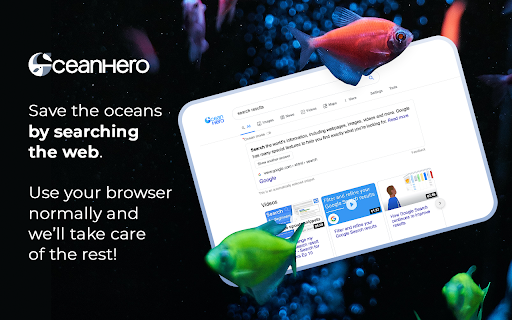

Join the movement to fight ocean plastic. Your searches help support real cleanup efforts. 🌊 New Feature: OceanHero Stories! 📲 Now you can tap through short videos to see what we're doing every day to help clean the ocean. From beach cleanups to recycling projects – it's all real, and it's all happening. Join the movement! 🤝 More than 600,000 users on all platforms Together, we've already removed more than 150 million plastic bottles from the ocean. That's the equivalent of saving countless marine animals and reducing harmful pollution. Every search or tab you open helps fund real ocean cleanup projects, contributing to a healthier, more sustainable planet. ⭐️ Small Actions, Big Changes Did you know the ocean provides over half of the oxygen we breathe and plays a vital role in stabilizing our climate? OceanHero turns your daily browsing into an opportunity to give back to the planet—effortlessly. OceanHero generates revenue through search ads and uses the majority of its profits to fund plastic collection through verified partners. The more our community grows, the greater our collective impact. ✨ It's simple. It's free. It works. By browsing with OceanHero, you become part of a global community funding real projects to remove harmful plastic and protect marine life. 🐋 Our Mission: Save the Oceans, Protect the Planet The ocean isn't just water, it's the life of our planet. From sea turtles to coral reefs, millions of species depend on clean waters to thrive. OceanHero is more than a tool, it's a movement that empowers you to live sustainably. By integrating OceanHero into your daily habits, you can help reduce plastic waste, fund cleanups, and support long-term marine conservation. Together, we're shaping a cleaner, greener future. 👥 Our Trusted Partners We partner with organizations like Plastic Bank and World Free Oceans to ensure that every bottle collected has a lasting impact. These partnerships fund cleanups, empower local communities, and inspire people worldwide to take action. Here are some of the initiatives we support: ✦ Community-driven beach cleanups that remove tons of plastic annually. ✦ Programs to recycle and reuse collected plastic to reduce waste. ✦ Innovative solutions to prevent plastic from entering the ocean in the first place. 🎯 What OceanHero Offers: ✦ Personalized Browsing: Stunning HD and video backgrounds designed to inspire your day. ✦ Renewable-Energy-Powered Chatbot: A smart assistant for ocean-saving tips and guidance. ✦ Community Impact Counter: See how many bottles the OceanHero community has helped remove together. ✦ Customizable Modes: Light and dark themes for distraction-free browsing. ✦ Fun and Relaxing Features: Mini-games and social tools to take mindful breaks while supporting marine life. ✦ Smart Search: A seamless, eco-friendly search experience that funds real cleanups. 🔒 Your Privacy, Always Protected We value your trust. OceanHero is designed with your privacy in mind: ✦ All searches are SSL encrypted. ✦ We only ask for the permissions necessary to deliver the best experience. ✦ Learn more about our privacy practices in our Privacy Policy. 🌊 Ready to Make a Difference? Add OceanHero to your browser and transform your everyday browsing into meaningful action. Support ocean cleanups, protect marine ecosystems, and contribute to a sustainable future — all without changing your daily habits. ℹ️ We use affiliate links (small icons beneath the search bar), which not only help support development at no extra cost to you but also contribute to cleaning plastic from the ocean. Every click helps fund our mission to make a positive environmental impact.

BetterCampus (prev. BetterCanvas)
Feature packed extension for Canvas. 🔥 BetterCampus – Upgrade Your Canvas Experience BetterCampus makes Canvas finally feel like it was built for students. From dark mode and themes to GPA tracking and smarter to-dos — we got you covered. Features students love: 🌙 Fully Customizable Dark Mode – Schedule it, tweak it, or pick from dozens of user-made themes 🎨 Custom Dashboards – Gradient cards, color palettes, fonts, and layout controls ✅ Smarter To-Dos – Better assignment lists + preview assignments right from the dashboard 🧠 GPA Calculator – Works for both college & high school 📌 Dashboard Upgrades – Add notes, show grades, clean up the sidebar, and more Join over 1,500,000 students making Canvas actually work for them. Built by students, for students. Disclaimer: BetterCampus is an independent project and is not affiliated with or endorsed by Instructure or Canvas LMS.

Pie Adblock - A Powerful Free Ad Blocker
Pie Adblock blocks ads & pop-ups, plus YouTube & Twitch video ads. You can customize your ad experience with Pie! Pie is a completely free ad blocker that blocks pre-roll ads on YouTube, mid-roll ads on Twitch, pop-ups, banners, and more. Reclaim your online experience and watch ads disappear in real-time! 🔒 Privacy + Security — Your data is only used to power Pie features—never sold or monetized. We prioritize trust and transparency. Read our full privacy commitment at www.pie.org/privacy 🛑 Advanced Features — Enjoy all advanced adblocker features at no cost to you: robust ad-blocking methods, enhanced popup suppression, plus more. 🎉 Visual Mode — See the power of our ad blocking technology in action as ads are zapped away. 🥧 Growing The Pie Together — Pie isn’t just an ad blocker; it’s an experiment to see what happens when people have more control of their internet experience. Add Pie with just a couple clicks and start blocking ads immediately. Terms apply and may be viewed at www.pie.org/terms ➤ Changelogs: [March 2025] We’ve introduced a new feature that detects when multiple ad blockers or related extensions are installed, as using several at once can negatively impact effective ad blocking. Users now have the option to easily disable conflicting extensions directly within Pie Adblock. This helps ensure optimal ad blocking efficiency, reduces ad block detection, and creates a smoother browsing experience. Read more in pie.org/privacy [February 2025] Released new ways to support your favorite creators on YouTube and Twitch. Our new video overlay shows you when Pie's YouTube & Twitch ad blocker is actively working to block ads and gives you more control over your ad experience. [January 2025] Added support for new Fair Ads sites [October 2024] Twitch stats: ads blocked, time saved, and more! [September 2024] Improvements to Manifest V3 (MV3) ad-blocking and filters [August 2024] First fully featured version. Block distractions like ads, video ads like pre-rolls and mid-rolls, floating videos, pop-ups, cookie banners, and more. Need a replacement for uBlock Origin? Pie is an efficient, fully MV3 compatible ad blocker that will block ads on YouTube, Twitch, and more! Ready to get started? Click “Add to Chrome” at the top of this page and start blocking ads in just a couple of clicks!

Speechify — Text to Speech
Read aloud any Google Doc, PDF, webpage, or book with text to speech (TTS). Natural sounding voices in 60+ languages & 1,000 voices. Have a question? Just ask – Speechify already has context from the articles, books, and documents on your screen. It’s like talking to ChatGPT, but faster and with more context. Want to type faster? Speak naturally and Speechify will type every word for you. Speechify combines the world’s most human-sounding text to speech (TTS), voice typing dictation, and voice assistant technology. ➤ Listen at any speed Hear anything up to 4.5× faster (900 wpm). Learn more in less time with voices that sound natural even at high speed. ➤ Listen on desktop or mobile devices. Your library syncs instantly across desktop and mobile. Start reading on Chrome, continue on iOS or Android – anytime, anywhere. ➤ Human-like voices Speechify voices feel real, including official partners like Snoop Dogg, Gwyneth Paltrow and 200+ others. ➤ Screenshot image to audio Take a picture or screenshot of any text and Speechify will read it aloud instantly. ➤ Floating widget Always at your fingertips – move it, dock it, or hide it entirely for a distraction-free experience. ➤ Talk to Speechify Ask: “What are the main takeaways?” or “Quiz me on this essay.” Speechify understands your articles, documents, and anything on your screen – it’s your personal AI reader, assistant, and tutor in one. ➤ Other features • Active highlighting for reading along. • Inline player on every site. • One subscription synced across all devices. == Use cases == ➤ Students Read, listen, and talk your way through study materials. Ask Speechify to summarize long readings, quiz you on key ideas, or type out your essays as you speak – perfect for faster learning and retention. ➤ People with Dyslexia, ADHD, or Vision Challenges Originally built by founder Cliff Weitzman, who has dyslexia and ADHD, Speechify removes every barrier to reading and writing. It reads aloud, types what you say, and answers your questions about the text, helping millions learn and communicate more easily. ➤ Professionals Whether you’re drafting emails, summarizing reports, or reviewing PDFs, Speechify works like your personal AI assistant. Dictate notes hands-free, ask for quick takeaways, and breeze through reading-heavy workloads effortlessly. ➤ Parents Turn story time or homework time into an interactive experience. Speechify can read aloud, help kids write by voice, and even answer their curious follow-up questions about the stories they love. ➤ Productivity Hackers Automate your reading and your writing. Listen to webpages or dictate responses while multitasking, then ask Speechify to summarize, rephrase, or explain anything you’re working on. ➤ Podcast & Audiobook Lovers Turn any article, PDF, or blog into something you can listen to or talk about. Ask Speechify to explain or expand on what you’re hearing – it’s like having a co-host that knows your reading list. ➤ Avid Readers Listen to books, documents, and research at any speed, then engage with them conversationally – ask for insights, notes, or summaries. With Speechify, reading becomes a two-way dialogue.

Deadname Remover
An easy to use browser plugin to automatically remove and replace deadnames Once installed, a page should open where you can edit your name and deadname settings. To edit this later or to temporarily disable the plugin, click on the trans flag in the top right corner of your browser.
