
jpkfgepcmmchgfbjblnodjhldacghenp


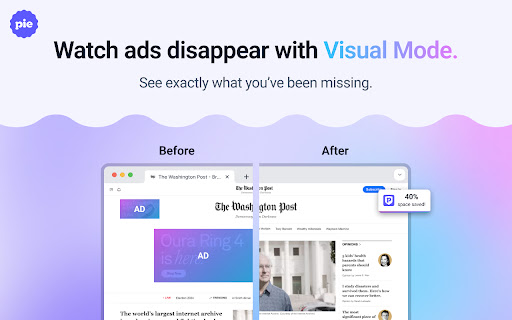
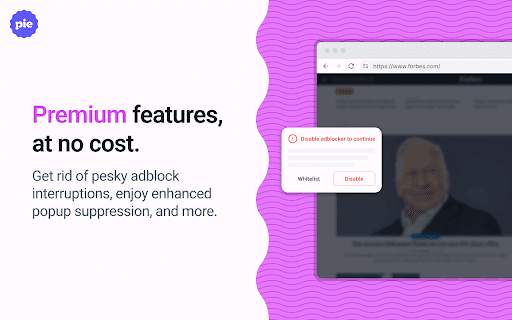
Pie Adblock blocks ads & pop-ups, plus YouTube & Twitch video ads. You can customize your ad experience with Pie! Pie is a completely free ad blocker that blocks pre-roll ads on YouTube, mid-roll ads on Twitch, pop-ups, banners, and more. Reclaim your online experience and watch ads disappear in real-time! 🔒 Privacy + Security — Your data is only used to power Pie features—never sold or monetized. We prioritize trust and transparency. Read our full privacy commitment at www.pie.org/privacy 🛑 Advanced Features — Enjoy all advanced adblocker features at no cost to you: robust ad-blocking methods, enhanced popup suppression, plus more. 🎉 Visual Mode — See the power of our ad blocking technology in action as ads are zapped away. 🥧 Growing The Pie Together — Pie isn’t just an ad blocker; it’s an experiment to see what happens when people have more control of their internet experience. Add Pie with just a couple clicks and start blocking ads immediately. Terms apply and may be viewed at www.pie.org/terms ➤ Changelogs: [March 2025] We’ve introduced a new feature that detects when multiple ad blockers or related extensions are installed, as using several at once can negatively impact effective ad blocking. Users now have the option to easily disable conflicting extensions directly within Pie Adblock. This helps ensure optimal ad blocking efficiency, reduces ad block detection, and creates a smoother browsing experience. Read more in pie.org/privacy [February 2025] Released new ways to support your favorite creators on YouTube and Twitch. Our new video overlay shows you when Pie's YouTube & Twitch ad blocker is actively working to block ads and gives you more control over your ad experience. [January 2025] Added support for new Fair Ads sites [October 2024] Twitch stats: ads blocked, time saved, and more! [September 2024] Improvements to Manifest V3 (MV3) ad-blocking and filters [August 2024] First fully featured version. Block distractions like ads, video ads like pre-rolls and mid-rolls, floating videos, pop-ups, cookie banners, and more. Need a replacement for uBlock Origin? Pie is an efficient, fully MV3 compatible ad blocker that will block ads on YouTube, Twitch, and more! Ready to get started? Click “Add to Chrome” at the top of this page and start blocking ads in just a couple of clicks!

Pie Shopping: AI Cash Back and Coupons
Save money effortlessly with Pie Shopping: activate Cash Back, auto-apply coupons, and use our AI side panel for smart deals! 🛍 Cash back rewards for shopping on 1000s of partnered stores. Just one click to activate cash back on your eligible purchases. 💸 Savings via automatic coupons with our AI-powered turbo-apply technology. We scour the web for the best deals we can find and auto-apply them at checkout to save you big $$$. 🤖 New AI shopping assistant side panel! Your personal shopping companion that appears when you need it most. Get instant cash back recommendations, chat with AI to compare products and find better deals, and discover alternatives that fit your budget, all without leaving your shopping flow. 🤝 Integrates with Pie Adblock to give you even more opportunities to earn cash back rewards! What is Pie Adblock you ask? A completely free ad blocker that actually pays you to see ads! Check out the companion extension here: pie.org/adblock You have the option to participate in Pie Rewards, which lets you earn cash back rewards from stores when you shop through affiliate links. Pie uses these links to track your purchases and rewards you with a commission from the merchant’s affiliate program when you make a qualifying purchase. Learn more at pie.org/about Terms apply and may be viewed at www.pie.org/terms [October 2025] New AI Shopping Side Panel. Meet your new AI shopping assistant. A smart side panel that recognizes when you're shopping and springs into action with personalized merchant recommendations, cash back offers, and an AI chat interface. Ask questions, get product advice, and explore alternatives all in real time. [May 2025] A new intent engine called Secure Self was added to Pie. It locally stores your encrypted data to improve ad and content relevance without cookies or trackers. This data never leaves your device and can be turned off in settings. Learn more about Secure Self on our blog at blog.pie.org

Twitch adblocker
Twitch adblocker is a versatile Chrome extension that elevates your browsing experience by seamlessly blocking intrusive ads, including annoying pop-ups and disruptive Twitch ads. Whether you're exploring the web or indulging in your favorite Twitch streams, our extension ensures an ad-free environment. With its lightweight design, it won't compromise your browser's performance. We also encourage supporting content creators through alternative means, so you can enjoy ad-free content while still helping the creators you love. Install Twitch adblocker today and say goodbye to pesky ads and interruptions

Twitch VOD Unmute
A browser extension that unmutes Twitch VODs Attempts to replace muted segments in Twitch.tv VODs with their unmuted versions, if still available on Twitch's servers. Also highlights the VOD's seekbar to indicate which segments currently have unmuted versions available. - Unmuted segments are sometimes accessible for up to 24 hours after the stream has ended, but Twitch can remove them at any time, even within just a couple hours or sooner. This varies VOD to VOD. - Do not expect muted segments to be unmuted if the VOD is greater than 24 hours old. - This extension does not determine or control which segments are muted or whether unmuted versions are available. If a segment remains muted, it means that the unmuted audio is not available on Twitch's servers, nothing can be done by this extension to rectify this. Extension is working as intended as of 21st April 2026

My Doodle
MyDoodle lets you update your default google icon with your own name or with any image on the internet on your computer's browser. In simple words you can create your own doodle very easily (Works only with Chrome and Microsoft Edge browser). After successful installation, you will need to set your own choice name or image by clicking icon D in upper right corner of your browser. Works only with all google's search engine URLs https://www.google.* You can replace your google logo with 1. Text 2. Image 3. Realtime Clock
