
ijobkfpianooemebecnbaafnjndhbdcl

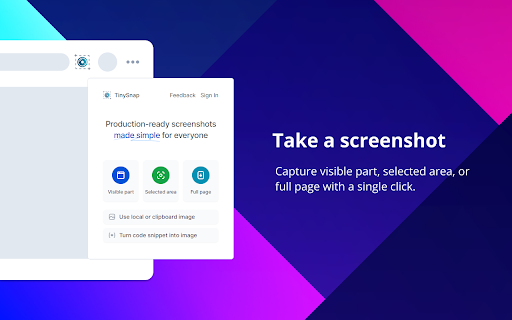
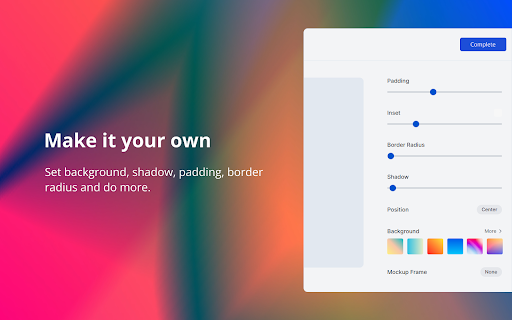
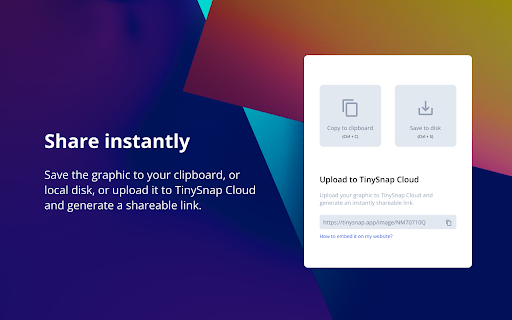

Production-ready screenshots made simple for creators, developers and marketers. TinySnap is a production-ready screenshot extension tool created for everyone, especially creators, developers, and marketers. If you are still taking traditional boring screen captures, now we have a better solution for you to turn your screenshots into captivating graphics aligned with your needs. You don't need fancy design skills, all you have to do is select what you want, adjust the TinySnap preview, and you are good to share. It doesn't get simpler than this. TinySnap is completely free to use, but if you need that a little bit extra, upgrade to TinySnap Pro. With TinySnap Pro, you can unlock features like: - Upload your screenshots to the cloud - Create instantly shareable links - Recover from the trash within 30 days - Custom branding watermarks - Advanced integrations - Priority Support Have any questions or feedback? Please get in touch with our support team at support@tinysnap.app.

Relingo - Master vocabulary while browsing websites and watching YouTube
Relingo extract words, full-text immersive translation while browsing. Also supports bilingual subtitles for Youtube, Netflix, etc. Relingo can help you quickly read and understand the content you are interested in, and gradually learn and memorize words while browsing the web without being disturbed. ★ Read based on interest and master vocabulary unconsciously Gradually learn and memorize English words while browsing websites/watching videos. You can learn English on any platform such as Medium, Facebook, Twitter, Youtube, and BBS. You can also learn English on BBC, WSJ, The Economist, Techcrunch, The Verge, etc. Website to learn English. ★ Support learning English by watching video subtitles through Youtube, Netflix, TED, and Coursera Learn English while watching videos. Supports bilingual subtitles and highlighted subtitles for new words. ★ Highlight new and difficult words to match your English level Relingo automatically highlights and translates based on the difficulty level you set and the vocabulary you have collected. When browsing the web, just focus on unfamiliar vocabulary and strengthen your memory in different contexts. ★ Accumulate a personal vocabulary book and master it through daily reading By reading and watching videos, you constantly build and train your vocabulary book. The collected words will pop up repeatedly in subsequent readings, constantly refreshing your word memory, and unknowingly expanding your vocabulary. ★Learn English unconsciously and stress-free While browsing web pages that interest you on a daily basis, you can quickly understand articles and master new words faster and more efficiently. From now on, reciting words is no longer a task. ★ Refresh your English memory at any time Different forms such as flash cards, prompts and emails will be used to help you constantly refresh your English memory through context. Learn English supports multi-language translation (Chinese, Korean, Japanese, Spanish, Portuguese, French), allowing users from all over the world to learn and read English articles conveniently and quickly

Maple Bookmarks
Let you navigate smoothly while hiding the bookmark bar. The bookmarks bar can occupy the browsing window and affect concentration, so I often hide it. However, this makes accessing bookmarks inconvenient. Therefore, I developed the Maple Bookmarks extension. By just using the shortcut Command + E, you can quickly access your bookmarks, which is practical and convenient.

稀土掘金
为程序员、设计师、产品经理每日发现优质内容。 在新标签页展示聚合内容,包含前端、Android、iOS、后端、产品、设计六大频道,每个频道内都有一到多个内容源; 此外提供综合搜索及开发辅助小工具等能力为开发者的工作提效,浏览器激活状态下双击"j"键可快速唤起搜索框; 用户可以根据自己的需求和喜好自定义页面布局、切换日间/深色模式; 此浏览器拓展由稀土掘金技术社区(juejin.cn)提供支持,在线问题反馈请访问 https://juejin.cn/topic/6824710202692993037?sort=newest 。

Auto Group Tabs
Automatically group browser tabs in the background. You… Automatically group browser tabs in the background. You can customize the grouping based on domain or subdomain rules, as well as custom rules. Manual grouping can be triggered using a shortcut key, and you can disable automatic grouping if desired. This extension is open source on GitHub: https://github.com/marwincn/auto-group-tabs
