
igdancpfkcmgelecddchfeijbofdcnaa

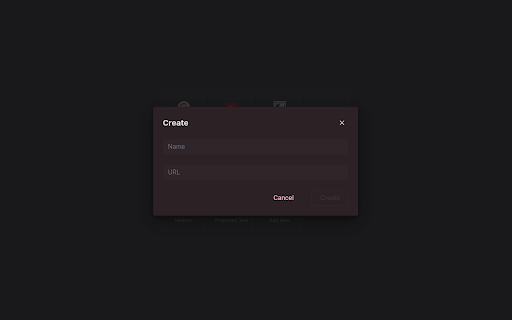
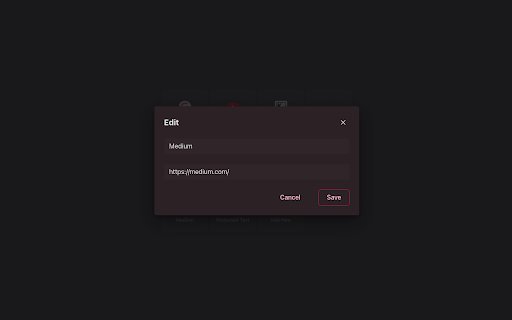
Nice and Simple Speed dials Extension for Chrome Nice Speed Dials is a Chrome extension With a sleek and intuitive interface that allows you to organize your browser's new tab page with your favourite websites and links. With just a few clicks, you can create and organize a collection of speed dials that can be accessed from any new tab you open. Unlike other speed dial extensions or the default new tab page, Nice Speed Dials stores your speed dials as bookmarks in your Chrome account. This means that even if you change devices or uninstall the extension, your speed dials will remain safe and accessible. Simply log in to your Chrome account on any device, and your speed dials will be there waiting for you. Features: - Sleek and intuitive interface - Create and organize speed dials - Access speed dials from any new tab - Speed dials are stored in your Chrome account - Sync speed dials across multiple devices (if your chrome sync is on) - Reorder speed dials via drag and drop - Keyboard accessibility - Options for customization - Nice animation on any actions Future Plan: - Import and export speed dials - Support for folders - Better Keyboard accessibility - More features to come! IMPORTANT: Please remember that your speed dials are not stored on our server, but in your own Chrome account's bookmarks. So please do not delete the bookmark folder "NICE_SPEED_DIALS_BOOKMARKS\_[DO_NOT_DELETE]", as this is where your speed dials are stored. If you delete this folder, you will lose your speed dials. or any update in that folder will be reflected in your new tab speed dials. However, you can use this to your advantage by saving any bookmark to this folder, and it will appear on your new tab speed dials! Try Nice Speed Dials today and streamline your browsing experience!

Metro Speed Dial - Modern New Tab page
A modern, highly customizable speed dial that replaces the new tab page. Organize pages in groups, take notes and try new themes. Metro Speed Dial is a highly customizable extension that replaces the New Tab page and allows you to save and organize your favorite websites for quick and easy access. All the pages you love are just one click away! After installing Metro Speed Dial make sure to click the "Keep it" button on the "Change back to Google" notification to ensure Metro Speed Dial remains your default new tab. Features: • Easily customizable tiles • Tiles can be categorized and grouped • A wide selection of high quality 4K backgrounds & themes • Support for uploading your custom backgrounds • Notes and todos • Quick access to Chrome's history, downloads, bookmarks and extensions • Various search engines included in the Speed Dial • Support for importing & exporting your pages, notes & settings No data is collected while using this extension. No additional permissions are requested. To keep everything private and secure, the extension doesn't track your usage or your activity and it doesn't have access to any other tabs that you opened. Version 2.9.0 - New layout & design for the settings page - Added bookmarks import - Added options for search bar width & height, clock position & size, date format, tile safe zone - Added behavior options for opening pages & search results in new tab - Added multiple ways to switch or scroll through categories - Added an option to select the default category when opening a new tab - Modified search engine settings to use the browser's search engine Version 2.8.0 - Added efficient compression for custom backgrounds and for custom tile images - Added zoom & position sliders for custom tile images - Added custom colors for predefined tile thumbnails & frosted glass color override for each tile - Added 250 icons that can be used as thumbnails for tiles - Added new page thumbnails Version 2.7.1 - Added shortcut to easily hide page quick add button Version 2.7.0 - Added Frosted Glass Design - Added page quick add option - Added tooltips with explanations for all visual settings - Improved page management in settings - Added new backgrounds, themes & page thumbnails Version 2.6.0 - Added tile (page) categories - each category has its own section - Added custom search engine option - Added option to hide search bar - Added backup reminders - Improved tile custom image management - Added 200+ new predefined tile thumbnails Version 2.4.0 - Added page groups - Added drag & drop reordering for pages (in settings) - Added 12/24-hour clock toggle - Added dark mode - Added "about" page - Added status message for imports

Supa Speed Dial
Clean and simple bookmarks on New Tab. Replace New Tab with bookmarks and folders of your choice. - Create folders and sub-folders - Make hidden bookmarks/folders - Drag and drop to change position of bookmark/folder - Folder layout: grid or list - Tile size: small, medium, large - From 1 to 13 columns (on small tile size) - Change tile color - Change background on New Tab page - Search bookmarks/folders - Mark bookmark as cannot be searched - Export and import Supa Speed Dials 1. How can I import my browser's bookmarks? - You can't. Only Supa Speed Dial bookmarks can be imported 2. How can I access bookmark/folder that is hidden and cannot be searched? - There is a way to access it, but I will leave this up to you to figure it out 3. How can I add bookmark to hidden folder? - Look at question #2 or make folder visible 4. Do you plan to add thumbnails? - Maybe someday

Speed Dial New Tab
Organize Speed Dial New Tab with websites and quickly access your favorite sites from a new tab in Chrome with easy setup Speed Dial New Tab - Your Gateway to Online Productivity 🚀 Tired of a cluttered new tab page? Want to access your favorite websites with lightning speed? ⚡ Speed Dial New Tab transforms your new tab into a personalized dashboard, giving you instant access to your most-visited sites. Say goodbye to endless scrolling and hello to streamlined browsing! 🖱️ Effortless Organization and Navigation Speed Dial New Tab makes it a breeze to organize your online world. 📌 Visual Bookmarks: See your favorite websites at a glance with site previews. 💡 Intuitive Interface: Enjoy a clean and minimalist design that puts you in control. 🕒 Digital Clock: Keep track of time with an elegant clock and date display. Boost Your Productivity Speed Dial New Tab is more than just a pretty face. It's designed to enhance your productivity and streamline your browsing experience. 🚀 Quick Access: Reach your most-visited websites with a single click. 🧹 Reduced Clutter: Eliminate distractions and focus on what matters. ⏱️ Time-Saving: Spend less time searching and more time doing. ✅ Improved Workflow: Access your frequently visited sites instantly. Seamless Integration and Smart Features Speed Dial New Tab seamlessly integrates with your Chrome browser. 1️⃣ Most Visited Sites: Automatically displays your top frequently visited websites. 2️⃣ Pin Important Sites: Keep your essential websites always visible at the top. 3️⃣ Rename Options: Customize site names for better organization. 4️⃣ Smart Favicons: Automatic favicon loading with intelligent fallback system. More Than Just a Speed Dial Speed Dial New Tab offers core features to enhance your browsing experience. 🔍 Built-in Search: Quickly search the web without leaving your new tab page. 🕒 History Integration: Access your recently visited websites with ease. Experience the Difference Speed Dial New Tab is the new tab page replacement for Chrome. It's the perfect tool for anyone who wants to: Boost their productivity Organize their online world Save time and effort Enjoy a more streamlined browsing experience Why Choose Speed Dial New Tab? 🤔 Here are the key reasons why Speed Dial New Tab is the best choice for your new tab page: ➤ Easy to use: Speed Dial New Tab is incredibly user-friendly, even for beginners. ➤ Essential features: Focus on core functionality that enhances your browsing experience. ➤ Clean design: Enjoy a minimalist interface that helps you stay focused. Unlock the Power of Speed Dial New Tab 🗝️ Speed Dial New Tab is your key to a more productive and efficient online experience. With its intuitive interface and smart features, Speed Dial helps you take control of your browsing and achieve your online goals faster. Whether you're a student, a professional, or a casual internet user, Speed Dial New Tab can help you make the most of your time online. Speed Dial New Tab and Chrome: A Perfect Match 🤝 Speed Dial New Tab is designed to integrate seamlessly with your Chrome browser, providing a native look and feel that enhances your workflow. It's like an extension of Chrome itself, offering essential tools you need to navigate the web with speed and efficiency. Embrace a Faster, More Organized Web 🌐 With Speed Dial New Tab, you can say goodbye to the chaos of a cluttered new tab page and embrace a world of organized access to your favorite websites. It's time to take control of your browsing experience. Take Control of Your New Tab Page 💻 Your new tab page is the gateway to your online experience. With Speed Dial New Tab, you can transform this blank canvas into a productivity tool. Imagine starting each browsing session with a clean, organized dashboard that puts your frequently visited websites at your fingertips. Speed Dial New Tab: Designed for the Modern Internet User 👨💻 In today's fast-paced digital world, efficiency is key. Speed Dial New Tab is designed for the modern internet user who values speed, organization, and convenience. Download Speed Dial New Tab today and experience the difference! ⬇️ Frequently Asked Questions ❓ How does Speed Dial New Tab work? Speed Dial New Tab automatically displays your most visited websites and allows you to pin important sites for quick access. How do I pin a website? Click the menu icon on any speed dial and select "Pin" to keep it at the top of your dashboard. Can I rename my speed dial entries? Yes! Use the menu options to give your speed dials custom names for better organization. Can I sync my speed dials across devices? Yes! With Chrome sync, your speed dials will be available on all your devices. What browsers are supported? Speed Dial New Tab works with Chrome version 88 and newer, supporting the latest Manifest V3 standard.

Bookmarks Speed Dial
A start page with your Bookmarks. Nothing extra. No ads. Start page with your Bookmarks. Nothing extra! No ads! New in version 1.7 - Support light and dark Chrome theme. New in version 1.6 - New setting page. - You can configure start folder. New in version 1.5 - New extension name. - Add Bookmarks manager link . - New icons. New in version 1.2 - You can configure the number of columns. - Changed link type in interface - use the middle mouse wheel to open in the background. - Markup optimization
