
ifgehbglgmidafhhdcopacejknmcmhcd
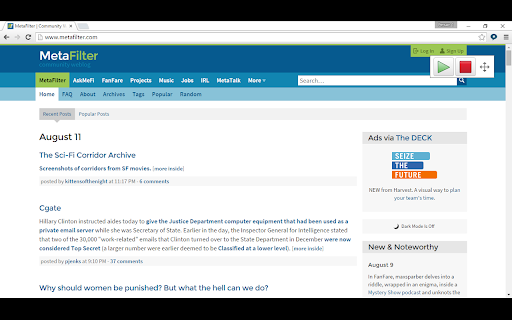


Free extension with a few Premium features, see below. Speak any text on a website by selecting it, point with the mouse to hear text and links and captions, or click Play to hear sentences read out with highlighting to let you keep track of where you are. Read Google Docs documents back to you so you can proof your work and fix any errors. Speak accessible PDFs opened in Google Chrome with highlighting by clicking the Play button. Hear letters, words or sentences spoken back as you type. Simply type in to web pages and hear what you type as you type it. For letters, hear the letter names or sounds spoken back to you, whichever helps you understand better. Turn on a coloured overlay so pages are tinted to the colour you find easiest to read - no more glaring black on white text. Change the speed of the spoken voice, slower for comprehension, faster for efficiency. Activate word prediction to help you with writing and composition - find that elusive word you want. Now includes subject-specific prediction dictionaries and larger base dictionaries! Read the contents of Google Docs extensions aloud so your support tools speak. Upgrade to a Premium subscription and also gain: ● Scan from Screen, so you can select inaccessible images like Google Books and hear them read aloud. ● Speech Recognition. Enter text in to documents and text areas of web pages through dictation. ● Prediction in Google Docs, Microsoft Office 365 Word Online and other editable text areas. ● Spelling and Homophone checking in Google Docs, Microsoft Office 365 Word Online and other editable text areas. ● Capture. Highlight and capture text on webpages. ● Save to audio. Select text and click the save to audio button to generate a sound file for the selected text. From the developers of ClaroRead for Mac and Windows and the ClaroSpeak and ClaroPDF Apps.

Read The Web
Text-to-speech for Web Content Read The Web is free with a subscription to Kurzweil 3000. If you don’t have a subscription, sign-up for a 30-day free trial. You’ll get access to Read The Web, our web app, and much more. Click “Website” to the right and Signup Free on the top right corner. Add the Kurzweil 3000 Read The Web Chrome Extension to read aloud web content. You can now listen to articles for that research project you’re working on, comments or directions on your school learning platform, or just catch up on news, all in 30 natural text-to-speech voices that read aloud in 17 languages and dialects. • Read efficiently with audio text-to-speech and moving highlights • Reduce reading fatigue with human-quality text-to-speech voices • Improve comprehension with instant access to 3 dictionaries • Customize reading rate and presentation to suit your preferences • Highlight key facts and extract them to a mind map or bulleted list Each individual deserves tools that help them unlock their potential. Kurzweil Education offers proven, research-based, literacy solutions that address unique learning challenges and develop the literacy skills that lead to academic and personal success.

WebOutLoud - Text to Speech Web Reader
Listen to the web using text to speech. Perfect for dyslexia, low vision, students, researchers, kids, learning to read. Listen to the web using text to speech to assist with comprehension--to give your eyes a break. New in 2024 - AI-Powered website summaries (otherwise known as TLDR). This feature allows you to generate a concise summary of any webpage with a click. WebOutLoud reads websites out loud using the free voices that are already available in your web browser with the option to upgrade your experience to include Premium voices. No text selection is required. It will automatically continue reading paragraph after paragraph. Not only that, it will highlight words as it reads them and remember where you left off. Give your eyes a break! Just navigate to any web page and hit play. WebOutLoud will read web pages using text to speech. * It reads pretty much any webpage you can throw at it. * Highlights words and paragraphs as it reads. * Summarize websites with AI (requires premium subscription). * Tell the app where to begin reading using Touch Assist, or enable the powerful Reader Mode to isolate readable content automatically. * Dozens of voices to choose from (selection of free voices is dependent on operating system and extensions.) The WebOutLoud browser extension for Chrome is free to use with the voices that are built-in to your browser. Premium voices and the AI website summary feature require a premium subscription. A premium subscription also gives you access to all features of WebOutLoud's iOS and Mac apps and the browser extension for Safari (available on both desktop and mobile).

Snap&Read
Text reader (TTS) that simplifies vocabulary, translates text, reads inaccessible text (OCR), and captures and cites sources. Snap&Read is the Next-Generation reading tool that can cover the most diverse reading needs. Read Aloud - Listen to text as it’s read aloud across websites, PDFs, and Google Drive. It also reads in other languages. Dynamic Text Leveling - Dynamically adjust the readability of text without changing the meaning. Study Tools - Pull text into an outline, then organize it and add notes. Remove Distractions - Remove distracting content and adjust fonts, spacing and number of characters per line creating the best online reading experience possible. The Remove Distractions tool also reformats any webpage to read—distraction-free—alongside an open outline. Color Overlay / Reading Line Guides- Color Overlay and Reading Line Guides brings focus to text paragraph-by-paragraph and even line-by-line—by masking the reading area. Screenshot Reader - Instantly get access to text embedded in images, inaccessible PDFs, and Flash through Optical Character Recognition (OCR). Readability Analyzer - See the grade level equivalent of the text on any webpage. Annotation - Highlight and add text to PDFs then save to Google Drive, One Drive, or download. Try it for free and see if it works for you. Pricing and more information can be viewed at https://snapandread.com If you already have an account for snap and read, you can manage it at https://snapandread.com

Co:Writer
Word prediction that is grammar smart and inventive spelling aware. Speech recognition allows you to speak it, and we'll write it. Co:Writer® Universal Extension for Chrome™ helps you write with proper grammar and spelling using topic-specific vocabulary. It integrates with the Chrome™ browser for word prediction and speech recognition just about anywhere you write online including Google Drive™, Microsoft Word, blogs, Learning Management Systems, testing, social networks, and email. Try it for free and see if it works for you. Pricing and more information can be viewed at https://cowriter.com How Does Co:Writer Work? As letters are typed, Co:Writer predicts the intended word with a selection of word suggestions using powerful grammar-smart word prediction. These suggestions can be read aloud by moving the cursor over the words. Selecting the intended word places it into the built-in writing document. For feedback while writing (and after writing) built-in text to speech can be used to read letters, words, sentences, and any selected text. If the microphone is chosen, you can speak and we'll convert your speech into text. 4+ Million Topic-Specific Dictionaries: Co:Writer has access to a main prediction dictionary (that includes core words) and Topic Dictionaries (that includes topic specific words). Co:Writer can access over 4 million topic-specific dictionaries which are activated based on the writing task. A small sampling of the variety of topic dictionaries: ✔ America's Cup ✔ Compare and Contrast ✔ Dinosaurs ✔ Grumpy Cat ✔ History of the Peloponnesian War ✔ Mahatma Gandhi ✔ My Dog ✔ Pig Latin ✔ SpongeBob SquarePants ✔ Tommy (album) ✔ Wonders of the World Spelling Support: Co:Writer uses Flexspell™ technology to handle the widest range of spelling mistakes including phonetic spelling and inventive spelling errors (letter omissions, word ending omissions, letter reversals, etc). Examples of how Co:Writer aides with phonetic and/or inventive spelling: Before Co:Writer: The blk jargon flu over the bra lfnt. R u hpy to ce me? I no hw to nor the fone. After Co:Writer: The black dragon flew over the gray elephant. Are you happy to see me? I know how to answer the phone. Grammar Support: Co:Writer bases its prediction on proper grammar, and uses its understanding of grammar to accurately predict words within the framework of valid sentence structures. Examples of how Co:Writer aides with grammar: Dogs are furry. (noun, verb, adj.) - When you typed d-o, you get plural noun choices Three very mangy dogs ran down the street. (adj., adv., adj., noun, verb… etc.) - After typing three, very, mangy, you get plural noun choices, then you get plural verb tenses.
