
ifabnpjjgbggngmgijikmfjkppdhfpgj
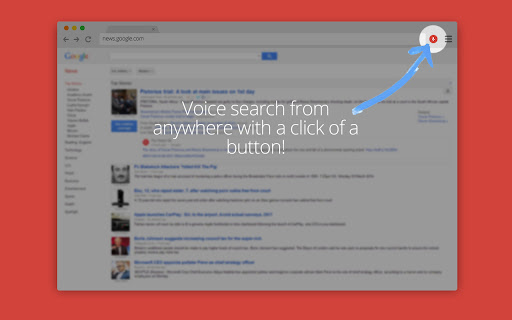


Simply press the red microphone icon in the top bar or assign a chrome hotkey and begin speaking! Features Include: • Activate with a single click of a button on every page. • Can be assigned a keyboard shortcut inside Chrome. • Set your preferred search page (Google, Bing, DuckDuckGo, etc). • Use a custom search provider that is not already included by providing a search URL. • Uses no permissions.

Online speech recognition
Speech to text on any web site and in Windows and Linux applications See https://voicenotebook.com/blog/exthelp/ for help The main features: Multi language support (click on the extension icon and select a language in the drop-down list) Speech input in any text field on the web (right click inside of the text entry field and select Speech pad in the Chrome shortcut menu) Voice input to the clipboard - right click in the empty space on the page (not in the editable field), and select Speech pad in the Chrome shortcut menu. In this case, the Voicenotebook.com site will be opened and voice recognition will be started. if the "Transfer to clipboard" checkbox is checked in the option page of the extension, then the voice typing processed directly to the system clipboard. Dictation to any windows or Linux application (Word, Excel, Gedit etc.). For this option an additional module must be installed from the Voicenotebook.com site.

Awesome Button Bar
Button bar, combining downloads, bookmarks, extensions, history, view source, print, and more from a single button. Awesome! Extensions, history, downloads, bookmarks, view source, options, new window, and print are all here. Recently added buttons are duplicate tab, second home, and refresh all tabs. Showing each button on the bar is optional so you don’t have to have them all if you don’t want them all. Also, each button can be configured to open either in the current window or in a new window. Note: print to a new window now works too!

ProductivityTab — Custom Homepage Dashboard
A remarkably customizable personal homepage featuring 50+ widgets, breathtaking backgrounds and much more. A lightning fast homepage dashboard with stunning backgrounds, news, weather, HTML, Bookmarks, sports, RSS feed, stocks, todo, custom iFrames and much more! Make your homepage the way you want it to be: Fast, customizable, beautiful and productive! ProductivityTab includes dozens of widgets, hundreds of stunning backgrounds, and powerful features including: ✔ Embed your favorite sites or web assets using custom HTML and iFrame widgets, and stay up to date with multi-tab RSS feeds. ✔ Increase your productivity with Todo, Notes, Clock, Google Analytics and System Statistics ✔ Stay up to date with Weather, Sports, News, Stocks, Feedly, Reddit, YouTube, and Pocket ✔ Manager your browser using Bookmarks, Top Sites and Recently Closed Tabs widgets ✔ Quick access to your Google Drive, Gmail, Calendar, Tasks, Keep, Voice and Classroom services ✔ Dictionary, Quotes, Translation, Currency and Unit Conversion utilities are always on hand to help you out. ✔ Fully featured voice search and "OK Google" hotword detection ✔ Drag and drop customization on 1-5 columns or a freeform grid! ✔ Navigate between an unlimited number of customizable tabs, each with their own widgets and settings. ✔ Automatic backups of your settings and data, and Google authenticated login so you can take your dashboard anywhere! ✔ Upgrade to Pro and get dark and transparent themes, live backgrounds, maximizable widgets, hourly weather forecasts, and much more ✔ Limitless customization - your imagination is the limit! Plus hundreds more features! Install ProductivityTab now and check them out! Sick of new tab extensions that lock you in? Looking for a beautiful start page that keeps getting better? ProductivityTab is for you! -- Only want ProductivityTab to show when you open a new tab? Try the main extension: https://ichro.me Feedback and suggestions are welcome anytime at: http://ichrome.uservoice.com

Right Click Tab Navigation
Adds these useful tab navigation options to the right click context menu:
