
hmfdjlcpjdkbebjlkpmammmcipfdgpjh


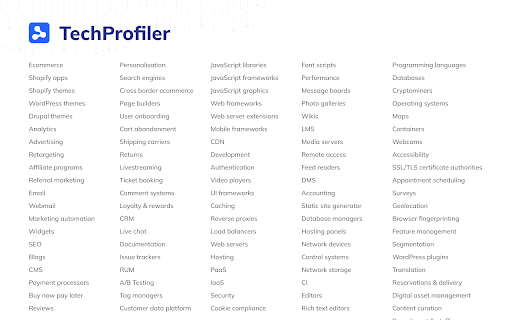

Reveal what websites are built with. Technology Profiler — Uncovers the technology used on any website, to easily understand how the website works, and Everything in this Chrome extension is FREE, proudly presented by SimplyTrends. What is Technology Profiler SimplyTrends' Technology Profiler is the handiest website profiler tool to find out what technology a website uses. Ecommerce solutions, analytics tools, marketing instruments, frameworks, CRMs, dev tools—you name it. It's the best technology profiler, a much better alternative to BuiltWith, offering ecommerce specific features like Shopify app detection. And it's absolutely FREE! Why Technology Profiler It's simple, accurate and all-inclusive. ✅ Check out the technology used on ANY website. ✅ Detect 100+ technology types. ✅ The most powerful Shopify app detector on the market, identifying almost all Shopify apps used on any Shopify website, which makes it distinguished from other website profiler tools like Wappalyzer and What runs. ✅ Uncovers the theme of a Shopify website uses. ✅ View all technology stacks in one place with clear classification. How to Use Technology Profiler ☝️ Install the Chrome Extension. ✌️ Sign up SimplyTrends account for free. 👌 Open any website you are interested in. 🙌 Click on our extension icon to see all the technologies used on the website.

TechsFound
Find Running Technologies on Website, SSL certificate details, page loading time, clear cache and cookies This extension help you to identify running technologies on website. It identifies different web technologies, Page Loading time, SSL Details, Website IP Address, List cookies, Wordpress plugins and themes.

Web app tech stack
Showing what technology powers the web app by analyzing its publicly available content Showing what technology powers the web app by analyzing its publicly available content

BuiltWith Technology Profiler
Find out what the website you are visiting is built with using this extension. The BuiltWith Chrome Extension lets you find out what a website is built with by a simple click on the builtwith icon! BuiltWith is a web site profiler tool. Upon looking up a page, BuiltWith returns all the technologies it can find on the page.

NerdyData Website Inspector
Inspect websites and see what technologies they use! See the technology stack of any website, and how much they spend on their tech stack. We analyze a website's code and tell you what technologies are running with high accuracy. Also see what a website spends on their tech stack, and company details like employee size, headquarter location, and more. NerdyData indexes over 900 different technologies including E-Commerce platforms, CRM tools, Content Management Systems, advertising networks and more. NerdyData is a free alternative to Wappalyzer, Whatruns, and BuiltWith. Download full reports of all the websites that use a certain technology by visiting https://www.nerdydata.com
