
hledcfghfgmmjpnfkklcifpcdogjlgig


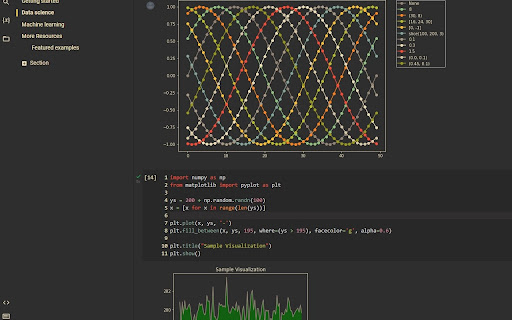
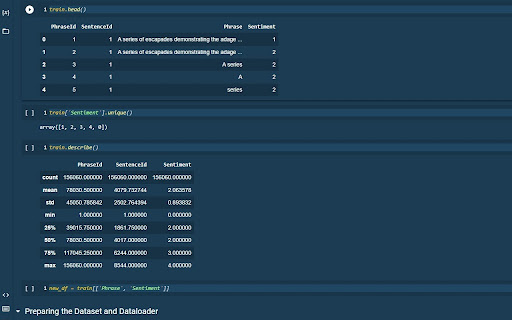
Changes the appearance of Google Colab! This extension will enhance your data science experience by allowing you to change the style of Google Colab much more than a simple dark mode or light mode! By importing your own themes from VS Code, or using any of the 56 provided themes, your Google Colab experience will be transformed by your favorite theme changing the way you see your code and data.

Leetcode Custom Themes
Allows you to change Leetcode Code Editor Themes With this extension, you may personalize the Leetcode Code Editor with a number of different themes. New Leetcode UI: Added support for new Leetcode UI. Provides a list of monaco based themes. Old Leetcode UI: Added two new themes, "Google Interview - Light and Dark" which simulates Google Doc where you will have no color schemes.

Google Colab Keep-Alive
Automatically clicks the screen every 60 seconds to keep Google Colab sessions alive. Automatically clicks on the web page every few seconds to keep sessions active. Perfect for platforms that time out due to inactivity.

AI Code Finder, Alerts, Ask Questions about Papers: CatalyzeX
🧑💻 Get code for AI & other research papers, create alerts, ask authors questions directly on Google, ArXiv, Scholar, PubMed, IEEE CatalyzeX's free browser extension instantly finds and shows open-source code implementations for any research paper (AI and more) you encounter while browsing Google, ArXiv, Scholar, GitHub, Twitter/X, and many other search engines, forums, LLM/AI chats, and scholarly/academic websites. Don't see it on a website you want? Send us a note team+chrome@profillic.com Code for Papers Everywhere: ▶ Browse the web as usual and you'll start seeing [CODE] buttons next to papers everywhere. ▶ These buttons will automatically appear directly on the page for any implementation links found. ▶ Click on any [CODE] button to instantly jump to the open-source implementation and explore! Alert creation: ▶ Click on any bell icon to create an alert for new code for papers/topics, author's newest work, latest developments. Ask authors questions: ▶ Browse the web as usual and you'll start seeing a question box next to papers/articles everywhere. ▶ Type in your question to ask the authors of papers any question you may have! Powered by CatalyzeX.com's repository used by thousands of engineers, researchers, developers, and tech leaders worldwide — to browse algorithms, models, and papers with code for relevant and state-of-the-art developments in artificial intelligence, data science, computer vision, speech recognition, deep learning, and large language models. If you have any feedback/suggestions/requests or run into any issues, please email us at team+chrome@profillic.com anytime. We'd love to hear from you! ____ This extension also works on Opera and UC Browser. Need the Firefox add-on instead? Get it here: https://addons.mozilla.org/en-US/firefox/addon/code-finder-catalyzex/ Need the Edge add-on? Get it here: https://microsoftedge.microsoft.com/addons/detail/get-papers-with-code-ever/mflbgfojghoglejmalekheopgadjmlkm ____ *************** CATALYZEX VALUES YOUR PRIVACY *************** When you add CatalyzeX, it says that we can “Read and change all your data on all websites.” That’s only partially true. A more accurate description is that it allows CatalyzeX to insert [CODE] buttons next to any papers and techniques you see directly on the webpage, whenever available. While we’re sure you’re super interesting (especially as you're using CatalyzeX!), we do not have any interest in tracking what you search for, what you buy, etc. It’s just not what we do. At CatalyzeX, we care about privacy just as much as you do. It's core to our decision-making and how we deliver your CatalyzeX experience.

GitHub Recommender
Get similar repositories on GitHub page
