
aikkeehnlfpamidigaffhfmgbkdeheil


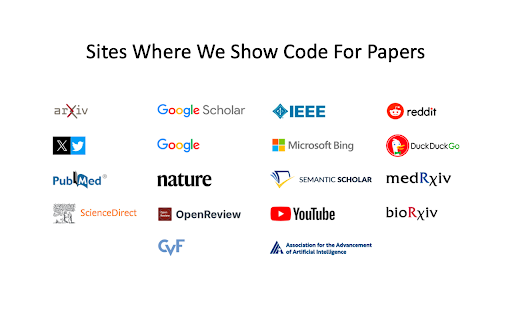
🧑💻 Get code for AI & other research papers, create alerts, ask authors questions directly on Google, ArXiv, Scholar, PubMed, IEEE CatalyzeX's free browser extension instantly finds and shows open-source code implementations for any research paper (AI and more) you encounter while browsing Google, ArXiv, Scholar, GitHub, Twitter/X, and many other search engines, forums, LLM/AI chats, and scholarly/academic websites. Don't see it on a website you want? Send us a note team+chrome@profillic.com Code for Papers Everywhere: ▶ Browse the web as usual and you'll start seeing [CODE] buttons next to papers everywhere. ▶ These buttons will automatically appear directly on the page for any implementation links found. ▶ Click on any [CODE] button to instantly jump to the open-source implementation and explore! Alert creation: ▶ Click on any bell icon to create an alert for new code for papers/topics, author's newest work, latest developments. Ask authors questions: ▶ Browse the web as usual and you'll start seeing a question box next to papers/articles everywhere. ▶ Type in your question to ask the authors of papers any question you may have! Powered by CatalyzeX.com's repository used by thousands of engineers, researchers, developers, and tech leaders worldwide — to browse algorithms, models, and papers with code for relevant and state-of-the-art developments in artificial intelligence, data science, computer vision, speech recognition, deep learning, and large language models. If you have any feedback/suggestions/requests or run into any issues, please email us at team+chrome@profillic.com anytime. We'd love to hear from you! ____ This extension also works on Opera and UC Browser. Need the Firefox add-on instead? Get it here: https://addons.mozilla.org/en-US/firefox/addon/code-finder-catalyzex/ Need the Edge add-on? Get it here: https://microsoftedge.microsoft.com/addons/detail/get-papers-with-code-ever/mflbgfojghoglejmalekheopgadjmlkm ____ *************** CATALYZEX VALUES YOUR PRIVACY *************** When you add CatalyzeX, it says that we can “Read and change all your data on all websites.” That’s only partially true. A more accurate description is that it allows CatalyzeX to insert [CODE] buttons next to any papers and techniques you see directly on the webpage, whenever available. While we’re sure you’re super interesting (especially as you're using CatalyzeX!), we do not have any interest in tracking what you search for, what you buy, etc. It’s just not what we do. At CatalyzeX, we care about privacy just as much as you do. It's core to our decision-making and how we deliver your CatalyzeX experience.

Chrome Web Store
Add new features to your browser and personalize your browsing experience.

easyScholar
显示各种文献排名,并且提供翻译、文献收藏功能,助力科研。 工欲善其事,必先利其器。好的科研工具,能够让您提升数倍的学习效率。 【显示期刊等级】 - 支持在谷歌学术、知网、pubmed、web of science、scopus、Aminer、ScienceDirect等20+主流论文搜索网站上,显示文章的来源期刊等级。 - 显示的等级包括:SCI分区(Clarivate),SCI影响因子(Clarivate),SCI分区(中科院),SCI期刊预警(中科院),CCF, 南大核心,北大核心等30+数据等级。足以满足日常科研、工作、评奖评优需要。 - 自定义数据集:若您有自己的目标期刊,可以自定义属于您的数据集。此外,在自定义数据集社区中,还可以选择:《国家自然科学基金委管理科学部认定的重要期刊》、《西南交通大学学术期刊分级目录(2022版)》、《澳大利亚ABDC期刊2022》、《吉林大学哲学社会科学高水平中文学术刊物参考目录(试行)》、《中国计算机学会推荐国际学术会议(2022年)》、《中国人文社会科学A刊引文数据库》等100+由网友制作的数据集。 【在线翻译】 - 在所有网站上,选中一段文本后,按T翻译,按Y隐藏。(edge用户最好将选择文本后弹出的迷你小菜单隐藏,才能更好的触发翻译事件) - 可以选择谷歌翻译、搜狗翻译、有道翻译、彩云小译、小牛翻译等多种主流翻译源。 【文献管理】 - 在论文搜索的详情页内,提供"easyScholar文献收藏按钮",快速的为文献添加类别。从此不再需要使用浏览器收藏夹保存网页。 感谢您看到了这里,如果您喜欢这款产品,或者认可我们的努力,可以和身边的小伙伴分享。当您使用了邀请码,或发朋友圈分享,您将会获得一定的奖励,具体的规则可以在网站的后台(https://www.easyscholar.cc/console/user/invite)查看。

GitZip for github
It can make the sub-directories and files of github repository as zip and download it Why GitZip: - You DO NOT have to download the whole project just for those few files/folders you need. Usage: 1. Browse any Github repository page. 2. Two ways to download: 2.1. Choose the items: 2.1.1. In default, you can double click on items or check the checkbox on the front of items. 2.1.2. Click download button at the bottom-right of the page. 2.2. In context menu: 2.2.1. Click "GitZip Download" > "Whole Repository" or "Current Folder". 2.2.2. Move the mouse cursor on the item and click "GitZip Download" > "Selected Folder/File". 2.2.3. Click "GitZip Download" > "Checked Items" after doing 2-1-1. 3. See the progress dashboard and wait for browser trigger download. 4. Get the ZIP file. Options: "How to select" for item selecting behaviour and "theme" for dark or light themes. Get Token: - If you see the "Rate Limit" warning message on progress dashboard, you should get the Github API access token for upgrade rate limit. GitZip provide a convenient way for it: 1. Click GitZip Extension icon on your browser. 2. Click "Normal" or "Private" link beside "Get Token". 3. Authorize GitZip permission on Github auth page. 4. Back to repo page automatically. 5. Continue to use. 1.0.2: 1. Compatible with new UI (In feature preview called: New Code Search and Code View) 2. Fix a bug about saving personal token. 1.0.1: 1. Enhance popstate detection. 2. Deprecate ".repository-content" selector for items detection. 1.0.0: 1. More download ways in context menu. 2. Can change settings in options page for item selecting behaviour and theme. 3. Can use checkbox to select item. 4. Migrate to Manifest V3 spec.

Saladict - Pop-up Dictionary
Look up and translate selected text with multiple dictionaries, flexible selection modes, vocabulary notes, and PDF lookup. Saladict is a free, open-source browser extension for focused cross-language reading. Select text on a web page or in the built-in PDF viewer to open a dictionary panel with results from multiple dictionaries and translation services. Core features: - Look up and translate selected text on web pages and in PDFs. - Use flexible selection modes, including icon-triggered lookup, double-click lookup, modifier keys, and instant capture. - Combine multiple dictionaries and tune which dictionaries appear by language and word count. - Keep search history and save words to the vocabulary notebook. - Open a standalone quick-search panel for clipboard text or manual lookup. - Configure supported sync or export workflows with services such as WebDAV, Shanbay, Eudic, and Anki Connect. - Customize profiles, panel appearance, context menus, blacklists, whitelists, and keyboard shortcuts. Dictionary content and translation results come from the third-party dictionary services you enable.
