
nkbhfhhjppjiflcboogbiahjlknaehhl
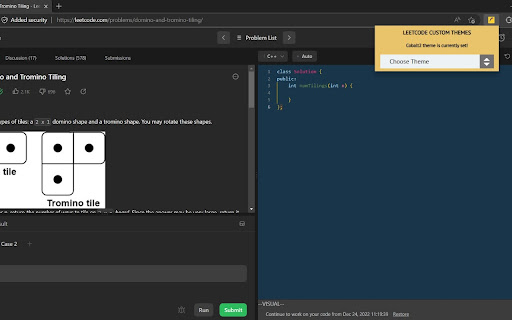


Allows you to change Leetcode Code Editor Themes With this extension, you may personalize the Leetcode Code Editor with a number of different themes. New Leetcode UI: Added support for new Leetcode UI. Provides a list of monaco based themes. Old Leetcode UI: Added two new themes, "Google Interview - Light and Dark" which simulates Google Doc where you will have no color schemes.

LeetCode Night
Enable dark mode on LeetCode. Additional features include Instant Question Navigation, YouTube Link Shortcut and Auto Reset Code. LeetCode Night is a free and open-source extension that enables dark theme on problem pages. Take good care of your eyes while coding at night. [🔔 Reminder] LeetCode has now officially introduced the dark mode. If you're using the new version, LeetCode Night will simply toggle the built-in appearance to apply the dark theme, without performing any additional actions. However, if you prefer to stick with the old version of LeetCode, LeetCode Night will continue to function as usual and override the styles. [⚙️ Features] ● Dark theme for question page ● Shortcut to Daily LeetCoding challenge ● Quick navigation by question number or keyword ● Automatically reset to default code definition ● Show YouTube link shortcut ● Show Dislike Count ● Invert image color ● Hide logo

Carrot
Rating predictor for Codeforces For an active contest: Carrot calculates rating changes according the current standings when you open the ranklist, and displays them in a new column. Carrot also adds a column showing the delta required to rank up. The delta calculation is done in real time a̶n̶d̶ ̶i̶s̶ ̶1̶0̶0̶%̶ ̶a̶c̶c̶u̶r̶a̶t̶e̶ (see note below). For a finished contest: Carrot displays the final deltas of each contestant in a new column and shows their rank change, if any, in an adjacent column. For both active and finished contests, Carrot displays a column for performance, the rating at which the delta would be zero. Each of Carrot's columns can be toggled according to your preference, so as to not clutter the ranklist more than you would like. Carrot communicates only with the Codeforces API and runs entirely in the browser. Note: Since all required data is fetched and processed in the browser, Carrot is not ideal if you have a low data cap on your network. If so I recommend using CF-Predictor instead: https://codeforces.com/blog/entry/50411 Note: The rating calculation is no longer 100% accurate since the new rating system was introduced. See https://github.com/meooow25/carrot/pull/18 for details.

GfG to LeetCode
This extension embeds leetcode links in geeksforgeeks problems page. If you prefer to solve problems on leetcode, this extension provides mapping of geeksforgeeks to leetcode problems, so by just one click this extension will take you to the same problem on leetcode. Feel free to suggest any updates and changes regarding the mappings here https://docs.google.com/spreadsheets/d/1Lw3WEKb-fa4FLSH7Q2E1DD7kU1vd4WAOBXf2QDdqrho/edit#gid=0

Leetcode Explained
Enhances Leetcode problems with solution code, video explanations, and GPT code analysis. Key features 🚀 Added into the Leetcode problem page 1️⃣ Code solutions in Python, Java, C++, and Javascript. 2️⃣ Top 5 popular youtube solution videos. 3️⃣ Top 5 companies asking that problem. Click the company tag to view all problems asked by that company GPT Features 🤖 Pin and open the extension and open to access 1️⃣ Generates the solution code using the problem description, constraints, hints, etc. 2️⃣ Gets the time and space complexity of your code Additional Features ⭐ 1️⃣ Elo rating added to 1500 problems. Number difficulty instead of Easy, Medium, Hard 2️⃣ Open settings in the popup to hide Leetcode examples and difficulty to simulate a real interview environment. Tutorial 📚 This extension only works with the new Leetcode UI. 1️⃣ Solution videos & code are available in the "Solutions" tab 2️⃣ Company tags are available in the Description tab Privacy 🔒 Everything is stored locally in your browser. No API key needed for GPT functionality. Simply login to chat.openai.com in your browser.
