
hghakoefmnkhamdhenpbogkeopjlkpoa
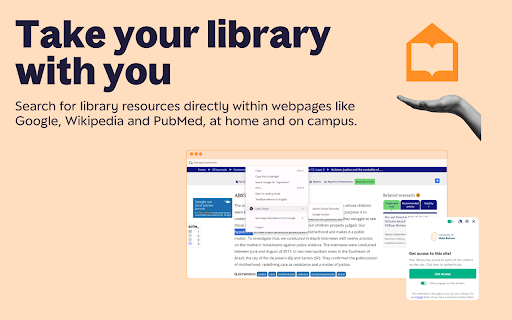
Lean Library is a free end-to-end research tool that brings your library’s services and resources directly into your research workflow, no matter where you start your research. Whether you are discovering and accessing academic content or saving references, Lean Library puts your library right at the heart of every research journey. Instantly and legally unlock millions of academic articles, eBooks, and open access content, avoid paywalls, and receive customised guidance from your library. Save references, highlight and annotate content, get journal alerts, and build information literacy skills with article retraction alerts and trust ratings—all from within your browser. Install the extension, select your institution and begin researching! Even if you aren’t affiliated with an institution, you can still get quick and seamless redirection to open access materials absolutely free by downloading the extension and selecting Lean Library Open as your library. Please note, the Lean Library browser extension works together with Lean Library Workspace. Create an account at workspace.leanlibrary.com. Welcome! Lean Library now includes all your favourite Sciwheel features, plus much more. Install today to get started.

LibKey Nomad
LibKey Nomad automatically provides instant links to articles from journals subscribed to by your library – and Open Access sources – connecting you to literature discovered on the web. LibKey Nomad works with your library to determines the fastest path to content across thousands of publishers and millions of articles. LibKey Nomad also adds support to PubMed, Wikipedia and hundreds of other scholarly publisher websites and research databases. After installation, LibKey Nomad prompts you to select your institution. Simply select it and LibKey Nomad will then notify you of available articles wherever you may roam. LibKey Nomad is a great addition to other research aids you may be using, such as BrowZine, EndNote Click, Lean Library, and more.

Scribbr Citation Generator
Instantly get accurate citations for any webpage in APA, MLA, Chicago, Harvard and any other style with our Citation Generator. Scribbr’s citation generator for Chrome lets you instantly generate accurate citations for any online source in APA, MLA, Chicago, Harvard and any other style. In addition, it extracts key sentences¹, complete with proper citations, and generates a comprehensive summary². With millions of users every month, students, teachers, and universities around the world trust the Scribbr Citation Generator. Ready to join them? ➤ How it works Found a fascinating article, video, or post you want to cite? With a single click, Scribbr will do the heavy lifting for you. It instantly creates a reference list entry and citation, all set for you to copy into your paper. Moreover, it extracts the key sentences from the page, complete with proper citations, allowing you to seamlessly incorporate them into your paper. Additionally, you can generate a comprehensive summary of the page in paragraph form for a quick overview. ➤ Features you’ll love • Cite webpages, journal articles, videos, and more • Choose between APA, MLA, Chicago, Harvard and any other style • Get accurate reference list entries and in-text citations • Extract key sentences from any page • Read AI generated summaries • Copy to your clipboard with a single click ➤ Why students prefer the Scribbr Citation Generator • It’s easy to use and there are no ads • Citations are correctly formatted, so you won’t get in trouble • New features are added regularly ¹ Key sentences are directly extracted from the source using AI. If you choose to quote or paraphrase the text, it's important to credit the original author by including proper citations. ² Summaries are AI-generated; please read the original content for details. If you choose to use this summary, it's important to credit the AI-generated content and the author of the work summarized by including proper citations.

Scopus Document Download Manager
This extension only works for Scopus authenticated users. The Scopus download manager will not do anything for unauthenticated users. Scopus Document Download Manager is a free browser extension enabling download functionality in Scopus, as well as a Quick Document Search function for Scopus authenticated users. To search, authenticated users can simply click on the browser extension icon to display the search form. This extension saves authenticated users the hassle of visiting individual publisher web sites to download documents one by one. Instead, it seamlessly connects to publisher websites to download full text PDFs directly from your browser without needing to configure and maintain a list of entitlements. How do you use this extension in Scopus? 1) From the document search results or document list pages, select one or several documents and click on Download button 2) From a Scopus abstract record page, click on Download button When successfully downloaded, your PDF document(s) will be saved to your browser Downloads folder. In the event that the extension fails at retrieving the PDF (e.g. you are not entitled to the full text or the download is prevented by the publisher web site) the Document Download Manager will provide a link to the publisher web site so you can easily open the page and try to download the full text manually.

UBC Workday Side by Side Calendar
Calendar for the new UBC Workday course selection. A extension to support UBC students in course registration and day to day life. Visit https://discord.gg/cx93fAJUJf for more details
