
hdlfamnpialfmlkddnmijnimciflhbjo
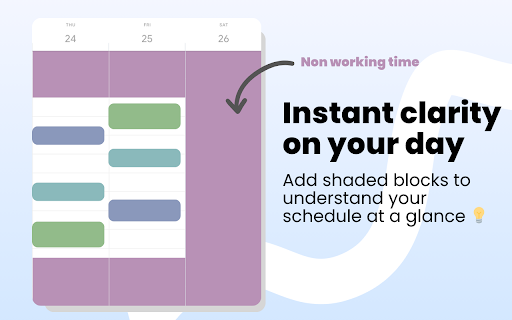


Color-code your time blocks in Google Calendar. Make your schedule easier to read, plan, and manage 📆 📆 Shade Calendar – Color-Code Time Blocks in Google Calendar • Make your Google Calendar more visual and intuitive. • Shade specific time blocks in Google Calendar to organise your day, highlight events, and separate work, personal, or custom schedules. 💡 Features • Color-code time blocks in Google Calendar’s day, week, and 4-day views • Visually block out time for work hours, personal time, childcare, exercise, or focus sessions • Create your own weekly schedule with flexible, recurring time shading • Works seamlessly with multiple calendars, including personal and shared setups • Helps with time blocking, calendar planning, and visual scheduling 🧭 How to Use • Click the extension icon to open the time block editor • Choose which hours to shade and select a color • Set a unique time block schedule for each day of the week • View your new visual layout directly inside Google Calendar 🎯 Who This Is For This extension is perfect if you: • Practice time blocking • Use Google Calendar for both work and personal life • Want to separate tasks visually (e.g. meetings vs deep work) • Need better visual cues for commitments like workouts, childcare, or study time ⚠️ Disclaimer • Shade Calendar is an independent tool and is not affiliated with Google or the Google Calendar brand.

Custom Calendar Background
Modify the Google Calendar UI to include full-page background images or colors. Use your own images, or purchase from sets of provided themes. For support, see: https://github.com/padster/CalendarThemeExtension/issues **Note** Calendar recently added a dark mode. Support is coming, but for now if wanting to use the extension, it is recommended you use light mode, and instead set a 'dark overlay' in the extension's settings page.

Hue: More Colors for Google Calendar
A Chrome extension designed to enhance and personalize your Google Calendar experience. Currently allows you to have full control of your Google Calendar events with custom colors. Add new colors to your palette in the extensions popup menu to see more color options in your calendar! More features to come. Patch Notes: ========== Version 1.0.5 (1/19/2025) - Custom color now applies onto all repeated events - Storage usage now shown in settings - Fixed issue where user couldn't set custom colour when creating event - Fixed issue where color selection menu would all change to the same color Version 1.0.3 (3/10/2024) - Updated color overlay code to replace all found HTML colors of an event rather then query for specific class names: should reduce instances of event colors not changing.

More Colors for Calendar!
HOW TO USE: This extension adds the ability to insert custom colors into Google Calendar events. Upon installing the extension, you might need to refresh Google Calendar for it to load. Once the extension has been installed, you can access the custom color creation by either right clicking events (accessing the color palette), or double clicking the event and accessing the other color palette within the advanced event details page. You can verify that the extension has been installed properly by the existence of an additional circle in the color palette with a plus (+) sign. Clicking on this plus sign should prompt you to insert a custom color defined by a hexcode (For example, typing 000000 will give you the color black. One recommended place to find colors is https://htmlcolorcodes.com/). Pressing "OK" on the color entry prompt will add this custom color to your color palette for coloring events. You can remove custom colors from your color palette by clicking on the extension icon in your browser's extension bar. This will open a small window where clicking on a color will remove it from the extension and your color palette. NEW FEATURE: The window that was used for removing custom colors now contains a button to toggle between cloud and local mode. Originally, this extension only ran on cloud mode. This allowed your calendar colors to be synced across different computers and browsers. However, it also came with the limitation of max 512 events. Now, with the local mode, this limitation has been increased dramatically. Choose whichever option is better for you! You can toggle between the two as well, and they are managed independently. Note: The colors are only available on the web version of Google Calendar. The colors will only be consistent on one browser on a computer unless Google Chrome sync is enabled, in which case the colors will be tied to your Google Chrome profile.

Tags for Google Calendar™
A little visual addon that adds special markup to tags and question marks in event names. This add-on causes two markup changes in of Google Calendar. Event names containing a colon (:) will have the part before the colon being displayed as a colored tag that helps discerning different kinds of events without the need for creating dozens of calendars. For example: "Tag: Event name" becomes "[Tag] Event name". Event names ending with a question mark will be displayed in italic and transparent, as a kind of optional or yet to be confirmed event.
