
hcfnlphlglikfflkikgilkebljgbnica
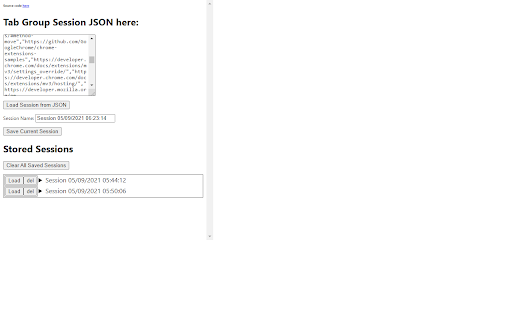
Very simplistic chrome extension to save tab groups as sessions. Export/Import sessions as JSON file.

Save Tab Groups for Tab Session Manager
Additional extension for saving tab groups in Tab Session Manager An extension for Tab Session Manager to support tab groups. Please install the Tab Session Manager and enable the "Save Tab Groups" option. https://chrome.google.com/webstore/detail/tab-session-manager/iaiomicjabeggjcfkbimgmglanimpnae January 11, 2026 Starting with Tab Session Manager version 7.2.0, tab groups can be saved without this extension. You do not need to install it. Please remove it from your browser.

TabPilot - formerly Tab Group Saver
View all your tabs in one place and manage them with AI 🚀 Your AI-powered copilot for managing tabs and decluttering your browser. Get a bird’s-eye view of all your tabs and let AI help you organize them—so you can stay focused. 👁️ Instant Tab Overview — Press Alt+Shift+G to view all your open tabs and windows in one clean, glanceable dashboard. 🧠 AI Suggestions — Understands your tab activity and proposes grouping, moving, or closing tabs based on their context and purpose. 👆 Drag & Drop Tabs — Easily rearrange tabs, moving them between tab groups or windows. 💾 Suspend Tab Groups — Archive tab groups for later and reduce Chrome’s memory usage. Free to use. Unlock higher limits with Pro.

Tab Porter - Export & Restore Chrome Windows
Export all the Chrome tabs into an HTML file. Reopen all the tabs into Chrome Window at any time or any system. Feature : - Export/Reopen also work for Current Chrome Window or All Chrome Window. - Automatically all tabs are reopened in Chrome Window using the extension. - Manually open website using the exported HTML file. The file having all website links is present according to Windows and Tabs order. - Normal Tabs, Pinned Tabs, and Grouped Tabs properties also will be restored. - Reopen will support collapsed/expand for grouped tabs on the Chrome Window. You are researching something called research1. In-between of research1 you need to move to other research. At this point, you can export research1 by using the TabPorter. After completing the other research you can resume research1 by importing the file. Or you can send the exported file to a friend or colleague. He can resume the resarch1. Export Step: 1. Select the TabPorter. 2. Select the options Window Tabs - Current/All Window Tabs 3. Enter the File name prefix. 4. Click the Export button. Import Step: 1. Select the TabPorter. 2. Click the Import button. 3. Select the importing research file. 4. Automatically all tabs are reopened in Chrome Window. Html Step: 1. Open the Research HTML file. 2. Website link will under the Window(Single/Multiple Window) or Groups. 3. You can manually reopen the website. Export or backup all the Google Chrome tabs into an HTML file. Reopen all tabs into Google Chrome Window at any time or any system.

Active Tab Exporter for Chrome
Export currently open Chrome tab URLs to the clipboard or download the list as a file. Active Tab Exporter for Chrome gives you the ability to quickly export all of your open Chrome tab URLs to clipboard or to a file. This saves you all the effort of having to go through each tab you have open and click into the URL bar, copy the URL, and finally paste it wherever you need it to go. With this extension, you can do everything with a single button click. • Option to include all open Chrome windows or just the tabs in the currently active window • Option to sort the output (enabled by default) • Copy the list of URLs to your clipboard with 1 button • Export the list of URLs to a file (TXT, CSV, JSON). * This extension requests the 'tabs' permission - which it needs in order to fetch all of your open tab URLs so it can export them to you.
