
gpibgniomobngodpnikhheifblbpbbah
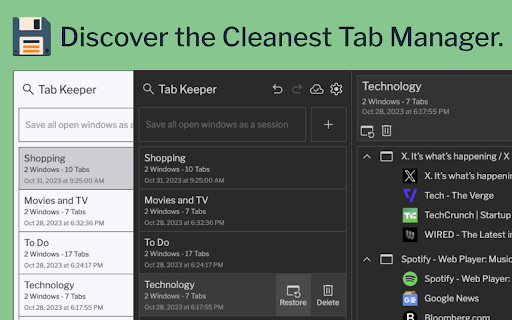
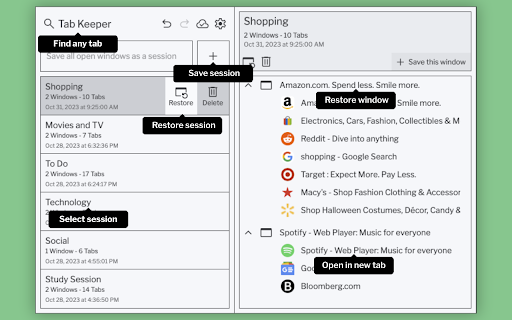
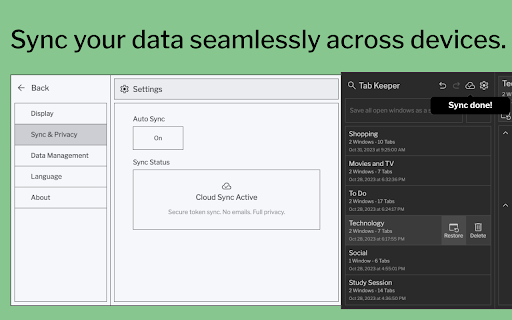
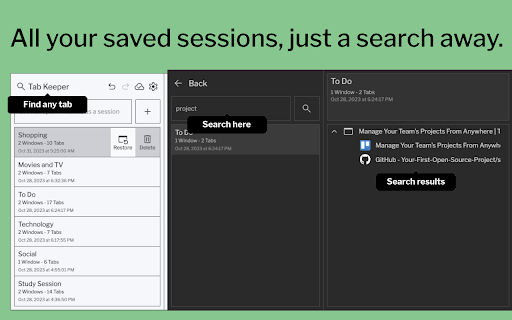
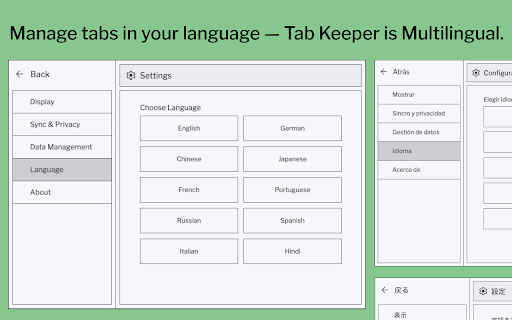
Efficiently save and synchronize tabs across devices without the need for personal logins. A passion project dedicated to better browsing, Tab Keeper will always remain free. - GitHub: https://github.com/justine-george/tab-keeper-react-chrome-extension Say goodbye to a cluttered browser with Tab Keeper, your free, open-source solution for managing numerous tabs. Easily save, organize, and sync your tabs across Chrome desktop browsers, improving your productivity and browser performance. - Efficient Tab Management: Easily organize a large number of tabs - Multi-Language Support: Available in 10 languages - Device Sync: Sync tabs across Chrome desktop browsers - Privacy First: Operate securely without user logins - Quick Search: Instantly find saved tabs - Custom Themes: Personalize your browsing experience - User-Driven Updates: Regular improvements based on your feedback Join the Tab Keeper community for a streamlined browsing experience. Your feedback is invaluable – if you love Tab Keeper, consider leaving a rating! Improvements: • Search functionality now supports searching by tab group and window titles • Bug fixes and stability improvements Improvements: • Timestamp shown in tab group cards now reflects the time of update • Dependent packages updated to latest versions Improvements: • Newly created chrome tab now opens right next to the current tab • Bug fixes and stability improvements (Sessions saved using multi-monitor setup now restorable) Improvements: • Improved iconography • Updated translations • Bug fixes and stability improvements

Simple Tab Manager
Simple tab manager that allows you to easily manage and sort tabs. Windows: - Open, close, and minimize windows - Change window title - Color code windows Tabs: - Open, close, mute, pin, refresh, duplicate tabs - Move tabs within and between windows - Select multiple tabs at once - Sort tabs by title or url - Easily find tabs by searching Other: - Supports dark mode - An alternative, more compact view (grid view) - Use shortcuts to quickly perform actions - Export and import windows and tabs

Stash
Smart tab groups and bookmarks that keep your browsing organized. Stash is a tab, bookmark, and session management extension that makes it easier than ever to stay organized, focused and productive. The extension enhances and integrates your browsers tab group and bookmark features to better support extensive browsing and research. 📑 SMART TAB GROUPS * Automatic grouping of related tabs * Group multiple tabs with keyboard shortcut or cmd/ctrl + click * Automatic collapsing of inactive tab groups * Automatic removal of active group’s title to save space on tab bar * Automatic navigation to last active tab when group is expanded 📂 SMART BOOKMARKS * Automatic creation of bookmark folder for each tab group * Save tabs and links to the active group’s folder with a single click * Save links as temporary bookmarks that get removed once opened * Create group specific bookmark bar that is shown the group is in use and hidden inactive * View and retrieve a group’s bookmarks from a tab within the group * Save or move tab to inactive group from the search bar 🕓 BETTER BROWSING HISTORY * Tab groups are persistent and can be restored if your browser closes or updates * View a history of your tab groups and jump back into past browsing sessions * Organize your history by favorites and categories DATA PRIVACY 🔒Stash was designed to ensure that your personal data remains private, secure and easily accessible. 🙈No signup required. All of your data is stored locally in your browser and none of your tab or bookmark data is sent to or stored on a remote server.

Tab Manager in Side Panel
Compatible with built-in and adds more easy-to-use features, lives in side panel This extension provides some easy and intuitive ways to manage all your tabs across all your windows in side panel. In particular, a simplified tree style tab feature can facilitate the management and deletion of many temporarily opened tabs. ✨ Help you easier to find the target tab ✨ 1. Support searching opened tabs and history. 2. Support show 7 most recent tabs. ✨ Help you easier to create and close tabs ✨ 1. Create a new adjacent child tab for any tab with one click. 2. Support tabGroup and display non-tabGroup tabs with auto group(one level tree), and you can close all tabs belong same tree by "Alt + click" close icon of the parent tab. ✨ Help you easier to navigate through tabs ✨ 1. Navigate to any tab across all your windows with one click, even when tab group which tab belongs to has been collapsed. 2. Collapse or expand all tab groups in same window with one click. 3. Collapse or expand any tab group with one click. 4. Press "Tab" and "Shift+Tab" to navigate and "Enter" to switch. ✨ Help you easier to organize tab and tab group ✨ 1. Drag some tab or tab group and drop into a new postion ✨✨ Bonus tips: 1. You can go to chrome://extensions/shortcuts and set your shortcut for any chrome extension. 2. You can go to chrome://settings/appearance and adjust side panel's some appearance, such as left or right postion, font size and page zoom. Tab Manager In Side Panel is designed to help you save time, reduce clutter, and improve your productivity when working with multiple tabs across multiple windows, such as easily managing and deleting many temporary opened tabs. It is lightweight, fast, easy to use and compatible with built-in features. If you are looking for a simple tab manager in side panel, give this extension a try! Here is recent change log: v1.4.5 Feature: improve search function v1.4.4: Feature: add simple view transition animation v1.4.3: Feature: support close tab in recent tabs v1.4.0: Feature: support drag and drop to organize tab and tab group v1.3.13: Feature: stick tab group name when scrolling tabs v1.3.9: Feature: support show 7 most recent tabs v1.3.5: Feature: indent tab by one click v1.3.2: Feature: simple dark mode v1.2.4: Feature: create a new adjacent tab from one tab with one click

Flow - Tab Manager
A new way to manage chrome tabs and windows easily. Flow is your ultimate solution for managing tabs and windows in Chrome. Whether you’re a power user or just someone who wants to keep things tidy, Flow streamlines your browsing experience. Here’s why you’ll love it: Effortless Tab Management • Create Sessions: Start fresh by initiating a new session. A dedicated Chrome window opens, marking the beginning of your focused browsing journey. • Automatic Saving: Flow takes care of your tabs in the background. Close a window without hesitation; your tabs are securely saved. • Resume Seamlessly: Reopen any session whenever you need to pick up where you left off. • Unsaved Windows: Add any open window to your sessions directly from the ‘Unsaved Windows’ section. Boost Your Workflow with Additional Features • Main Session: Designate a session as your ‘Main Session.’ When you launch Chrome, all other windows close, leaving only your essential workstream active. • Backups: Create local backups of your sessions. Flow auto-generates a backup before deleting any session, ensuring you never lose your work. • Dark Mode: Enjoy a sleek dark mode that’s easy on the eyes during late-night browsing. • Resizable Interface: Customize the extension’s size by simply dragging the bottom right corner to fit your screen and preferences. • Simplicity: Flow keeps things straightforward. • Speed: It’s fast and reliable. • Organization: Say goodbye to tab overload. Give Flow a try and experience a clutter-free browsing environment. Your feedback is invaluable in making Flow even better! What's new? 1.2.8 • Added session badge • Removed the unsaved window popup 1.2.7 • Added sessions details to view tabs and move tabs between sesssoin • Added move tabs to session in chrome context menu • Added permission view to review optional permissions for certain settings 1.2.5 • Now Discarding tabs after title is load to improve search and visibility. • Clicking on the open sessions will bring them to front. • Bug fixes. 1.2.1 • Organizing settings and added a few more settings in additional settings • Bug fixes 1.1.0 • Sessions can be opened in the current window. • Project is open source now. see about us in extension settings for more info. • Pinned tabs will be saved now. • Alert will be shown if a window is not saved as session. • Performance improvements.
