
gpfbhkcbpgghppecgkdnipkmnojaeblj


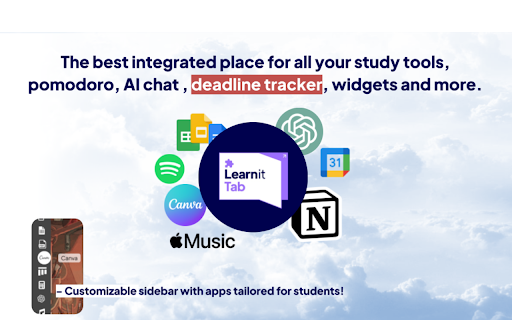
Customize your new tab with KPOP backgrounds, productivity tools, remote jobs, and ChatGPT access for enhanced studying. Learnitab: Your Ultimate Productivity Dashboard A beautiful, minimalist new tab for calm focus and full customization Transform your browser's new tab into a personalized productivity center with a touch of Study with me / StudyWithMe K-pop inspiration, best focus tools for ADHD, Study tools for med students, Inspired by studygram & studytwt! 💫 Stand Out & Ahead: Learnitab stands tall above the rest—offering a next-level StudyWithMe alternative. Packed with standout features and a stunning interface, Learnitab redefines what a study new tab extension can be. 🎯 Elevate Your Productivity Learnitab turns every new tab into a powerful command center for learning, organization, and focus: Personalized Dashboard: Greets you by name with time-relevant salutations Time Management: Clean clock display with 12/24-hour format toggle Smart Todo List: Track tasks and assignments with ease Custom Countdowns: Visualize important deadlines and events Motivational Quotes: Daily inspiration with customizable quote types 🎨 Study With Your Favorite K-pop Idols Study Companion Backgrounds: Choose from 17+ beautiful static backgrounds K-pop Study Sessions: Study alongside your favorite K-POP Idols through specially curated YouTube ambiance videos Custom Background Support: Upload your own backgrounds for a truly personalized experience 🧠 Focus-Enhancing Features Weather at a Glance: Stay informed with current weather conditions Dark/Light Mode: Easy on the eyes, day or night Cinematic Mode: Immersive, distraction-free environment for deep work Smart Shortcuts: Quick access to your most-used websites Speed Dial New Tab: Access your favorite sites instantly, just like a pro 🔄 Seamless Integration ChatGPT Access: AI assistance without opening a new tab Remote Job Opportunities: Discover work-from-anywhere positions Cross-Device Sync: Import/export your settings for a consistent experience 🛠️ Advanced Tools Breathing Exercises: De-stress with guided breathing animations Expandable Sidebar: Quick access to essential tools and widgets Settings Control: Customize every aspect of your dashboard 🧩 Sidepanel Integration Access Learnitab tools instantly from Chrome’s side panel — including your to-do list, ChatGPT assistant, Notion integration, Canva, current weather, and job feed. Stay productive without switching tabs. Calm and focus, always within reach. 🧑🎤 Meet Chill Guy – Your Visual Novel Companion Need a virtual buddy to keep you company while studying? Learnitab features Chill Guy, an interactive character powered by a visual novel-style dialogue system. Chill Guy pops up with time-aware conversations — offering momentum encouragement, witty banter, or just a chill moment to break up your day. This feature adapts to your study schedule and can be toggled on or off in the settings. 🚀 Learnitab Study Support Press F2 or right click on any webpage (YouTube, Udemy, Google, etc. LITERALLY EVERY PAGE!!!) to instantly toggle Learnitab Study Support tools! Access Gemini AI, Pomodoro, To-do list, Drawing tool, and Translator to enhance your study experience directly on the page you're visiting, you can also solve your homework use learnitab as your Homework AI tutor and study helper, chat by F2 to ask about tough concepts, master complex math questions with Geometry mode, and more. 📌 Note: For the best experience, after installing Learnitab click the ‘Keep it’ button on the ‘Change back to Google’ notification. This will show Learnitab on each new tab as intended. 🙂 Join thousands of students and professionals who've transformed their productivity with Learnitab. Calm, focused, and beautifully yours — it's your minimalist homepage for modern work & study. 🧩 Add to Chrome now and make every new tab count toward your success. 🛡️ Privacy & Security The Learnitab team is committed to protecting your privacy. The information we gather or process is used solely for core functionality of Learnitab and to improve the quality and security of our service. Your information isn’t and has never been sold to third parties. For more information on privacy and the security of your data, visit https://learnitabtes.vercel.app/privacy.

Butterfree Dash - Smart New Tab
Elevate your browsing experience with a beautifully designed tab that promotes calmness, enhances focus, and boosts your energy. Transform your new tab page into a powerful productivity hub with Butterfree Dash! Designed to streamline your daily activities, Butterfree Dash combines functionality with simplicity, making it your go-to solution for managing tasks, staying informed, and personalizing your browsing experience. Whether you're a student, a professional, or someone who simply wants a more organized digital life, Butterfree Dash has everything you need. Butterfree Dash offers a variety of widgets to keep you on top of your game. The World Clock widget lets you keep track of multiple time zones effortlessly, perfect for professionals working with international clients or those with friends and family spread across the globe. You can customize these clocks to display the time in key locations, ensuring you always know the local time. The Weather App widget provides real-time weather updates, forecasts, and severe weather alerts. You can set your location manually or let the app detect it automatically. The weather app gives detailed forecasts, including temperature, humidity, wind speed, and more, keeping you prepared for any weather conditions. In addition to widgets, Butterfree Dash includes several applications designed to enhance your productivity. The Notes app allows you to jot down thoughts, ideas, or important information without leaving your browser. It offers features like categorization and a search function to help you find what you need quickly. Your notes can be synced across devices, ensuring you always have access to your important information. The Links app lets you add your most-visited websites for quick access. You can categorize these links into folders for better organization and even import bookmarks from your browser. With a simple drag-and-drop interface, arranging your links has never been easier. The To-Do app helps you manage tasks and subtasks, set due dates, priorities, and reminders. You can use checklists for various needs, such as grocery lists or project steps, and track your progress with visual indicators, helping you stay on top of your goals. Customization is a key aspect of Butterfree Dash. You can choose from a wide range of high-quality wallpapers to personalize your new tab page, or upload your own images for a truly unique look. Dynamic themes can change with the time of day or weather conditions, adding a touch of interactivity to your browsing experience. Butterfree Dash is designed to be lightweight and fast, ensuring it doesn't slow down your browser. Enjoy rapid loading times for your new tab page, making your browsing experience seamless and efficient. Best of all, Butterfree Dash is completely free to use. You can access all features without any hidden costs or subscription fees, and benefit from regular updates that bring new features, improvements, and bug fixes. One of the standout features of Butterfree Dash is its user-friendly interface. The intuitive design makes it easy to navigate, accessible for users of all ages and technical abilities. By integrating essential tools directly into your new tab page, Butterfree Dash helps you stay organized and focused, ultimately boosting your productivity. The extension also ensures your data security and privacy, protecting your information and never sharing it without your consent. Butterfree Dash integrates seamlessly with your existing browser settings and bookmarks, providing a smooth transition and enhanced functionality without any hassle. With multiple time zones in the World Clock, detailed weather information, rich text editing in the Notes app, visual bookmarks, recurring tasks in the To-Do app, and customizable wallpapers, Butterfree Dash is tailored to meet your diverse needs. Installing Butterfree Dash is simple. Visit the Chrome Web Store, search for "Butterfree Dash - New Tab Essentials", and click "Add to Chrome". Within moments, your new tab page will be transformed. The setup process guides you through customizing your new tab page, adding your favorite widgets, setting up your apps, and choosing a background wallpaper to get started. Butterfree Dash has garnered high ratings and positive feedback from thousands of satisfied users who appreciate its functionality, ease of use, and customization options. We value our community's input and encourage users to share their feedback and suggestions to help us continually improve Butterfree Dash. In conclusion, Butterfree Dash - New Tab Essentials is more than just a new tab page; it's a comprehensive tool designed to enhance your productivity, keep you organised, and provide a personalized browsing experience. Download Butterfree Dash today and transform your new tab into a powerful, customisable hub.

ChatGPT Prompt Generator for Business
Your instant gateway to expert business advice from ChatGPT, without the hassle. Are you an entrepreneur or small business owner that wants to get the best business advice from ChatGPT? But, you don't want to spend hours doing research or writing long, complex prompts? Well now you can with just One Click: Introducing One Click GPT for Business! "It's like a Business Browser for Chat GPT!" Here's Why One Click GPT for Business is a Game-Changer: Say goodbye to the headache of creating complex prompts. With just one click, you can now generate high-quality prompts tailored to your specific business needs. 🔥 High-Level and Advanced Business Strategies: Get access to targeted advice in areas like marketing, sales, finance, operations, and more. Our extension is designed to understand the intricacies of your business, and providing solutions that lead to 10X returns with 10X less effort. 🕒 Time-Saving and Efficient: No more hours wasted on tedious research. Get the advice you need, right when you need it, anytime and anywhere. 🔒 Your Privacy is Our Priority: We respect your data privacy. One Click GPT for Business operates without recording or collecting any private information. 📈 Customized Advice for Growth: Leverage the full potential of ChatGPT but without the hard work. Get immediate strategies that deliver real results, transforming generic advice into personalized action plans that will 10X your business results. How One Click GPT for Business Elevates Your Business In the fast-paced world of business, time is money. Our extension cuts down your effort, delivering the insights you need at lightning speed. Harness the power of AI to make informed, strategic decisions that propel your business forward. Designed with simplicity in mind, our extension integrates seamlessly with your Chrome browser and ChatGPT, making high-level business strategy more accessible than ever. Ready to Revolutionize Your Business? Embrace the future of business strategy with One-Click GPT for Business. This Chrome Extension is more than a tool; it’s your AI partner in giving you an edge in the complex world of entrepreneurship. Download Now and 10X Your Business Today! Click 'Add to Chrome' to begin your journey towards streamlined, efficient, and impactful business growth. With One Click GPT for Business, you’re not just keeping up with the competition; you’ll blow past them all.

Casca: New Tab with ChatGPT and Widgets
Customise your new tab page and boost your productivity with Casca Extension Casca Extension is a tool with ChatGPT for productivity and collaboration. Customize your new tab, create and share multiple spaces, and maintain a work-life balance with ease. — Multiple workspaces: create separate spaces for work, personal projects, or hobbies. Keep each workspace organized and switch between them easily — Customizable dashboard: personalize your dashboard with widgets and customize the layout to suit your needs — Light / Dark themes with automatic switching — ChatGPT: get answers, explore new topics, and engage in interactive discussions — Change your wallpaper: search for the perfect wallpaper directly in your new tab, or use your own image — Website preview: preview multiple links without leaving your current tab. Simply long-press any link to activate a split-screen mode and compare content without switching tabs — Sticky notes: place important information anywhere on your dashboard — Collaboration: work on projects with colleagues or share spaces with friends. Collaborate in real-time and stay connected — Sync: Access your dashboard on multiple devices without having to register ✅ Todos: Create and manage to-do lists. 📝 Notes: Write a story, save articles or take notes 🗓️ Schedule: Efficiently plan tasks and activities 🍅 Pomodoro: Improve productivity with the Pomodoro Technique, breaking work into intervals with short breaks 🔒 Website blocker: Block distracting websites and stay focused 📑 Kanban: Visually organize tasks using interactive cards for effective workflow management ☀️ Weather: Current weather conditions and forecast for any city 🗂 Links Folder: Create a folder containing links to your favorite websites ☁️ Image hosting: Host and share images easily. Generate shareable links for smooth collaboration and image sharing 🖼️ Embedded Website: Embed any website you want to view in your dashboard ⏰ Clock: Display of current time 📅 Calendar: Track the day of the month 📧 Gmail: See all unread emails in your Gmail inbox 🔗 Link: Save frequently visited websites or important resources 🤖 Reddit Media: Browse random posts from your favorite subreddits 🛠️ GitHub PRs: Stay informed about the latest pull requests in repositories 💻 LeetCode: Sharpen coding skills with coding challenges and solutions 🚀 Product Hunt: Discover the latest products and trends in the tech industry 💡 Indie Hackers: Stay updated on innovative projects and startups 📰 Hacker News: Get the latest tech news and discussions from the community 📖 Word of the Day: Expand your vocabulary with a new word and definition every day And more 😉 Whether you're working on a project with colleagues or tracking your personal goals, Casca Extension has got you covered! Casca Extension prioritizes user privacy by not storing personal information. All data is securely stored in the browser storage by default. For more information, visit https://casca.space/privacy-policy/.

HiTab - New Tab Dashboard and Widgets
Customize your homepage with widgets, and dark mode support HiTab - New Tab Dashboard and Widgets. New Tab Dashboard and Widgets. Personal dashboard organizes bookmarks, favorite websites from start page. HiTab supports customizing your homepage with widgets, including dark mode. Hitab - New Tab Dashboard and Widgets,Hitab is a new tab extension for iOS that allows you to create your own visually appealing homepage with customizable widgets. It features card-style design, built-in features such as countdowns, anniversaries, weather, hot searches, and a calculator. Hitab makes all the information easily accessible, keeping your new tab page clean and beautiful. 1. Customize widgets and icons on your new tab page, freely arrange and mix and match them. 2. Personalize birthday countdown widgets, payday countdown widgets, holiday widgets, etc. 3. Quickly add frequently visited websites or widgets to your homepage. 4. Customize search engines and toggle between Google, Bing, Yahoo, and other search engines. You can also add your own custom search engines. 5. Customize wallpapers with a wide selection of high-definition wallpapers in categories such as nature, ocean, architecture, animals, etc. 6. Note-taking and to-do list widgets to keep your inspirations and tasks organized. 7. Customize dark or light mode, or automatically follow your system settings. 8. Customize the left sidebar with categorized icons for easy access to office and entertainment apps. You can hide or show the sidebar as needed. 9. Customize the bottom bar to store frequently used websites for convenient one-click access. You can hide or show the bottom bar. 10. Login/register a Hitab new tab account to backup and sync your data across different devices. 11. Receive message notifications from us. 12. Ability to adjust the icon size. 13. Hot search widgets. 14. Ability to adjust the icon width. 15. Ability to adjust the icon size to small, medium, or large. 16. Unit converter widget supporting calculators, length, weight, area, volume, temperature, speed, unit conversion, heat, pressure, power, force, etc. 17. Calendar widget. 18. Daily quotes widget. 19. News widget. 20. Habit tracker widget. 21. System status widget displaying real-time CPU, battery, and memory usage. 22. Currency exchange rate converter widget. 23. Mini game widget. 24. Dynamic wallpapers and gradient backgrounds. 25. Bookmark manager widget for easy bookmark management. 26. Full-screen clock widget and world time widget in the new tab. 27. Minimalist mode support for new tab.
